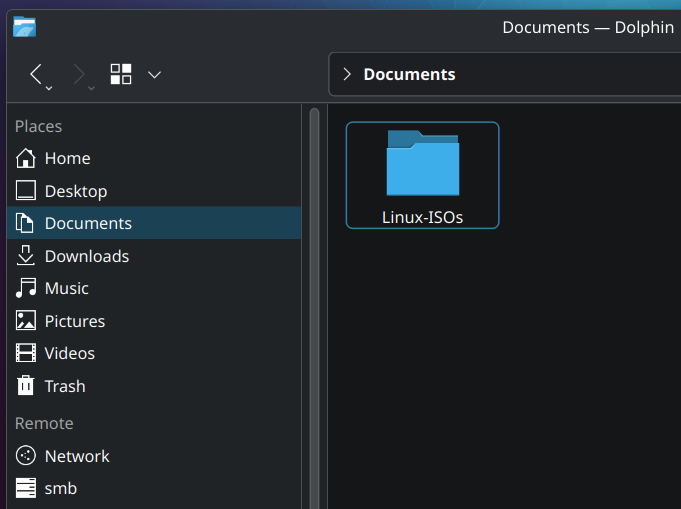
Your family will hate you if you'll change their distro and DE every time you visit them. Distro hopping is normal for the first couple of years, but do it on your own machine.
post
- you need Ventoy to stop formatting you're USB sticks
- Keeping lot of ISO is a bit useless just the few that you use daily.
- If you're keeping this ISO anyway, get them by torrent and keep sharing for helping the community
Also if you have a fast internet connection, check out https://netboot.xyz/
Ventoy is great, it’s my go to tool, boots on basically everything (even my MacBook) but… wasn’t there a scare about possibly being compromised because it builds itself from hundreds of modules on github or something like that?
Another important point 4. Always check checksums (sha256 etc)
First you need to download the provided file from the distro page. Something with Checksum in the name most of the time. The website should provide instructions. Please note that does not validate the gpg key.
Quick Method Terminal:
Open the terminal at the location of the ISO file or go there with cd. Type sha256sum NameOfIsoFile.iso - it takes a moment depending on your system.
Copy the output (some long numbers/letters). Compare it with the downloaded checksum-file - open the file, press ctrl-f or whatever you have for find and paste it. If it's found, it's the same.
Method KDE: Right click the file, open properties, then go to tab "Checksums". Paste same number/letter combination from above into the provided space "Expected checksums..." - if it's green, it's correct.
Just use the appropriate command for the hash type, i.e. sha256sum <filename> (iirc, might be wrong, man is your friend)
10 USB sticks? why? just use ventoy and throw them all on an external SSD or something. that's what I do. can even use that with specific dotfiles you need for each distro along with ventoy. much easier to deal with than 10 usb sticks.
Upgrade Mint to Kubuntu 💀
You can use Ventoy to have many ISOs on one stick ^^
Use Ventoy, you can have dozens and dozens of ISO on one stick only, when you boot on it you can select the one you want.
Just buy 2.5 HDD put it in USB sata case and use as USB stick with ventoy
Or if you want to install an entire iso in less than a minute, one of these.
I really like that one. I can move a terabyte in minutes, and unlike some other M.2 enclosures, this one is a heatsink sandwich, which enables sustained full-speed operation.
Buying m2 nowadays or any ssd is not cheap thing at all
I’d recommend a HDD enclosure with a virtual drive emulator. I personally use this one which I’ve had for about a decade at this point. Lovely device. At some point I think I’ll pop an SSD in it instead, mostly just for durability purposes.
Sure.
But that's limited to SATA 3 speeds. A "mere" 600 MB/s. Not to mention SATA SSDs often can't sustain their theoretical maximums.
USB3.2x2 can do 2500 MB/s, and with heatsinks on an NVME drive you can actually reach and sustain that transfer speed.
When you're moving more than 500 gigs of something, or if you move ISO sized things often, it's really nice.
When I occasionally have to write an ISO to usb for macOS or when ventoy for some reason wont work, I get annoyed at how I actually have to wait a bit, even though my thumbdrives aren't slow.
They're just not NVME with a heatsink fast. I've gotten used to moving ISOs around like they're text files.
It may not work. I have two ssds like that and they both won't boot ventoy for some reason, but a hdd in a usb case worked no problem.
Also, unless you're using the usb3 interface it doesn't make much difference really.
I use this one professionally, yet to come across a PC that wouldn't boot from it.
And yeah, you won't benefit unless the PC also has both fast ports and fast storage.
But half of the time I'm using it to move files from a customers old PC to their new one, and more aften than not, even the old one has at least one quick usb C port.
Remember to keep Hannah Montana Linux too!
Ventoy for most, but some stuff doesn't work with correctly when booted from ventoy:
-
ChromeOS Flex won't install to internal drive when ventoy booted, it will when flashed directly to a usb.
-
also had Linux Mint 22 try to install to the ventoy drive (wiping it and then crashing halfway through)
-
and dealing with really old 32bit bios laptops you'll have to use direct usb too (AntiX still supports 32bit)
Uh... you do know that people don't literally save a bunch of Linux ISOs, right? It's a euphemism for collecting less legit things, like pirated media or porn.
By the time you want to install the same distro again, it's likely that a new version will be out and you'll want to re-download it anyway.
Edit: okay, okay, some of y'all really do collect Linux ISOs. That's fine; I won't kink-shame.
Speak for yourself. I have ISOs saved for my virtual machine "OS Museum" full of all kinds cool stuff like Damn Small Linux, TempleOS, Haiku, Hannah Montana Linux, the version of Mandrake Linux that came with the Sims 1 installed ... Etc.
You can always just use the version you have and run an update after it's installed.
Yea I know that, but I only have one USB and eventually came to this place where it's useful to just have them saved
I have quite a collection of ISOs.
One reason is that I have hardware that requires specific versions to boot (newer ones have removed support). Sometimes the distro still works just fine in that hardware but the live iso does not. So I can install with an older ISO and update.
Another is that use virtual machines regularly. I do not want to have to wait for the ISO to download every time.
Don’t distrohop too much, at one point there won’t be much more to explore with other distros other than wallpapers and themes
There is always more.
Have you tried Chimera Linux?
I don't mean to crash the party, I used to love Ventoy too. But then the blob issue came up and it was met with silence for over a year by the maintainer, that made me a bit uncomfortable. They have responded to it a while ago, but it's no trivial task to solve as I understand it: https://github.com/ventoy/Ventoy/issues/3224
Ugh... why? I mean it's a fun process to distro hop and better understand the different package managers, boot process, default services, etc but beyond that I'm confused at what the point is.
FWIW one can distro hop "virtually" in minutes using containers via Podman or Docker (or even QEMU to be more isolated) with images that do have a window manager, e.g. https://docs.linuxserver.io/images/docker-webtop/ provides Alpine, Arch, Debian, Enterprise Linux, Fedora and Ubuntu with i3, KDE, MATE or XFCE. Switching from one to another takes minutes (basically download time of image content) and if you mount the right directory you can even use your own content for your tests.
Edit : if one wants to install nothing https://distrosea.com/ is quite neat but it's online.
I mean...my connection is so fast it takes like, what, a minute, maybe two to get an ISO? The Internet is my backup device. I can still get copies of Yggdrasil from the early 90s.
I think I'm missing something here - why would y'all need a storage of ISOs?
Just think of a distro & download it from like anywhere at that moment? Especially if there is a functioning PC you are about to "upgrade". That way you don't need to think ahead of anything & get the latest ISO.
Maybe not Kubuntu? It's not de-Canonical'd like Mint or Pop!_OS, so it'll have weird bad things like Snap or the not-yet-ready Rust coreutils.
If you're wanting to use software that's most easily available on different distros, why not just use Distrobox? If you are just wanting to change the UI, why not just switch DEs? If you really need to be able to randomly switch away from/to system level differences, what are you doing? What would necessitate that?
This is a phase that most Linux enthusiasts go through at some point. It takes time to understand what a distro really is.
People see distros as being much more different than they really are because of the default settings between distros being so different from each other.
At the end of the day a distro is basically just a way of choosing which group of people you want to trust to package software for you.
What's wrong with Debian?
The latest version of anything is at least 6 months old.
Stability over everything is pretty awesome.
I think that term gets confused frequently in this context. Stability as the Debian team likely uses it means mostly static APIs. Meaning a stable interface to develop software against.
The way the users mostly understand it means stable software, no major bugs or crashes.
And while those two are linked, they're not the same. Anecdotally, I've used Arch for over 10 years and had only three breakages. Two because I forgot to check for manual intervention before upgrading and one because the battery of the laptop died during an upgrade. All were easily fixed from a live environment, no reinstall necessary. Yes, there were bugs and even crashes in software, but those were upstream issues. I admit that's not a distinction a user is likely to make. I still consider Arch the most stable distro I've ever used.
https://media.ccc.de/v/5012-the-first-encrypted-steam-deck-runs-opensuse#t=0
OpenSUSE is better than Fedora
Yep, suse is cool, the default firewall config is way more restricted (safer but annoying at times). Dbeaver can't install some essential depends for some reason and shotcut is missing some features (I could try fixing it but for now I just use appimages). It is way more stable than fedora or arch, even if I sometimes forget to upgrade it for months.
all 74 comments