Tbh there's a wide range I could say it's blue or green.
I mean, wouldn't the tooth fairy be like easy to kill.
did you at least flip it
I mean you do realize those child are people right? What are you suggesting anyways, sending them to the orphanage if you lose your job?? lol.
Also there os a ferrari message. I mean if someone goes poor from buying a ferrari it doesn't mean they shouldn't be helped but they should probably sell the ferrari you know. Like what are you gonna do, sell your children? Do you want/expect a billionare to buy them on the black market buddy, pal, friendo, amigo, pal, buddy?
Also why do add a smiley face most of the time, come on buddy, pal, amigo, friendo, you're not telling me you had absolutely no idea how people would react? And why would you add a smiley face to messages answering to angry people... or something like that idk. If you were not getting satisfaction out of it?
Oh, wait, thank you!
No, yeah, adding a drop menu would also be great.
Technoblade said the second in a dream smp stream. And also mentioned it was a malaphor. Not saying he is related with this or anything if it could be misinterpreted like that. It just mafe me remember that. The surprising part for me is that the other people in the call didn't know what an idiom was or something lol.
Or something like that don't trust this to be exactly how that happened.
Wait the title is comparing the n-word for the word used for the color black in spanish?? As a native Spanish speaker, it litterally never crossed my mind they were even similar what.
I get how there could be some resemblance but come on.
What do you mean I can't bend time to get a month of screentime in a day anymore?!?!?!
can confirm
I just saw like 3 memes sith this format after this, maybe the reap meaning of supremacy were the friends we made alomg the way
Call me dumb, but I don't think this is what supremacy means.
Ig that could change if context is added idk.
so the output
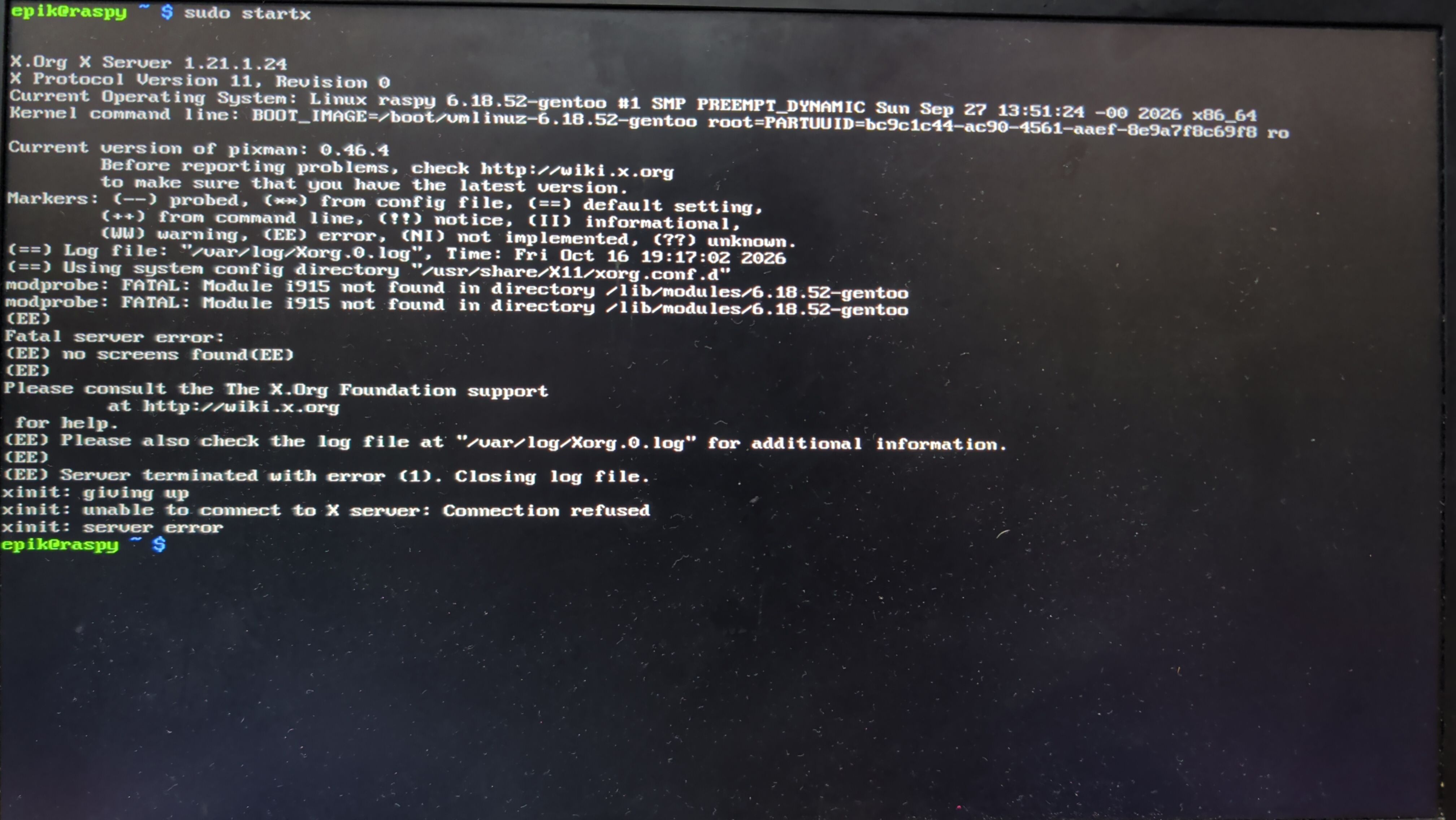
and the log from /var/log/Xorg.0.log
[   722.107]
X.Org X Server 1.21.1.24
X Protocol Version 11, Revision 0
[   722.107] Current Operating System: Linux raspy 6.18.52-gentoo #1 SMP PREEMPT_DYNAMIC Sun Sep 27 13:51:24 -00 2026 x86_64
[   722.107] Kernel command line: BOOT_IMAGE=/boot/vmlinuz-6.18.52-gentoo root=PARTUUID=bc9c1c44-ac90-4561-aaef-8e9a7f8c69f8 ro
[   722.107]
[   722.107] Current version of pixman: 0.46.4
[   722.107] 	Before reporting problems, check http://wiki.x.org/
	to make sure that you have the latest version.
[   722.107] Markers: (--) probed, (**) from config file, (==) default setting,
	(++) from command line, (!!) notice, (II) informational,
	(WW) warning, (EE) error, (NI) not implemented, (??) unknown.
[   722.107] (==) Log file: "/var/log/Xorg.0.log", Time: Fri Oct 16 19:10:03 2026
[   722.108] (==) Using system config directory "/usr/share/X11/xorg.conf.d"
[   722.108] (==) No Layout section.  Using the first Screen section.
[   722.108] (==) No screen section available. Using defaults.
[   722.108] (**) |-->Screen "Default Screen Section" (0)
[   722.108] (**) |   |-->Monitor "<default monitor>"
[   722.109] (==) No monitor specified for screen "Default Screen Section".
	Using a default monitor configuration.
[   722.109] (**) Allowing byte-swapped clients
[   722.109] (==) Automatically adding devices
[   722.109] (==) Automatically enabling devices
[   722.109] (==) Automatically adding GPU devices
[   722.109] (==) Automatically binding GPU devices
[   722.109] (==) Max clients allowed: 256, resource mask: 0x1fffff
[   722.109] (WW) The directory "/usr/share/fonts/TTF" does not exist.
[   722.109] 	Entry deleted from font path.
[   722.109] (WW) The directory "/usr/share/fonts/OTF" does not exist.
[   722.109] 	Entry deleted from font path.
[   722.109] (WW) The directory "/usr/share/fonts/Type1" does not exist.
[   722.109] 	Entry deleted from font path.
[   722.109] (WW) `fonts.dir' not found (or not valid) in "/usr/share/fonts/100dpi".
[   722.109] 	Entry deleted from font path.
[   722.109] 	(Run 'mkfontdir' on "/usr/share/fonts/100dpi").
[   722.109] (WW) `fonts.dir' not found (or not valid) in "/usr/share/fonts/75dpi".
[   722.109] 	Entry deleted from font path.
[   722.109] 	(Run 'mkfontdir' on "/usr/share/fonts/75dpi").
[   722.109] (==) FontPath set to:
	/usr/share/fonts/misc
[   722.109] (==) ModulePath set to "/usr/lib64/xorg/modules"
[   722.109] (II) The server relies on udev to provide the list of input devices.
	If no devices become available, reconfigure udev or disable AutoAddDevices.
[   722.109] (II) Module ABI versions:
[   722.109] 	X.Org ANSI C Emulation: 0.4
[   722.109] 	X.Org Video Driver: 25.2
[   722.109] 	X.Org XInput driver : 24.4
[   722.109] 	X.Org Server Extension : 10.0
[   722.118] (--) using VT number 8

[   722.118] (II) systemd-logind: logind integration requires -keeptty and -keeptty was not provided, disabling logind integration
[   722.121] (--) PCI:*(0@0:2:0) 8086:3ea0:103c:8549 rev 2, Mem @ 0xe7000000/16777216, 0xc0000000/268435456, I/O @ 0x00003000/64, BIOS @ 0x????????/131072
[   722.121] (II) LoadModule: "glx"
[   722.121] (II) Loading /usr/lib64/xorg/modules/extensions/libglx.so
[   722.124] (II) Module glx: vendor="X.Org Foundation"
[   722.124] 	compiled for 1.21.1.24, module version = 1.0.0
[   722.124] 	ABI class: X.Org Server Extension, version 10.0
[   722.125] (==) Matched intel as autoconfigured driver 0
[   722.125] (==) Matched modesetting as autoconfigured driver 1
[   722.125] (==) Matched fbdev as autoconfigured driver 2
[   722.125] (==) Matched vesa as autoconfigured driver 3
[   722.125] (==) Assigned the driver to the xf86ConfigLayout
[   722.125] (II) LoadModule: "intel"
[   722.125] (II) Loading /usr/lib64/xorg/modules/drivers/intel_drv.so
[   722.125] (II) Module intel: vendor="X.Org Foundation"
[   722.125] 	compiled for 1.21.1.24, module version = 2.99.917
[   722.125] 	Module class: X.Org Video Driver
[   722.125] 	ABI class: X.Org Video Driver, version 25.2
[   722.125] (II) LoadModule: "modesetting"
[   722.125] (II) Loading /usr/lib64/xorg/modules/drivers/modesetting_drv.so
[   722.126] (II) Module modesetting: vendor="X.Org Foundation"
[   722.126] 	compiled for 1.21.1.24, module version = 1.21.1
[   722.126] 	Module class: X.Org Video Driver
[   722.126] 	ABI class: X.Org Video Driver, version 25.2
[   722.126] (II) LoadModule: "fbdev"
[   722.126] (WW) Warning, couldn't open module fbdev
[   722.126] (EE) Failed to load module "fbdev" (module does not exist, 0)
[   722.126] (II) LoadModule: "vesa"
[   722.127] (WW) Warning, couldn't open module vesa
[   722.127] (EE) Failed to load module "vesa" (module does not exist, 0)
[   722.127] (II) intel: Driver for Intel(R) Integrated Graphics Chipsets:
	i810, i810-dc100, i810e, i815, i830M, 845G, 854, 852GM/855GM, 865G,
	915G, E7221 (i915), 915GM, 945G, 945GM, 945GME, Pineview GM,
	Pineview G, 965G, G35, 965Q, 946GZ, 965GM, 965GME/GLE, G33, Q35, Q33,
	GM45, 4 Series, G45/G43, Q45/Q43, G41, B43
[   722.127] (II) intel: Driver for Intel(R) HD Graphics
[   722.127] (II) intel: Driver for Intel(R) Iris(TM) Graphics
[   722.127] (II) intel: Driver for Intel(R) Iris(TM) Pro Graphics
[   722.127] (II) modesetting: Driver for Modesetting Kernel Drivers: kms
[   722.135] (EE) open /dev/dri/card0: No such file or directory
[   722.135] (WW) Falling back to old probe method for modesetting
[   722.135] (EE) open /dev/dri/card0: No such file or directory
[   722.135] (EE) Screen 0 deleted because of no matching config section.
[   722.135] (II) UnloadModule: "modesetting"
[   722.135] (EE) Device(s) detected, but none match those in the config file.
[   722.135] (EE)
Fatal server error:
[   722.135] (EE) no screens found(EE)
[   722.135] (EE)
Please consult the The X.Org Foundation support
	 at http://wiki.x.org/
 for help.
[   722.135] (EE) Please also check the log file at "/var/log/Xorg.0.log" for additional information.
[   722.135] (EE)
[   722.137] (EE) Server terminated with error (1). Closing log file.
CPU: Intel (R) Core(TM) i7-8565 (4) @ 4.60 GHz
GPU: Intel UHD Graphics 620 [Integrated]
Kernel: Linux 6.18.52-gentoo
914 packages from emerge apparently
I have tried doing some stuff but I really don't think it made a difference in any possible way.
There's also when keyword ~amd64 blocks stuff like kde. From what I understand there's also a stable amd64 apparently? idk that's a bit unrelated I will look into it later.
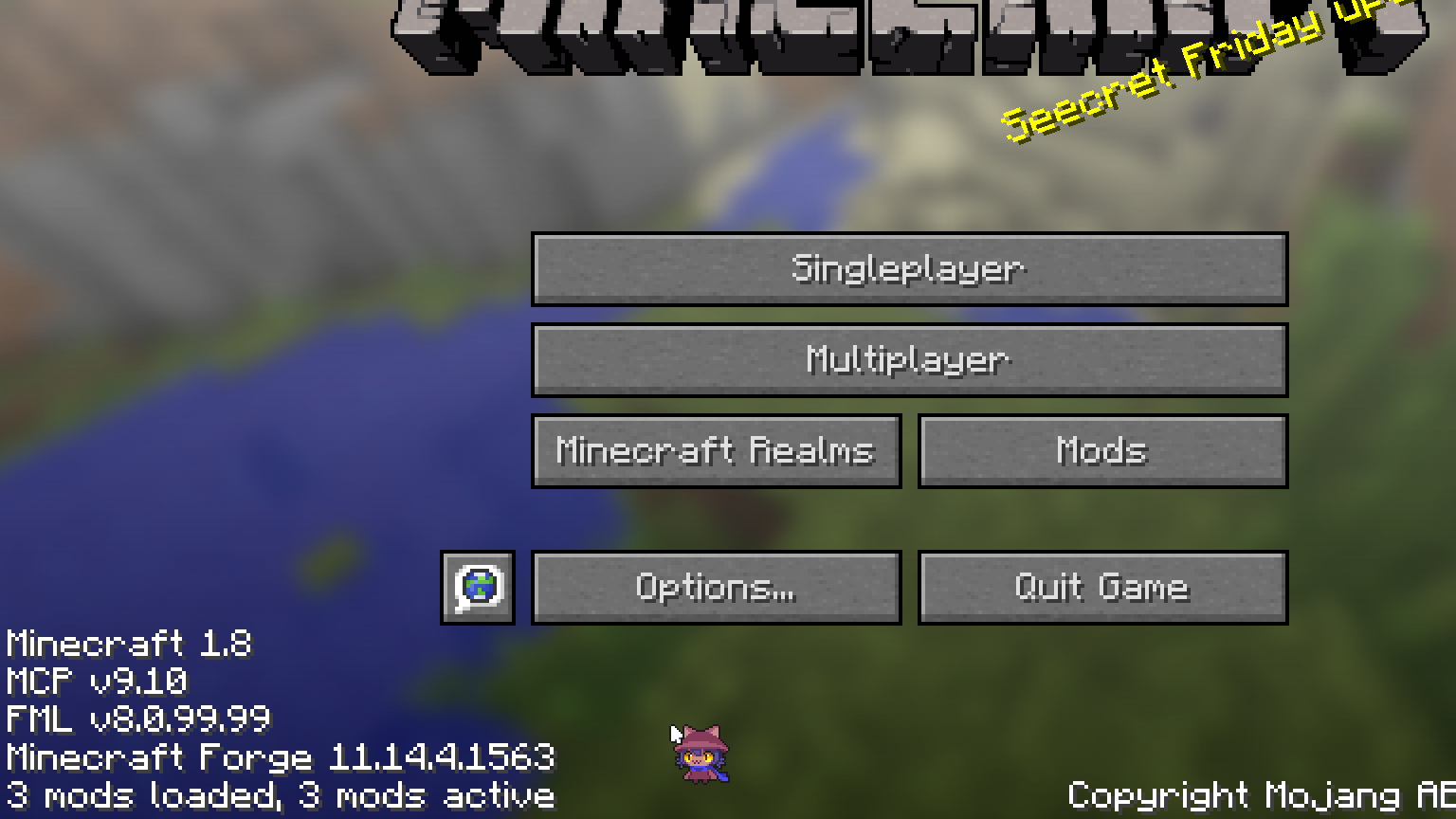
minecraft turns like 1.2x the size it should be, that estimation was probs really wrong but anyway. It happens in vanilla yes. yes it happens until 1.12.2 I think vanilla too and it gets fixed in 1.13 that is that one aquatic update. I remember something about a rewrite of the code or of something there but I don't actually remember any specifics??
                             Voidlinux
                             CPU: AMD Ryzeb 5 5500 x 12
                             GPU: GeForce RTX 2060
                             Kernel: Linux 6.18.53_1
                             Init System: runit
                             Uptime: 3 hours, 19 mins
                             Packages: 1071 (xbps)
                             Display (MG500 V2): 1920x1080 in 24", 60 Hz
                             Login Manager: LightDM 1.32.0
                             Desktop Environment: Xfce4 4.20
                             Memory: 5.13 GiB / 15.51 GiB (33%)
                             Disk (/): 24.25 GiB / 103.78 GiB (23%) - ext4
                             Disk (/home): 203.33 GiB / 346.82 GiB (59%) - ext4
I should probs reduce the root partition size someday actually.
I also had that one problem where you switch to the 2th and 6th slots in the hotbar while shifting but that has a mod apparently.
How do I check which instances are federated toguether?
Discussion & Question
Instance Info
(reddthat.com)
Her name is Lua btw.

view more:
next ›