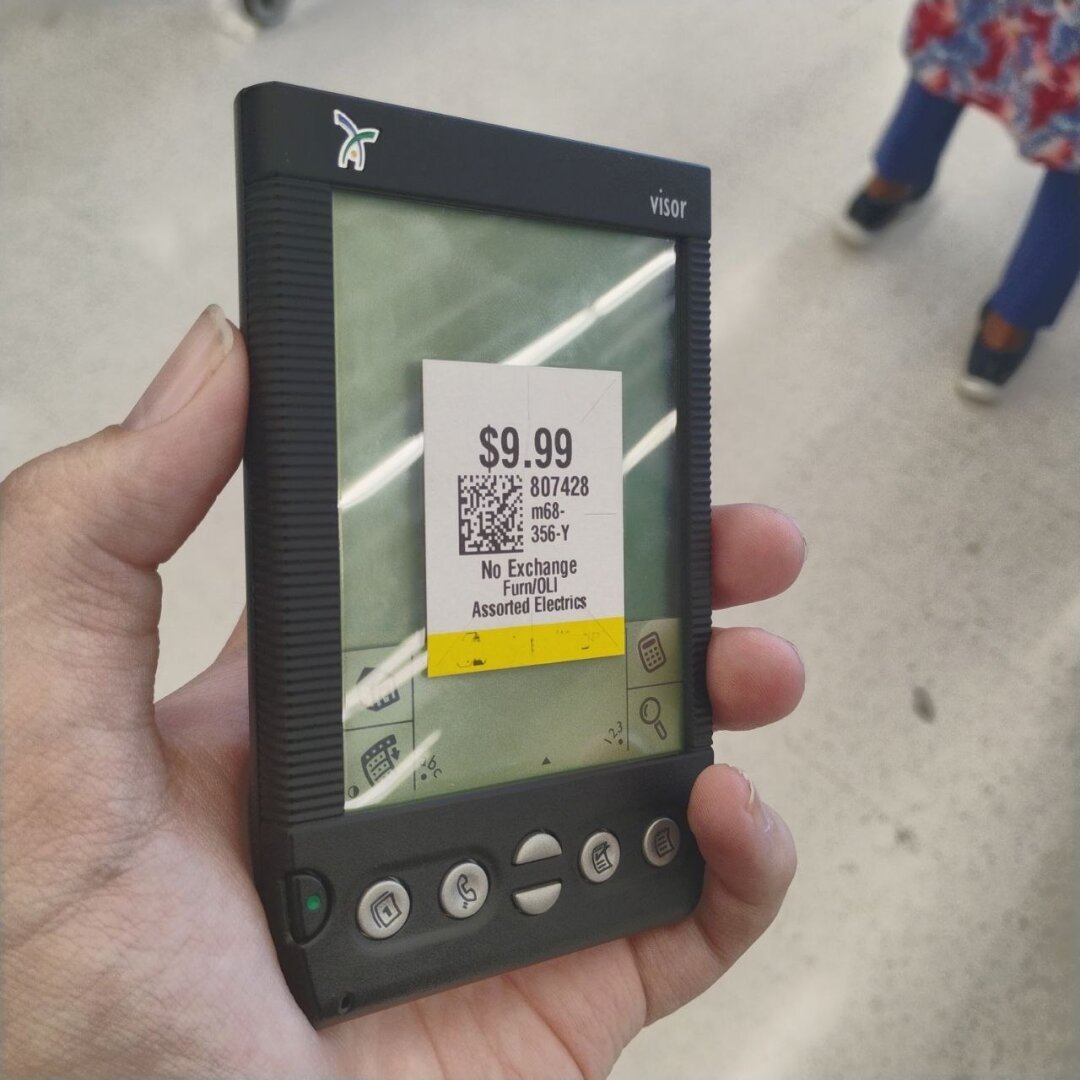
Welcome to c/Palm, the Fediverse hub for everything related to Palm OS, webOS, and classic handhelds—including PalmPilot, Handspring Visor, Sony CLIÉ, Treo, Centro, Palm Pre/Pixi, HP TouchPad, Garmin iQue, and AlphaSmart.

Below is a living directory of software archives, emulators, synchronization tools, and hardware preservation resources. Have a favorite link, obscure .prc, or repair guide that isn't listed? Drop it in the comments below and I'll add it to the list!


📦 Software Archives & App Repositories

  • PalmDB (palmdb.net) — The largest modern community archive of Palm OS apps, games, ROMs, and restoration guides.
  • PalmArchive (palmarchive.com) — Curated preservation archive of classic Palm OS shareware, freeware, and documentation.
  • webOS Archive (webosarchive.org) — Home of App Museum II, Preware feeds, SDKs, and recovery tools (webOS Doctor) for Palm and HP webOS devices.
  • Sony CLIÉ Info & Drivers (sonyclie.org) — Essential drivers, MemoryStick utilities, and Sony-specific add-ons for CLIÉ handhelds.
  • Internet Archive: Tucows Palm Pilot Collection — Historical snapshot of thousands of classic .prc and .pdb installers. (link down)

🖥️ Emulators & Running Palm OS on Modern Gear

  • CloudPilot Emu — Accurate, open-source DragonBall (m68k) Palm OS emulator that runs right in your web browser, Android, or iOS device.
  • rePalm Project — An active effort to run native Palm OS 5 (Garnet) on modern ARM hardware and microcontrollers. (link down)
  • Mu (Palm OS Emulator) — Lightweight RetroArch/standalone emulator targeting Palm OS 4.x and 5.x devices.
  • POSE (Palm OS Emulator) & Palm OS Simulator — The original official debugging emulators for m68k (POSE) and ARM/OS 5 (Simulator). (link down)

🔄 HotSync & Desktop Connectivity

Linux

  • pilot-link & J-Pilot — The gold-standard native Linux CLI and GTK desktop suite for syncing databases, installing .prc/.pdb files (pilot-xfer), and managing contacts/memos.
  • Kernel Module Tip (visor) — Modern Linux kernels still include the visor USB driver (modprobe visor), which binds USB Palm cradles and cables to /dev/ttyUSB0 or /dev/ttyUSB1 when you press the physical HotSync button.
  • Serial Cradles — Standard FTDI or Prolific USB-to-RS232 adapters work out of the box with pilot-xfer -p /dev/ttyUSB0 -i app.prc.

Windows (10 / 11)

  • Palm Desktop 4.1.4e & 6.2 (PalmDB) — Official desktop software; 4.1.4e is generally preferred for older m68k devices, while 6.2 works well with newer Garnet devices.
  • 64-Bit USB Drivers — For 64-bit Windows systems where legacy USB drivers fail to install, use the signed Aceeca 64-bit USB drivers (bundled on PalmDB) or sync over Bluetooth, IR, or a USB-to-Serial cradle.

SD Card & Wireless Transfers (No Cradle Needed)

  • SD Card Slot (FileZ) — Copy .prc and .pdb files onto a FAT16-formatted SD card (2 GB or smaller for stock Palm OS) inside /PALM/Launcher/ and use FileZ on the handheld to move them into internal RAM.
  • PowerSDHC — A custom driver patch that unlocks 4 GB–32 GB SDHC card support on many Palm OS 5 devices (TX, LifeDrive, Treo 650/680, Tungsten T3/T5).

🛠️ Hardware Repair, Mods & Development

  • Palm Wiki (palm.wiki) — Everything Palm, all the time.
  • prc-tools-remix — Updated GCC toolchain for building C/C++ Palm OS applications on modern 64-bit Linux and macOS systems.
  • OnBoardC — Write and compile native Palm OS C programs directly on your handheld using Graffiti or a folding keyboard. (link down)

💬 Introduce Yourself!

To kick things off: What Palm OS or webOS devices are currently in your collection, and what's your favorite app or game to run on them?


I've created !episcopalian@lemmy.ml for discussion around The Episcopal Church, Anglicanism, liturgy, and parish life.

Whether you pray the Daily Office, have questions about the Book of Common Prayer and Episcopal theology, or are just looking for an affirming religious community on Lemmy, you're welcome to join us there.

This community is not directly affiliated with The Episcopal Church or any Diocese or Parish

Logo for c/Episcopalian on lemmy.ml, a Fediverse community for members, friends, and seekers of The Episcopal Church and the broader Anglican tradition.
[–] 2 points 1 month ago

I miss fried okra, it was an absolute stable back in Appalachia. I used to get it as a side dish everytime we went out for Lunch on Sundays. Thank you for the recipe, I'll be trying this out most definitely!

  • source
  •  

    Ideally, I'm looking for an Android or LineageOS device with at least 6GB of RAM, compact enough for portability, and capable of running without Google Apps (GAPPS). I'm open to a tablet or flip phone design as well. Since my phone serves as my primary tool for browsing, mobile computing, and communication throughout the day, reserving my laptop and desktop for evening or specialized tasks, performance is key. USB-C DisplayPort Alt Mode would be a valuable bonus, though not a strict requirement.


    I'm looking for a community focused on the Episcopal Church (Anglican Communion in the US). I've searched but haven't found one yet.

    Does anyone know if such a community exists on any Lemmy instance? If not, would there be interest in creating one? It could be a space for discussing theology, liturgy, church life, and supporting fellow Episcopalians.

    Thanks for any pointers!


    I'm sorry to put a tech support post here, but I don't see a Thinkpad community on here.

    (Shocker.)

    Details:

    Immediately after hitting the Plymouth boot screen (Fedora logo with the spinny but under it) the laptop shuts off completely.

    Both batteries I got with it appear to be dead, the HDD boots a broken copy of Windows, I even have a port replicator with it!

    I'm not sure if maybe it's my USB, (both laptop and USB are thrifted) or something else.

    The only OS I've attempted is Fedora, should I flash a Windows (shudder) install disk and see if that makes a difference?

    Thanks, best regards, someone with a Value Village addiction and a Linux obsession.

    view more: next ›