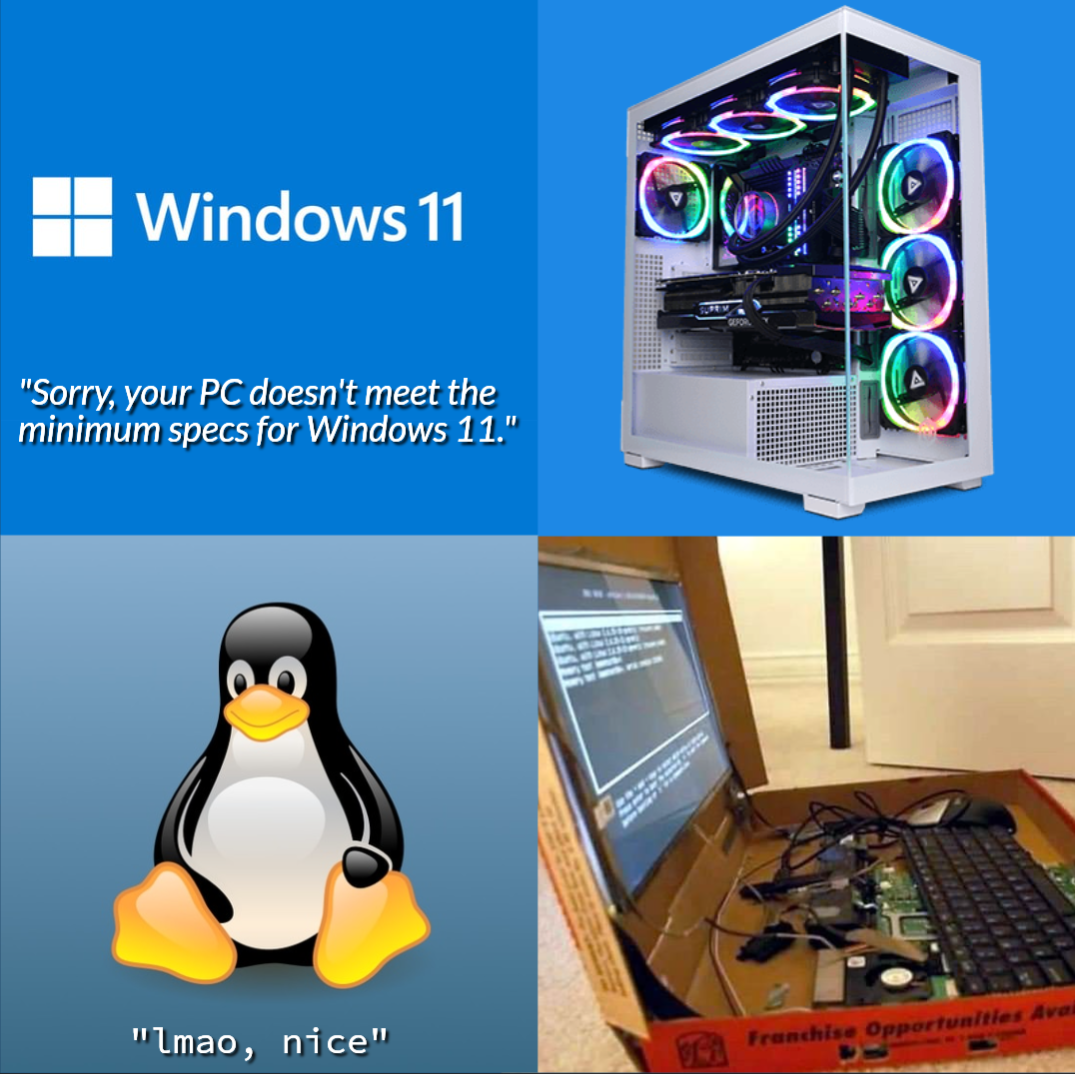
Tux: What 4 GB RAM? This is some gourmet shit.
post
That'd be like asking a a kid to stop selling lemonade so he can focus on making a sign out of something other than cardboard
More like asking a kid to stop selling lemonade so he can focus on making lemonade out of something other than cardboard.
A Celeron n4000 with only two cores, 4gb of DDR 3 RAM and 80gb sata I 5400rpm drive, that takes 25 minutes to boot: โ supported by Windows 11 because introduced on the market after 2018
A Xeon E7-8894 v4 with 24 cores, 3tb of ECC RAM and petabytes of nvme storage, paid $130k: โ unsupported by Windows 11 because introduced on the market before 2018
A totally valid way to define minimum requirements...
God, I love Linux nerds.
That is a glorious pizza box computer.
:) I have an old 2010 network drive, running Debian and OpenMediaVault for music and video shares. It has 256MB of memory and doesn't need it all to act as a folder share and streaming box. Windows 11 needing such a high end chip to run is just really poor optimization
I made the switch to Linux about ten years ago ... mainly because I didn't want to upgrade to the latest Windows 7/8 and I just didn't have the need to use any Windows software ... all I do is write documents, store photos, some light video editing and go online - why do I need any other OS? The only problem I had at the start was video editing ... it just meant I didn't do any. Now there are several options to get that done too.
The fun part was that my old hardware suddenly ran twice as fast with the latest Ubuntu at the time ... and I haven't look back since.
Linux gang rise up!!!
I switch to Linux in college (20ish years ago) and have been exclusively using it since. Windows XP was my last windows machine. I've never regretted it.
If it wasn't for work/school and Microsoft fucking around with document standards I'd happily never see a windows machine again. My last true windows machine was 7 for gaming and correcting document formatting in college.
I went 15 years without needing a windows machine and now I'm taking online courses where a full windows install is required for some test taking, so I have tiny10 on a dirty gross separate drive, dual booted, fuck off with windows 11. I have a VM with it as well for fixing formatting in docs and spreadsheets I make in libreoffice, because Microsoft STILL has to just fuck with open standards.
I'll be damned if I have to use it more than I have to.
My wife is in grad school (again) and has survived on a cheap Chromebook so far, but it entirely depends on the university (and maybe the class/degree).
I'm doing a computer information systems degree, but it's through the business school. So my first class is "how to use Microsoft Office". The assignments are basically "do these things to make look exactly like this" so I have to pull out the VM to look to see if the formatting stuck (it usually doesn't on the little obscure things).
Plus there's a locked down browser for testing that ONLY works on a full install of windows (not even VM) but I have yet to be required to use that, so Windows is staying off until they time. I'm super tempted to try to put windows on a USB so I can throw it across the room in a biohazard bag when not in use.
I thought that for a while myself .... then I started editing things with simple cuts and very few effects. They did build an entire movie industry for most of the 20th century on editing equipment that was no more complex than simple cutting and splicing.
If you want a more simple video editing package you could give OpenShot a try.
My first "true gaming PC" has been turned into a NAS and small docker host. Its about to turn 15, and I have spare hardware to upgrade it, but I like to see how much I can churn out of it.
I did the same for a while using TrueNAS ... I cobbled together every single spare HDD I had at the time onto my first true desktop PC (450Mhz CPU with a gig of RAM, in a giant box full of HDD that felt like a small heater in my office).. I think it was six or seven drives that added up to about 2TB and I felt like I had become Hackerman .... I even set it up with Transmission to download a bunch of Linux distros I wanted to try as well as a ton on movies and TV shows I couldn't get at the time. Basically the reason why I got back into watching all the Star Trek series after downloading all of TNG, VOY and DS9
Extra fun: My current gaming laptop has a TPM, but it's so new that Windows 10 doesn't recognize it. So when I try to upgrade it says 'lol nope'.
The TPM requirement is artificial and can be bypassed in the installer.
But I don't want to install windows
Then why are you using a Windows installer? Iโm so confused.
Tell me more, I thought TPM was hardware checked?
No critical part of Windows actually requires the TPM. The limitation is 99% artificial. Which is why people keep finding workarounds.
Windows security is built upon the a chain of trust from boot. If you do not have a chip then that is not there which I'd say is a critical part of Windows missing. You can argue its not required but its part of what windows wants to ship so id say it is.
The TPM is mostly used to store bitlocker keys and Microsoft account tokens. If you're not using bitlocker nor a Microsoft account, the TPM is basically just sitting there doing nothing. The security afforded by the TPM is not needed by most users. The only users whose threat model would be improved by a TPM are users who are at risk of their locked PC being acquired by an advanced threat actor desperate enough for the information stored on it to attempt a cold boot or similar attack. Basically only executives and government officials who travel with their work laptops need TPM and the full secure boot chain. For 99.99% of Windows users it's just additional hassle and expense for no added benefit
Its used for secret storage all throughout the windows operating system not just microsoft account.
This is true, but most software that could does not yet interface with the TPM, so in real world usage it's basically only the Microsoft account authentication token and bitlocker keys
Another note related to the TPM being a silly requirement, across a fleet of about 1000 windows 11 PCS, in a six month period I saw about 5 had TPMs corrupt themselves and require a reset and one otherwise perfectly functioning laptop have it's TPM entirely die. Which isn't a horrendous infant mortality rate, but for the thing that stores your bitlocker keys you'd hope for better reliability, and it's sad to see perfectly functioning hardware get replaced due to such an unnecessary component failing
Even if it were true. Windows security is probably the worst part about windows, and that's saying alot. If you can manage to somehow disable it you will probably improve your frame rates 15%, your battery life by 30%, double your hard drives life, and increase the actual security of your system significantly, since most of the malware will just crash as it doesn't know how to deal with not having Windows security installed, breaking it's install process. You will also greatly increase your privacy, and extend the life of good software, because without the spyware, Microsoft has a harder time figuring out which software people install that they want to break in a future update to benefit their corporate partners in crime. You will also greatly improve the responsiveness of the system anytime there is disk IO. There is literally not a single reason to use windows security. The only time it will benefit you is if your cat is walking on your keyboard at night and installing random software or something because you don't have a lock screen. You will also somehow get laid more because you don't look like a boomer.
If it were that important to Microsoft then they should just refuse to boot without the chain of trust. I'm guessing they can't because of backwards compatibility reasons. Maybe they will with Windows 12.
I think Microsoft puts the minimum possible effort into windows. It's a very small piece of their cloud, investing, data selling, propaganda, and AI company. They just make so much money off of speculation nowadays. Inflation is really high so the stock market grows really fast even if the economy is shrinking. A company like Microsoft is positioned to make so much money just in growth because they hold billions of dollars in the stock market.
They absolutely will ruin windows in every possible way, until people jump ship and start using other operating systems, at which point they will just kill the brand or sell it, and focus on their other sectors that make profits. They like many people know this is the right option. Keeping an operating system going is extremely complex these days and even with all the money in the world, microsoft could never find enough talent to actually pull it off. When you get to that level, most programmers aren't motivated by money so much as working on projects they like. Most actually intelligent people also would refuse to work for a company that spies on its citizens and sells them out to the worst people on earth, which are politicians. At this point Microsoft probably makes way more money selling servers to the IDF to capture all phones calls from people in Gaza then they make off windows in 10 years.
You realize the post you're replying in right? Lol
The amount of misinformation here made me think I'm on the Technology community.
TPM 2.0 is only one of the MANY security features that are now hard-required. Among them is DCH driver support, MBEC support, or HVCI.
My work laptop had required CPU, but said can't upgrade due to TPM chip being 1.2 and requirements are TPM 2.0. So I downloaded the firmware updater to get the TPM to 2.0. Then I reran the checker and it said nope CPU not supported. Lol, just arbitrary nonsense.
I recently picked up a couple of e-waste laptops, Thinkpad x130e's with an AMD E-300, 4GB RAM and a 320GB spinner. For the pair I paid $60 shipped. These were low-end semi-ruggedized laptops meant for students released around the time that HBO started showing Game of Thrones.
I've put Debian on one and it runs great. All the hardware just works, everything is pretty quick after boot, and I love how rugged and portable it is. Email, writing, basic productivity, hobby development and 2D gaming all work great. Web browsing takes a hit if I open too many tabs, the video card is too underpowered for most 3D games that came out after 2010, and large compiles are slow. I'm a bit worried about the aging HDD so I'm going to replace it with a cheap SSD which should help with boot and compile times.
The other one I'm not sure about. I've tried HaikuOS and the video and wifi work well and the whole system feels very snappy, but there's no audio or webcam support. Redox seems interesting but needs a whole lot more hardware support. I'll probably just end up cloning the first one unless I can get a better suggestion.
All that is to say, Linux is great on old cheap hardware.
E-waste Thinkpads are quickly becoming my favorite laptops.
... I should really start a business selling nice socks ...
Even the cheapest SSD you can find will improve the performance quite significantly.
i use some of those low power soc laptops, running with lid closed (heat is basically a non-issue), for pihole, white noise, and a few other 'little' things. one of 'em is even running stuff in VMs (the rest are debian-based dietpi).
Just save yourself the hassle and ditch the malware.
Win11 is 4,5 years old and still feels like 10 builds away from going gold. It feels thrown together.
I just want to know why I can only click on the date on the main monitor to view the calendar. Why? It's such a workflow killer when I'm scheduling something and trying to check what day of the week it's happening on. Takes multiple clicks on the non-main monitor before I realize what's happening every time
Regularly, file explorer just stops being an explorer for me. Window sizing and buttons work, but I can't select files or folders. I have to exit file explorer and relaunch it.
also - for whatever reason File Explorer occasionally decides to think about life and stuff for a minute or two upon opening random folders - it just keeps loading even if there's like two files inside 2mb total.
I found when my new system bogs down it is ai.exe hogging resources. Which is part of the Office install. I go into the folders (2 places) and delete ai.exe aimgr.DLL and a few others and the system behaves better till an update from MS restores the files
I've got this creeping suspicion that Microsoft really wants everyone to embrace Mint but is too shy to just say it like it is.
With how much effort they put into getting WSL1 and the WSL2 working, it makes me think they will end up switching to Linux and just have Windows webapps as services
I spent probably 5-10 minutes trying to figure out how to get into the old "add a printer" thing from control panel so I could manually install a USB printer for someone yesterday. The new version in settings was presenting a list of every device on the network (corporate environment so 100s of devices) and doesn't even have a search field. Completely fucking useless.
Hey, that looks like the same PC I recently got ... I immediately installed Linux on it, though.
You might want to invest in some spacers to prevent your monitor from breaking when you close the box.
that a ryzen 2200g with 16gb ram, nvme, and usb-c is 'unsupported' is total bullshit. i just pulled one from service. meanwhile, i just 'upgraded' a 10th gen celeron desktop, and some even-worse gemini lake laptops, all with hdd (except one with a massive 64gb emmc chip) to 11.
(that ryzen is now rocking silverblue and looking for a new forever home)
That box is suspiciously similar to the laptop I leave at my parents for when I visit. The mouse and keyboard even look identical!
Support for Windows 10 ends on October 14, 2025.
Microsoft wants you to buy a new computer.
But what if you could make your current one fast and secure again?
The good news for Microsoft is the EOL did make me buy a new computer
The bad news is that I have no intention of ever using Windows again now. I was already on the fence whether I'd ever willingly upgrade to Win11, but making it a high barrier to entry cemented my decision
I had the same on my 5 year old gaming rig. Turns out only thing blocking it was TPM being disabled. I reluctantly upgraded, as I have too many files on my PC needed for my wife's visa process, as well as a 2 year old toddler, so I really don't currently have the time to sort through, and backup all the files, and then install Linux.
Ok so important advice: regardless of Win/Linux, back up your data! Hard drive failures happen, and it can happen randomly at any time. So if you have important documents or any data you want to keep, back it up onto another drive, and ideally a second back up off site. And then get in the habit of refreshing those backups regularly,
I have had multiple hard drives failures over the years and learnt the hard way that you need multiple backups.
This is also important as a 5 year old gaming PC means 5 year old hard drives, and shit really does happen.
EDIT: And if you really have 0 time, get a second drive the same size as your hard drive and clone it. It's better than nothing and can be set up in minutes. It's not efficient as you will clone data you don't need but at least you'll be safe as soon as it's done.
Totally understandable. I took literal years to finally get a backup set up so that I could do this.
Well hey, if you keep your old hardware there's probably a ton of different ways you can use it for other purposes! :)
These memes about required specs make Linux look like its primary userbase are bums.
I have Linux running on a machine with 256 MB of RAM and a single core 700 MHz ARM11 CPU.
I also have it running on a machine with 128 multi-gigahertz cores and a terabyte of RAM. That flexibility is part of why I use Linux.
Linux: the official OS of vagabonds
I miss the old images of the batshit crazy homemade Beowulf clusters people used to throw together that looked like something straight out of Serial Experiments Lain.
I think it means we like to be able to make full use...
Whether its a couple of servers with 4416+'s with 128GB ram and a pair of rtx 6000s or an 11yr old thinkpad w/8GB ram, its not the OS getting in my way.
Someone got the link to the guy's video installing windows 11 on a 2007 Sun Workstation by disabling the arbitrary checks?


top 100 comments