1
2


I thought this might be useful as more and more people have gotten their Frames (me included), and many more will be getting theirs.

Me and many others have run into some problems using their Frame, so a thread listing common problems and their solutions is a no-brainer.


Right eye ghosting

This is a known issue. It manifests as "ghosting" of bright parts of the image (menus and text usually) but only in the right eye view, and only when streaming wired or wireless. It persists regardless of streaming, framerate or projection settings. It affects not just the Frame, but other headsets like the Quests as well.

The fix is currently in the beta branch, update SteamVR on both your host system and the Frame to fix it.

Dongle not detected

The wifi chip in the dongle requires kernel 7.2 or newer. I was on the LTS kernel on my Endeavour OS install, so that was one part of the problem.

Valve has a troubleshooting script for linux users available, which for me revealed that my system had no regulatory region set.

On arch this is fixed by installing the wireless-regdb package, which provides region data. Then setting your region in /etc/conf.d/wireless-regdom by uncommenting your country.

After a reboot, the dongle shows up!

Dongle doesn't pair

For some reason, pairing does not seem to work when attempting it from the streaming toggle button inside the Frame.

However, if I navigate to the "Remote Play" section in settings on my Frame, and do it from there, it works immediately.

Stream keeps freezing in single-link mode

Temporary solution is to just re-start the stream, but when it keeps happing, it's because the Frame tries and fails to switch to multi-link.

To solve it, go to Remote Play in settings on the frame and disable the adaptor.

If you want to use multi-link, but it isn't working, toggling the adaptor setting off and back on can fix the Frame failing to connect to it.

Streaming stutter

Edit: follow up post

My streams did not start off perfect. I've done many things to improve it, most of which are relevant to my particular router and hence not applicable to everyone.

But in general, it seems that for 6Ghz, 160Mhz channel width works better than 320Mhz. Also having ANY other device on the same connection can cause stutter. I also improved things by disabling some power saving features on the router side.

I've not messed with the dongle much, as I have a far more powerful router with much better coverage of my play space. Using it for the 6Ghz connection did not seem to work better than the router for me, but I've seen others get the best result by using ONLY the dongle, and disabling the LAN+WiFi stream entirely.

SteamVR desktop mirroring does not work

This seems to simply be broken on linux?

I'm using WayVR for this instead. You can add it to Steam so you can launch it from the Frame after starting a stream from your PC.


Other problems or solutions to bring up? Comment please!


Edit: added info on my recent discovery on how to fix stream freezes in single-link

3
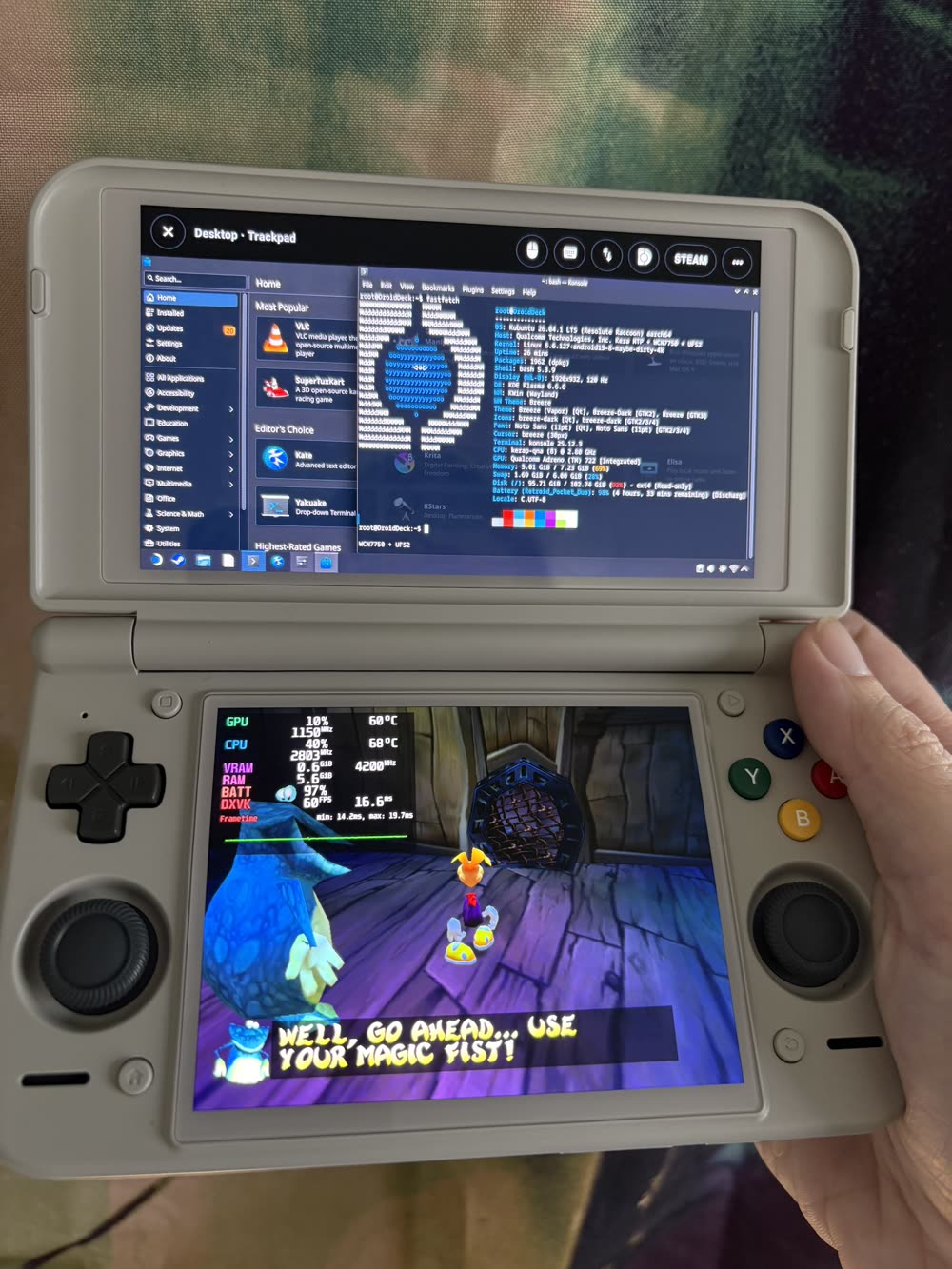
DroidDeck 0.7.0 (github.com)
submitted 7 hours ago by to c/steamdeck@sopuli.xyz


Since 0.6.9, 39 people sent 194 pull requests, and 20 of them are first-time contributors. Our community is strongest when we can build together, and with DroidDeck 0.7.0, our community is about to get A LOT bigger!

0.7.0 introduces preliminary support for Mali, PowerVR and Xclipse GPUs! In addition, we now have GameJolt library and store, dual screen game mode + KDE Desktop, Syncthing integration, improvements for devices with low ram, customizable controller profiles and presets, hardware mouse & keyboard support, live wallpapers, and even more.

Added built-in Syncthing, so you can sync saves and games from DroidDeck’s own storage without another app.

A hardware mouse and keyboard work like a PC: the camera no longer freezes in games that hide the cursor, the cursor shows in Steam sessions, and clicks land where you point.
4


I suppose this also applies to the Deck and anything running on a battery really. Is there any change in total playtime depending on when a backup battery is connected?

There's a few different ways one could use a backup battery. Two examples:

  • Let the Frame battery go down while playing, and when it's near empty connect the backup and let the Frame charge back up while playing. Then once the backup battery is dead, disconnect it and let the Frame run down again.

  • Have the backup connected at the beginning, let it drain while playing, then disconnect and let the Frame run down.

Is there any difference, or is it just power in & power out, no matter the order it's done? Also does either put more wear on the Frame's battery?

5
FEX 2611 Tagged (fex-emu.com)
submitted 2 days ago by to c/steamdeck@sopuli.xyz


(Valve's x86 emulator for ARM, used by Steam Frame)

6
7


Main changes concerning streaming:

  • Higher default resolution
  • Improved colour clarity
  • Improved head motion prediction
8


Anyone figured out a way to set refresh rates etc for flat games? I expected the quick access menu to control this, but the settings only look to be global. With VR games at least you can control this in the VR settings section.

9


I'm interested in the Steam Machine's potential to be what the Xbox One wanted to be without the bullshit.

There are some Linux apps like Jellyfin (where I watch most stuff by far) but it seems like Waydroid can fill in a lot of the Android gaps that are missing. With a TV like remote.

This would need to have the family approval factor. No hoops to jump through for the wife, just launch apps and watch.

I'm sure there are some tradeoffs specifically in the DRM camp, but the only actual potential DRM app I use is Nebula so that might be fine. I currently watch YouTube via SmartTube to circumvent ads.

Ars there other tradeoffs I'm missing?

10


I’ve been having random issues playing games (various) while downloading games to my SD card.

For example:

I’m downloading Mass Effect Legendary and wanted the game to continue to download in the background on my SD card. I play Cyberpunk 2077 for a bit, and after about 15 minutes the deck crashes and restarts.

I then tested the opposite, playing a game on my SD card while downloading a game to the SSD. Same issue.

Anyone else seeing this? Could be a bad or failing SD card. It takes ages for anything to write to it. I have reformatted it in the past and disabled WiFi Power Control under the dev settings to try to “fix” the hills and valleys while I install games on it over 2-3 GB.

11


It's been years since I tried out Decky Loader on the Steam Deck. I love what it brings and enables. Unfortunately I had to reinstall the it every time Steam got an update; which is very often, because I use Steam Beta. I am thinking of installing it again, but it was annoying in the past.

Did this issue got resolved or would I need to use stable Steam if this bothers me?

12


Available in itch.io. Works well to stream locally stored video files. Deovr wasn't working for me.

I'm aware that they're working to allow for streaming web VR content, but this is fine for me in the meantime.

I only wish I had more storage for VR content.

Hope this helps someone because I couldn't get any VR video working consistently before I came across this.

13


Most new Decky plugins never make it onto the Decky plugin store, or take a very long time. This is due to various reasons, including lengthy review processes, prohibiting AI use in plugin creation, and disagreements between plugin creators on Discord.

DeckyHub is meant to be an easier way to find and manage plugins that aren't on the store. This comes with tradeoffs, there's less quality control and security checks on the plugins. But it should still be really nice for access to a wider range of plugins. It's also nice for when a steam update breaks a plugin, and you're stuck waiting two weeks for the plugin update that fixes it.

Right now DeckyHub has 531 plugins available, vs 116 for the official Decky store.

14


I've been chatting with Lazorne, IceNine, Xargon and Lahrs from the RetroDECK team again, and I've put together a fairly lengthy feature about their upcoming 0.11.0 update, which is without a doubt their biggest yet (although I do say that each time!).

For anyone unfamiliar with it, RetroDECK is a self-contained retro gaming platform for the Steam Deck and other Linux devices. It brings emulators, game engines and other tools together into one convenient package, taking so much of the hassle out of installing, configuring and maintaining everything. It has always been my recommendation for the Steam Deck, though obviously it isn't locked to just the Deck.

Version 0.11.0 is a pretty enormous step forward. The team has announced 23 new components, including Xbox 360 emulation through Xenia Edge, support for lesser-known computers such as the FM Towns and SAM Coupé, classic game engines, interactive fiction through Gargoyle, and even Mudlet for accessing old text-based multiplayer worlds. There's also a substantial overhaul of RetroDECK's underlying architecture, making it easier for the devs to integrate and maintain all these different components, while keeping things straightforward for users.

But what I found most interesting while interviewing the team was just how much of this work is driven by their personal experiences and passion for preservation. We talked about old gaming communities that are somehow still alive, forgotten hardware, the importance of making obscure systems accessible, and even Xargon's previously unannounced project to preserve and emulate the 2-XL talking robot from the 1970s.

I think projects like RetroDECK have an increasingly important role to play in game preservation. It's not just about making old games playable on modern hardware, but helping people discover systems, communities and experiences they might never have known existed. And the easier those things are to access, the better their chances of finding new audiences.

It's a long read, admittedly, but I really wanted to give the developers room to tell their stories rather than simply run through a list of new features. Hope someone here enjoys this :)

15


Being one of the lucky few to get my Steam Frame a few weeks ago, I have been using it quite a bit since then. I have been buying some third-party accessories to mitigate some of its weaknesses.

First the obvious one: it is surprisingly light and small, but overall not comfortable enough due to my glasses. To solve that I went ahead and bought prescription lenses from VR Optician (119€ including fast shipping and additional prescription fee).

Then I figured I had better protect it against sunlight because I do not have one of those fancy head mounts nor do I want to pack it in its box between each use. Thus I got an AMVR lens cover that fits quite well (13€).

And finally the battery life situation is... Well it's bad. I got decent VR legs and can play for hours, but the battery only lasts at most 1h30 when running PCVR at 120Hz. So I got myself a UGREEN Nexode 145W 25000mAh Power Bank (56€), 2 short angled USB-C cables (24€), round magnetic USB-C adapters (16€) and a small fanny pack (10€).

I will also say there has been some trial and error regarding the magnetic adapter. The idea is to protect the headset port in case the cable snags on anything. I wanted to plug it directly in the headset port, but it tends to disconnect when I turn my head. The tradeoff I landed on is : one very short cable plugged in, magnetically coupled with a longer one that goes to the battery. The 240W-rated USB-C cables are also overkill but hey, not that much of a price difference (they are quite thick though and contributed some in my disconnect issue).

So there you have it, 238€ on top of the initial Steam Frame + ergonomic accessories kit purchase (which is a must-have if you ask me), not counting said trial and error.

Update: there are strong arguments in comments against using magnetic adapters. I'll be ditching that and keeping the 2 cables approach so that there is a straight connection (hopefully weaker than the angled plugs) that can unplug more easily than the battery or headset side if the cable snags on something.

Steam Frame and third-party comfort accessories
16


DroidDeck is 100% open source. No ads. No telemetry. No source withheld. Since 0.6.7, 5 people sent 60 pull requests. 30% of the pull requests came from the community. Thank you to everyone who sen...

Paywall?

17


I pray for the safety of all your Frames

Tragically while I was streaming VR Minecraft, my Frame randomly shut down and has rejected further charge, rendering it dead. I've heard of it happening to others and it's unsurprising it happened to me, all my tech is cursed. 🫠

I've already had many issues. Some weeks ago I had to flash the OS again after a boot loop glitch, that was scary. The software is very buggy.

Tried some suggestions... unlocking and reseating the Frame, different cables and different devices to provide power. It still won't draw from my powerbank let alone my Steam Deck charger.

RMA process has started, they responded within an hour. hopefully it won't be too long for... repairs. 😶 Anyone have other suggestions I could try before I send it off?

18


How to Access the Public Beta Branch The Public Beta is an optional branch separate from the current default version. This update will not automatically replace the default version of the game on Steam. If you'd like to try out the new features and improvements, follow these steps:

  1. Right-click Torchlight II in your Steam Library and select Properties.
  2. Go to Betas and select the public_beta branch.
  3. Wait for Steam to download and install the update, then launch the game.
19


In my last post about frame deliveries we could still see a glacial pace of about 150 units per day at https://steamframeout.com/

It wasn't much, but at least it was consistent.

Only days later that rate dropped off sharply to this:

It's not worth doing any more calculations at this rate.

Obviously this is self reported data and thus not entirely reliable, but I think it paints a good enough picture to infer the situation: There is no significant stock left and combined with the reservation queue extending into an unspecified date in 2027 there is no expectation of new Frames this year.

The devices are sold out and nobody knows when new supply will arrive. I guess we're done with this for the foreseeable future. Congratulations to everyone who got one.

20
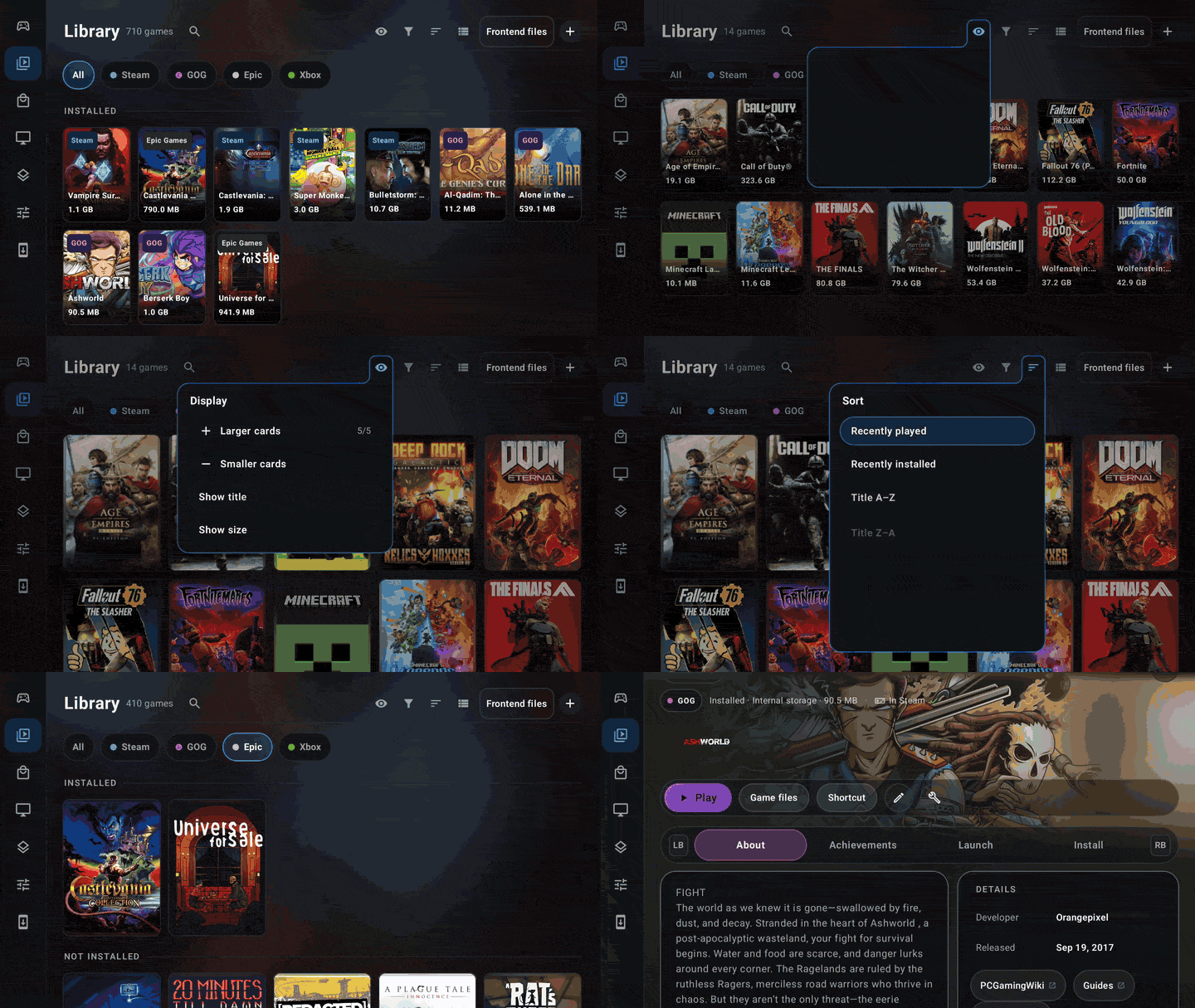
DroidDeck 0.6.7 (github.com)
submitted 1 week ago by to c/steamdeck@sopuli.xyz


DroidDeck is 100% open source. No ads. No telemetry. No source withheld. Since 0.6.0, 28 people sent 210 pull requests, and 15 of them were first-timers. 68% of the pull requests came from the comm...
21


Anyone else having this issue? Doesn't matter if I use the power button or select "Sleep" from the menu, my Deck wakes right back up within 10 seconds.

22
23


I assume not that many here got their Frame yet but here it goes:

Does anybody else experience issues with foveated streaming and rendering?

Two issues:

  • I can very clearly see the blurriness in my peripheral vision, especially on shadows and sharp corners
  • The response time is way too slow, when blinking or moving fast from left to right I can clearly see it needs a few milliseconds to catch up

Both of these surprise me considering most reviewers said that it is unnoticeable. Makes me wonder if something is wrong with my unit/setup or if my eyes are built different.

If I disable eye tracking in the settings, everything looks good. Of course, that should probably not be the correct solution?

This happens both with native titles (e.g. Half-Life Alyx on device) and streamed titles (e.g. Half-Life Alyx on Linux and Lone Echo).

I already tried playing around with the Steam Link settings (increasing resolution, bandwidth and foveated area) but it still looks just as bad. For streaming it happens both over wifi and the dongle as well.

24
25


There is not much to specify for the question, its really simple: Which title is the first game you have purchased on Steam? Was it a good decision? How much did you pay? When was it and what device? You don't have to answer all questions, this is just a fun discussion to have.

You can check your history: https://store.steampowered.com/account/history/ Edit: Some in the comments pointed out that the purchase history doesn't go back all to the beginnings of Steam. So if you purchased something earlier, it won't be listed on your account.

(I reply with my game too.)

view more: next ›