[–] 1 point 4 months ago (1 child)

c is the speed of light in a vacuum. It is impossible to send information faster than c. x-rays are also just light so everything I said before also applies to x-rays.

I'm not very familiar with how light interacts with materials since it wasn't covered in the electromagnetism class that I took, so the next part might be wrong. The speed of light is calculated by looking at Maxwell's laws of electromagnetism and recognizing that it is the equation for a wave. The speed is then calculated as c = 1/sqrt(epsilon_0 * mu_0) where epsilon_0 and mu_0 are the vacuum permittivity and the vacuum permeability. Inside a material, I think the permittivity and permeability are different and thus the speed of light as determined by Maxwell's equations would be different. I know its not possible for the speed (group velocity) of light in a material to be faster than the speed of light in a vacuum because otherwise, you could send information faster than c, which is impossible.

  • source
  • parent
  • context
  • [–] 2 points 4 months ago* (5 children)

    If you had a material with no light passing through it, then you shined a light through it, it would only move at the group velocity. The whole "faster than light" thing refers to the phase velocity, but you can't have a phase velocity if the light hasn't gotten there yet.

    Saying that gamma rays (or any light in general) moves faster than light is technically true but very misleading and relies heavily on when you define "speed" as.

    3Blue1Brown has a good video on why the phase velocity is different from the group velocity if you're interested in why. The faster than light phase velocity happens when the "phase kicks" are so delayed that the phase appears to move forward.

  • source
  • parent
  • context
  •  

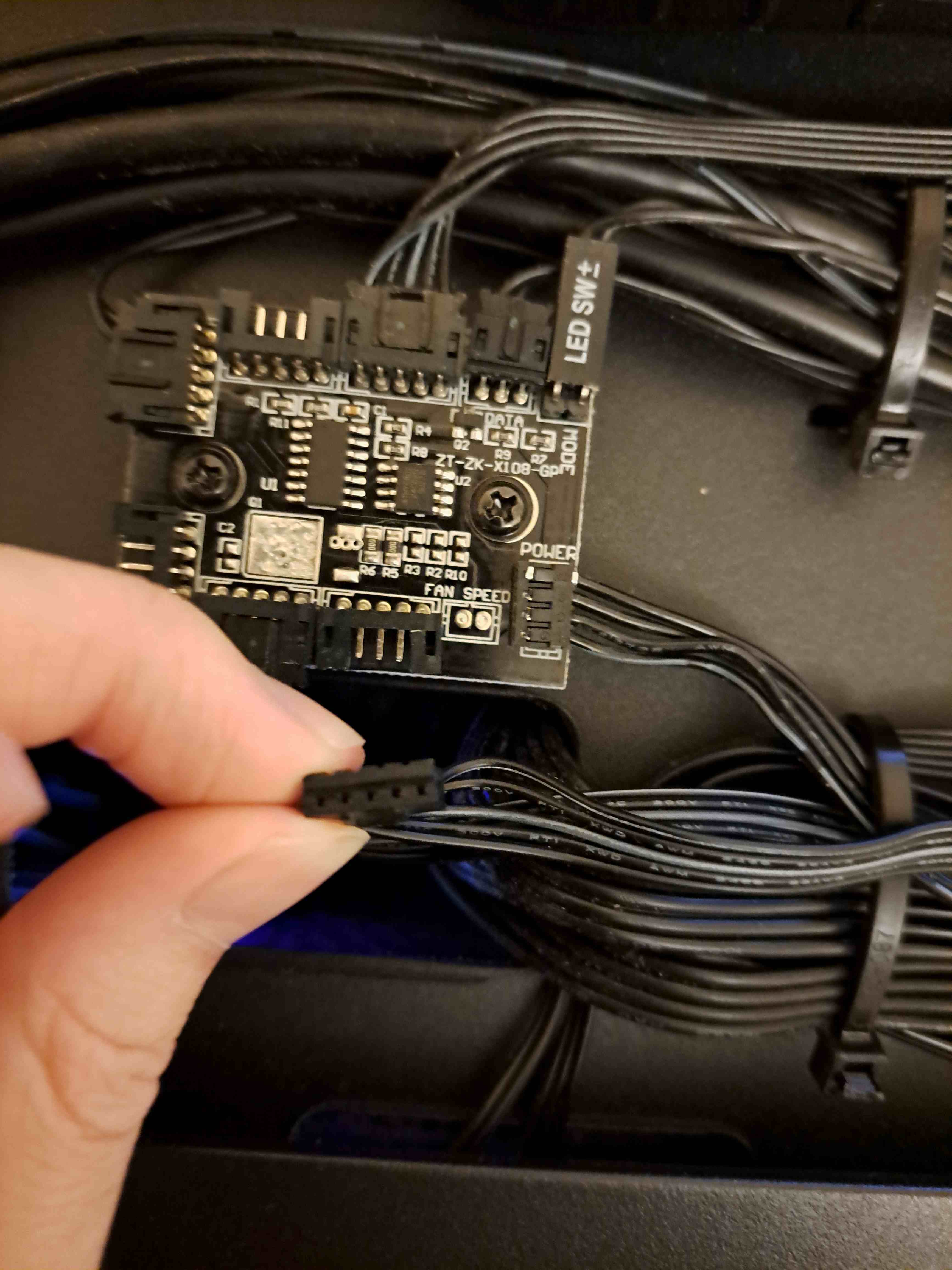
    I have a skytech gaming prebuilt pc (don't ask why prebuilt, it was out of my control). I find the fans extremely loud and annoying.

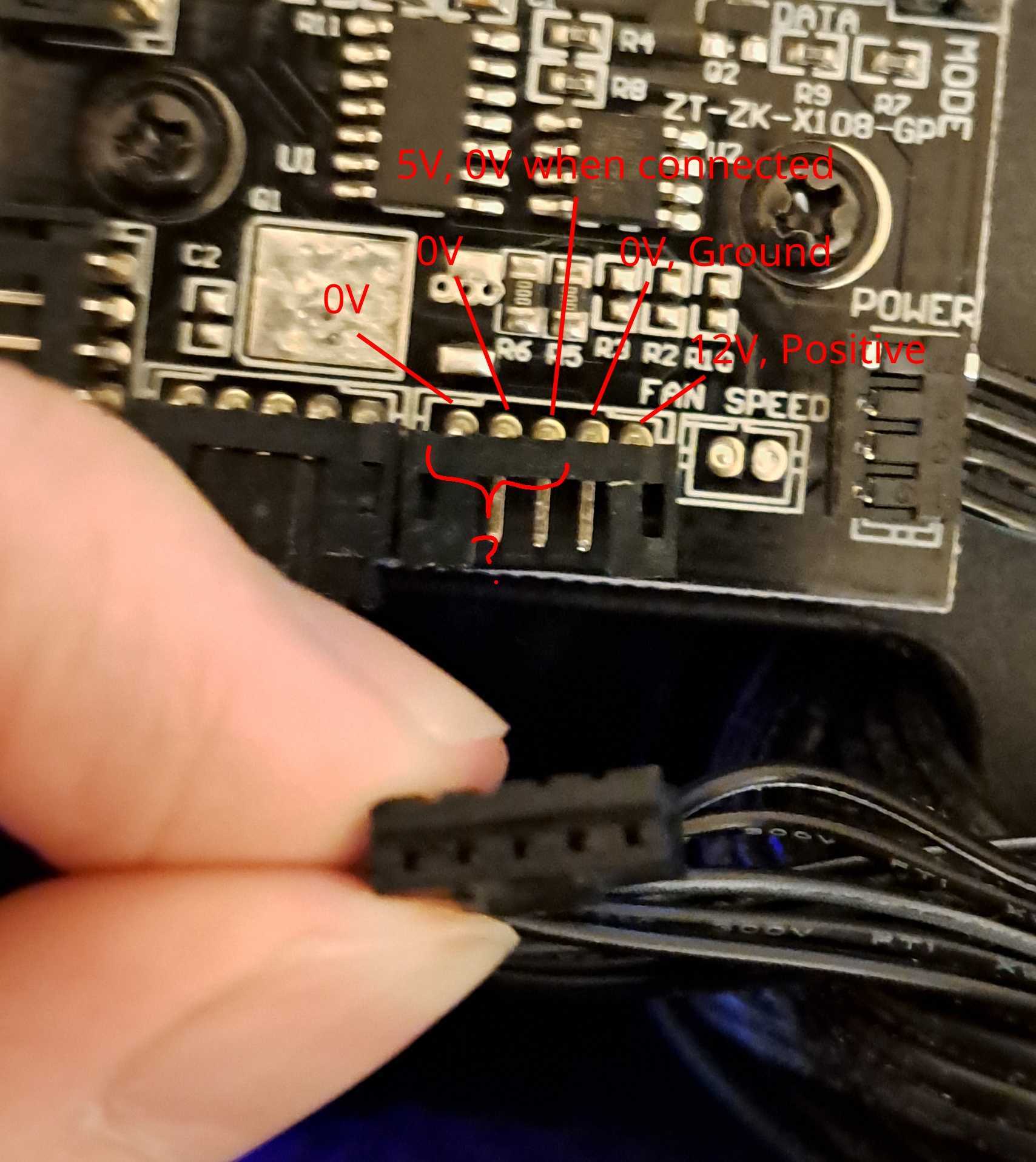
    I'm trying to figure out what each of the pins do so I can connect it to the case fan pins on the motherboard instead of wherever the prebuilt connected it. I tried searching online but I couldn't find anything about what function each pin serves. I also had a multimeter and battery and I figured out that the rightmost pin is positive and the second rightmost pin is ground, but I have no idea what the other 3 pins do. The center pin I measured at 5 volts, but when I connected the fan and measured again, there was no potential difference.

    Does anyone knows any information about this 5 pin connector or knows where I can find documentation/specification?

    Also if there are any other ways to make the case fans not run at 100% power all the time, please let me know.

    view more: next ›