Wasn’t plex bought by private equity?
This should be the top comment tbh
Thanks for taking the time to let me know it worked for you! I like helping people so this made my day!
I saw the domain before you edited it lol. I went to the site and have zero ads on mobile, although I did have an empty placeholder in one spot where the ads would have been.
Make sure the following domains are blocked on your pihole:
html-load.cc
githack.com
cdn.statically.io
revcontent.com
pub.network
Then, make sure you have these two lines as entries on your mobile adblocker:
/ad-shield/e/*$script,third-party
/cdn-cgi/zaraz/*
If there is a specific url you'd like me to look at, feel free to message me.
Edit to add: even better than the individual domains, to add https://cdn.jsdelivr.net/gh/hagezi/dns-blocklists@latest/adblock/pro.txt as a list and then just include the githack.com domain. Pihole supports adblock syntax, so you'll be fine with this.
FYI you can point your home router to NextDNS and quickly get whole-house coverage that way. This is good for things like smart tvs, Roku/android boxes, kindles etc.
Installing directly on your phone & laptop is best for devices that will travel outside of your home network.
I've heard that before but I haven't seen an ad in years. But I'm probably not the norm. Between userscripts, ad-removing frontends like invidious and choosing services like Lemmy over the competition, you can pretty safely remove ads from most platforms. Of course, Jellyfin helps 😂
What is a DNS sinkhole
A DNS sinkhole is a little program that sits in between your computer and the DNS server that provides your internet lookups. It looks at all of your DNS requests in an unencrypted format. If a DNS lookup from your browser, mobile app or any other internet connected machine matches an entry it has in its "blocklist" then it returns a value of 0.0.0.0 (or some other customizable value including NXDOMAIN). But if the DNS entry is not on the blocklist, then that request will be forwarded to Cloudflare (1.1.1.1), Google (8.8.8.8), Quad9 (9.9.9.9) or other DNS provider and get an accurate value for the DNS lookup.
Most of the time, the blocklists consist of adware domains such as Google Ad Services, Facebook Ads, Amazon Ads, etc. This has the effect of removing ads from devices that normally are unable to block ads such as ads inside mobile apps, ads in Roku, etc.
how is it related to the content of the article?
The article indicated that the malicious spyware was transmitted through viewable ads on the target's mobile device. This is combated most effectively by using a DNS sinkhole.
I should note that the article does not mention if current blocklists would have thwarted this attack. However, it does say that the ads were transmitted, in some instances, via Google Ad services, which these blocklists do effectively target.
Ha. Here's the direct source: https://citizenlab.ca/research/how-discover-tech-turned-targeted-ads-into-a-pipeline-for-spyware/
What platform are you on. This url covers most of them. https://protonvpn.com/support/custom-dns
You're not wrong. If CrowdSec is your entire approach, it's a little weird. But I use it as a (small) part of my overall blocking strategy. I use other lists and frankly, block most IPs by default. Those other IPs aren't counted in the email screenshot though... only the CrowdSec based ones are coming through. I think a lot of the 137k above are just scanning bots to be frank.
Sure. So OpnSense is the real gem here. Or really any solid firewall/edge device CrowdSec is an optional (free) add-on module in OpnSense. It's immediately operational at a minimal level without any registration. However, if you choose to register within the CrowdSec UI then you can load up more lists and tie it to your instance.
I also load up Hagezi's Threat Intelligence Blocklists into my OpnSense firewall rules, which get updated (by him) on a rolling 12 hour basis. I also have OpnSense query Github every 12 hours to pull the updates.

It’s not going to be one conversation, btw. I think that’s the key thing to understand: you’re not trying to figure out how to talk to them about end of life planning one time, you’re trying to figure out how to talk to them about full-life planning maturely from now on.
This is so important. Don't take them out and have a State of the Union dinner. That's gotta be the absolute worst way to achieve your objectives. You want many bite sized, topic-bound conversations over a sustained period of time.
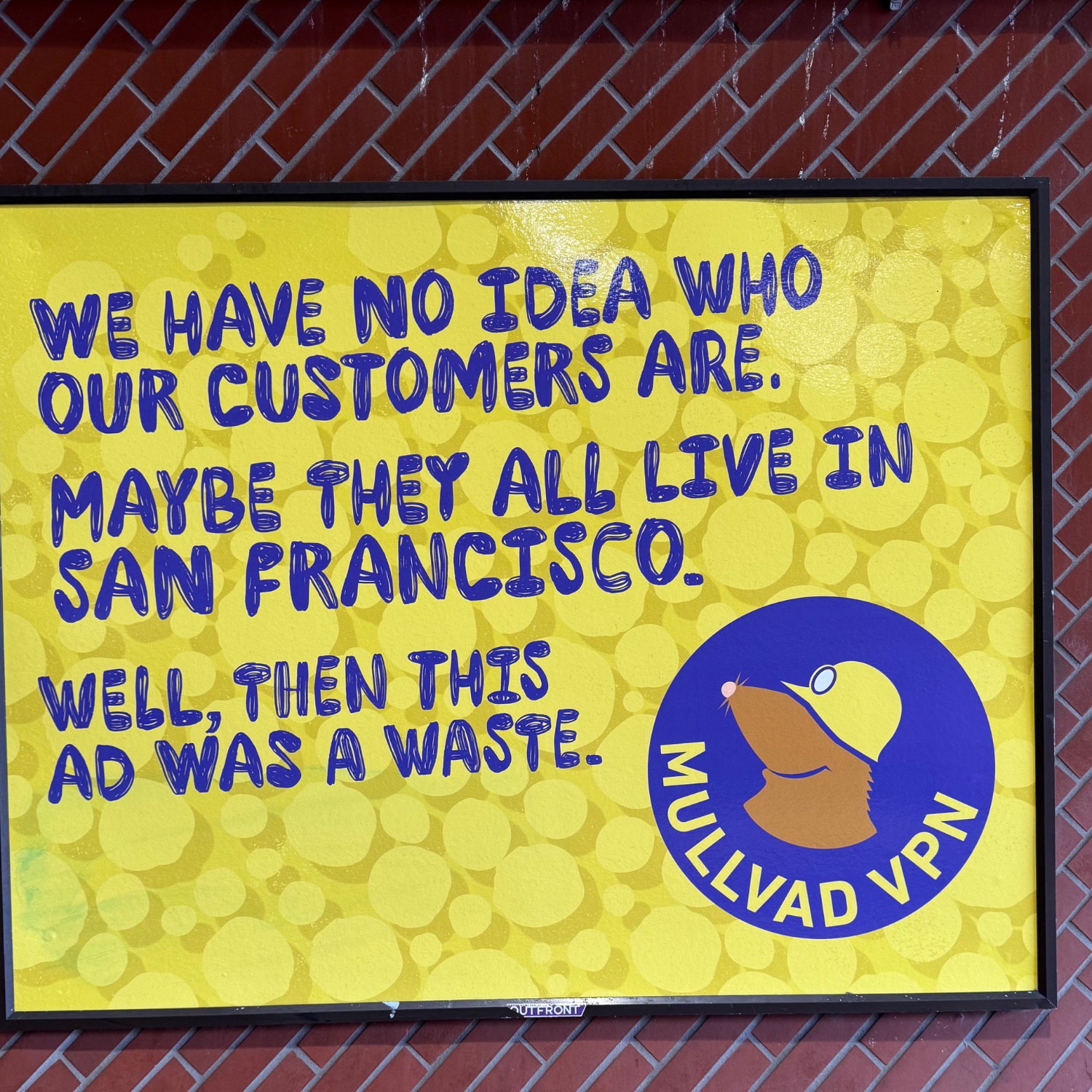
Seen in a SF Muni station
Edit to add: Jeez, relax. I was on my way home from a doctor’s appointment and saw that ad. It made me chuckle so I posted it here.
If seeing this post really upsets you, take some deep breaths and keep scrolling. With any luck, you’ll have fully healed in a couple of days.
view more:
next ›