The washing machine tells me how long it's going to take when I start it, but it's often wrong and takes longer. I've been descending into the basement countless times, usually from the first floor, only to notice it's not done yet.

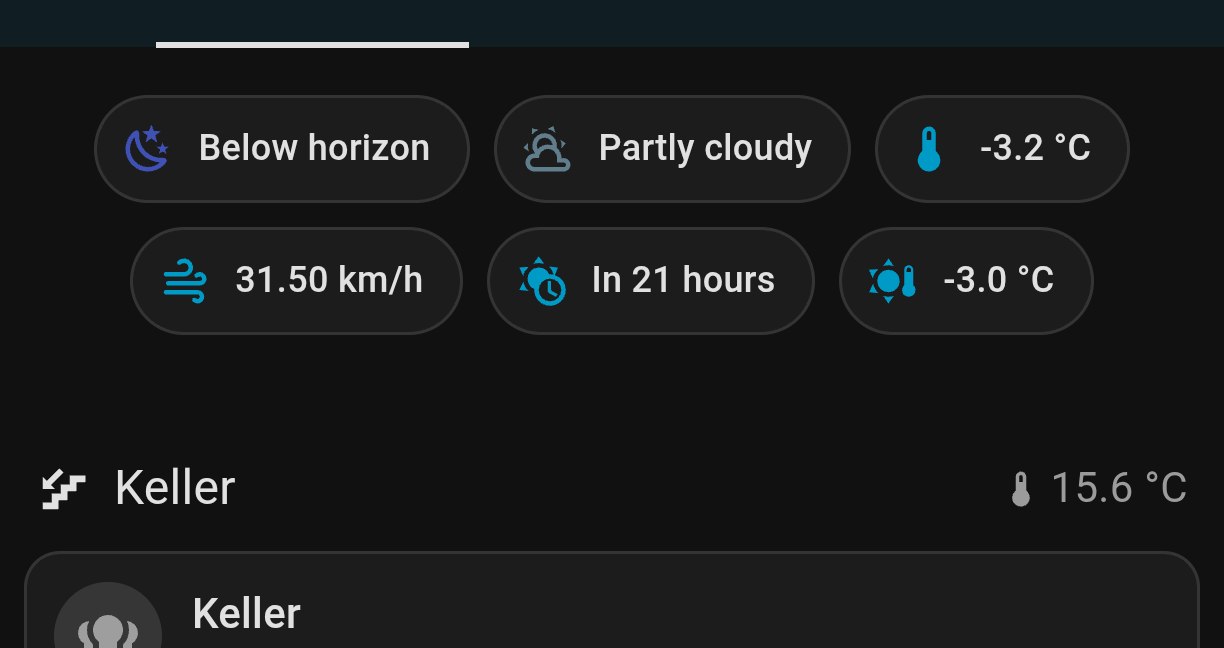
This is just a small thing but I want to share anyways: I just plugged it in a Zigbee plug with power meter and put an entity icon into the default dashboard. It's conditional and only shows up when power!=0.0.

No more pointless stairs!
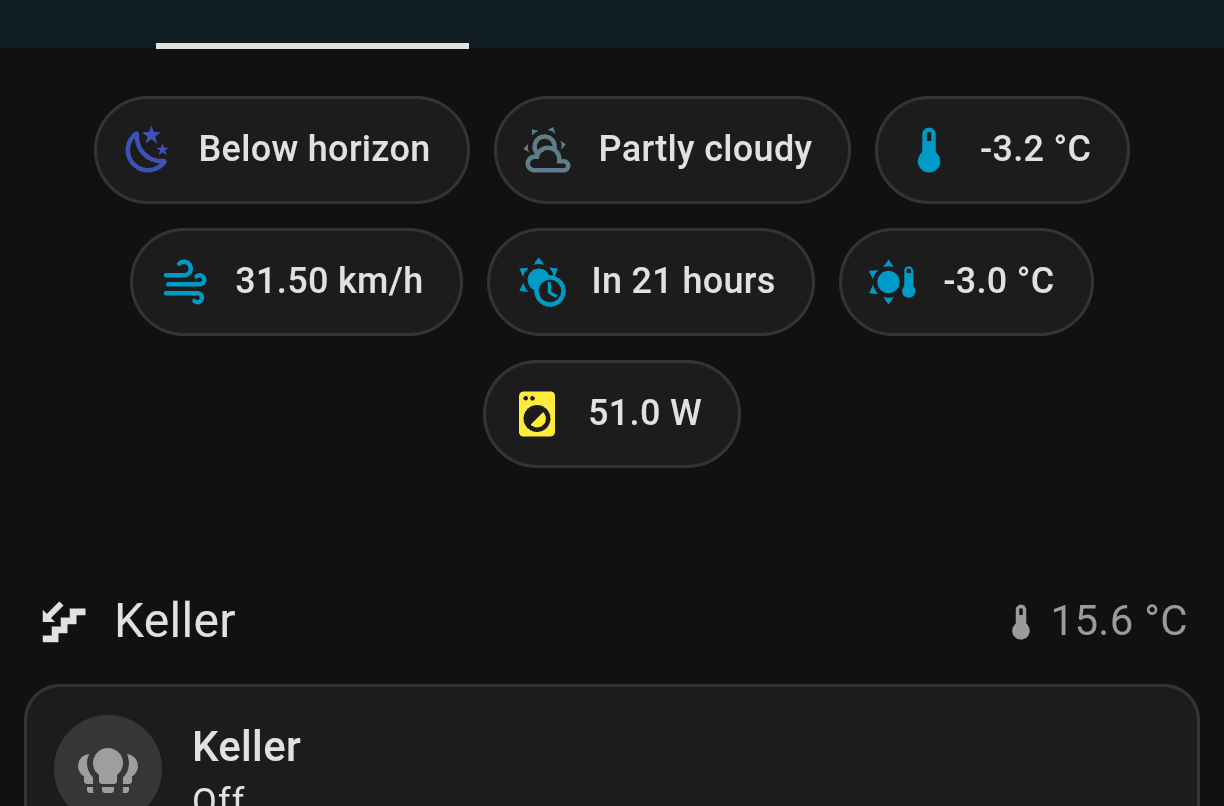
Screenshot from a dashboard, showing some entities like temperature etc

Screenshot from the same dashboard, with an additional yellow icon showing its currently using 53W

I have moved it next to the basement temperature but it's not running right now and I don't want to forge the screenshot so it's showing before the change.

all 30 comments

sorted by: hot top controversial new old
[–] 24 points 9 months ago (2 children)

Have a look here: https://github.com/leofabri/hassio_appliance-status-monitor

This will give you the ability to trigger actions when the machine has started or finished its program with configurable thresholds and much more.

  • source
  • hideshow 2 child comments
  • [–] [S] 6 points 9 months ago (1 child)

    That's interesting! Currently waiting for more plugs, at least the dishwasher is gonna get monitored too

  • source
  • parent
  • hideshow 1 child comment
  • [–] 2 points 9 months ago

    It's really easy to use. You assign it your smart plug and it's power consumption sensor (that's the only requirement). Then you can define thresholds when the automation should trigger and actions that should take place in these events. I send a notification to my phone when the program has finished so I know exactly when I need to go and collect my laundry.

  • source
  • parent
  • [–] 16 points 9 months ago (9 children)

    Be careful, I’ve fried a dozen smart plugs because the relays aren’t able to cope with induction motor startups.

  • source
  • hideshow 9 child comments
  • [–] [S] 4 points 9 months ago* (last edited 9 months ago) (4 children)

    It's rated for 16A which the machine doesn't saturate, or do you mean the spiking?

  • source
  • parent
  • hideshow 4 child comments
  • [–] 6 points 9 months ago (1 child)

    OP, note that this starting current spike is much more of an issue with older/more industrial washing models. When your drum spins up, does it make a simultaneous cachunk and deep humming noise, or does it make an irritating high-pitched mosquito whine? If it’s the mosquito whine your drum motor is driven by an inverter that really smooths out the starting current.

  • source
  • parent
  • hideshow 1 child comment
  • [–] 3 points 9 months ago (3 children)

    What are you using? The athom tech one has been great for about 2 years so far here in NZ with 240v power. And I have a very powerful Asko washer. They have a relay and non relay version, I'm on the relay one.

  • source
  • parent
  • hideshow 3 child comments
  • [–] 3 points 9 months ago (1 child)

    240v power makes this better, because it means the starting current is exponentially lower for the same torque. It’s mostly a American/Japanese problem.

  • source
  • parent
  • hideshow 1 child comment
  • [–] 2 points 9 months ago

    Yep, American here. No running appliances with motors on my 120V smart plugs.

    I used to use a lot of CloudFree, but I moved and most of my smart home stuff is now in a box somewhere. It’s not really been practical to set any of it up. Long story.

  • source
  • parent
  • [–] 9 points 9 months ago*

    I've been don't similar and it's so worth the setup time. I through a few helpers together to track who in the house is doing laundry and getting notifications, and that's been fantastic. I also made helpers to track the status as running or not, which felt better than displaying the wattage.

  • source
  • [–] 7 points 9 months ago (5 children)

    Next level up: give yourself a notification when it's done washing!
    Automation screenshot

  • source
  • hideshow 5 child comments
  • [–] [S] 2 points 9 months ago* (3 children)

    I don't have notifications set up yet, but I certainly thought about it!

    Edit: "consumption power changes" seems like a weird trigger though since it's changing all the time while running - or is that further detailed and just not visible in the screenshot?

  • source
  • parent
  • hideshow 3 child comments
  • [–] 3 points 9 months ago (1 child)

    So I did a quick and dirty "when amperage goes over 2 amps and then falls below 2 amps for more than 10 minutes send me a notification" and it's pretty idiot proof.

    Idk if you need estimated time to complete, but you can get pretty far with a very light weight automation.

    If I were to improve it, I would time the cycle for the wash and add a helper so that I don't get 'washer is done" when I paused it for a shower or something, but that could be a rabbit hole.

  • source
  • parent
  • hideshow 1 child comment
  • [–] 5 points 9 months ago

    I've always been concerned about putting a washing machine on a smart plug due to the motor starting and stopping so I've considered doing something similar but by using a vibration sensor instead and if the vibration sensor doesn't detect vibration for say five minutes it would trigger the alert

  • source
  • [–] 4 points 9 months ago (1 child)
  • [–] 3 points 9 months ago* (last edited 9 months ago) (4 children)

    We occasionally forget to press the washer's "start" button and only realize it an hour or more later. An automation sending a notification when the washer's powered on (with a low current reading for a few minutes) but not started solved that. A "Cycle Complete" notification is sent when the current goes from > 1A back down into the low MA range when the wash is complete.

    If you stick a Zigbee vibration sensor to the dryer you can set up the same "cycle complete" notifications even if the dryer's 220V.

  • source
  • hideshow 4 child comments
  • [–] [S] 1 point 9 months ago (3 children)

    The first one would help us as well since it sometimes doesn't register the start properly (even though it makes a confining beep), but the idle wattage is measured as 0.0 so I can't track it.

    We don't have a dryer

  • source
  • parent
  • hideshow 3 child comments
  • [–] 2 points 9 months ago (2 children)

    idle wattage is measured as 0.0

    That's odd. I have multiple Third Reality smart plugs and they measure at least a couple of watts of standby power for everything that has a power button.

  • source
  • parent
  • hideshow 2 child comments
  • [–] [S] 1 point 9 months ago (1 child)

    It doesn't do much, just display some seven segment duration timer and indicators for chosen rpm and temp. 1-2W should be sufficient I guess and it's probably out of the plug's accuracy range

  • source
  • parent
  • hideshow 1 child comment
  • [–] 2 points 9 months ago* (last edited 9 months ago)

    Probably is an accurately limit as you say.

    I just looked and my LG washer pulls 7 watts when not powered on and my Onkyo receiver pulls 2 watts in standby. I save a whopping $19 dollars a year by powering off the washer completely via automation when it's not in use. Not much, but better in my pocket than the electric company's. (I have a sensor on the laundry room door that turns the washer plug on when the door's opened.)

    You could work around it by sending an immediate notification when the washer starts. If you don't get one you know your washer's messing with you again.

    Edit: Just looked again and after a few minutes the washer's down to 10MA in standby. Power button on pushes it to 7W. Not saving any electricity after all, but hopefully the washer will last a bit bit longer if it's powered completely off between uses.

  • source
  • parent
  • [–] 3 points 9 months ago (1 child)

    I've done the same with an automation, triggers when wattage goes over a certain value, then waits until the wattage is below 6 for 4min before sending a message. I've also got it choosing from a list of messages at random a json list of random messages in HA automation editor

  • source
  • hideshow 1 child comment