after almost 15yrs my plex server is no more. jellyfin behind nginx with authentik is running very nicely.
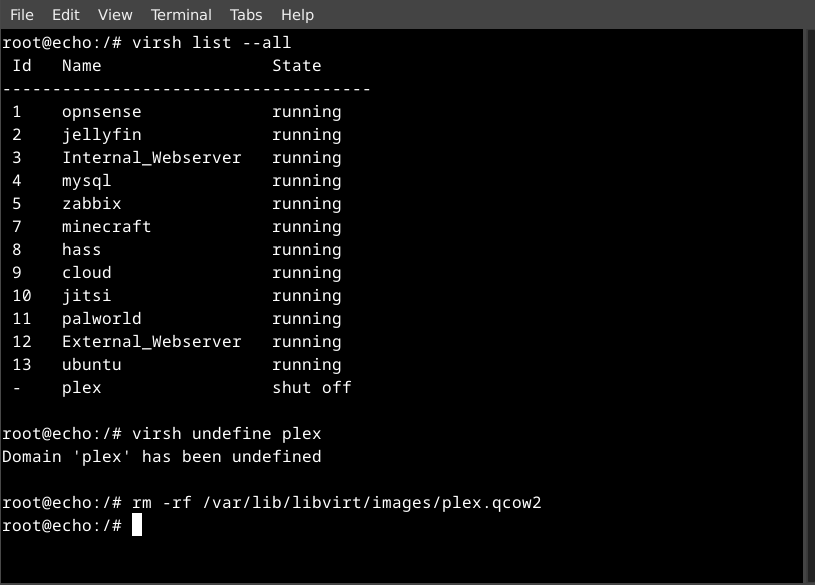
deleting my plex vm via terminal
you are viewing a single comment's thread
view the rest of the comments
[–] 64 points 1 year ago* (last edited 1 year ago) (13 children)

I've been using jellyfin for years.

My best recommendation is DELAY UPDATES and back up before you update.

I have a history of updates breaking everything so you should be careful about them.

All software recommends backing up before an update, but for jellyfin the shit is real, you really want to back up.

  • source
  • hideshow 13 child comments
  • [–] 38 points 1 year ago (4 children)
  • [–] 6 points 1 year ago (3 children)

    Updating immich brings excitement into my life :)

  • source
  • parent
  • hideshow 3 child comments
  • [–] 0 points 1 year ago (1 child)

    It’s funny, I’ve heard this so many times. And read through the docs. But I’m a mad lad who has auto updates (I know!) and have never had an issue with Immich.

  • source
  • parent
  • hideshow 1 child comment
  • [–] 17 points 1 year ago* (last edited 1 year ago)

    I've been using jelly since just after the emby fork and never had an update issue on docker. Automatic snapshots every 5 mins (amoung other backup tools). means I don't need to worry much if it does.

  • source
  • parent
  • [–] 13 points 1 year ago

    I have Jellyfin running for years too and it has never broken for me, I use Linuxserver image, so maybe they delay the updates a bit?... Now, Immich has broken so many times that nowadays is the only docker I don't keep at latest (and I know using latest is a bad practice, I understand the reasons, but the convenience of not worrying about the versions beats all that for me)

  • source
  • parent
  • [–] 3 points 1 year ago (4 children)

    Like the version or the media?

  • source
  • parent
  • hideshow 4 child comments
  • [–] 6 points 1 year ago (2 children)

    I have it on docker with two volumes, ./config and ./cache

    I back up those before each update.

    A bad Jellyfin update should not mess with your media folder in anyway. Though you should have backups of those aswell as a rule of thumb.

  • source
  • parent
  • hideshow 2 child comments
  • [–] 10 points 1 year ago (1 child)

    With respect to the media, you can mount the volume as read only, preventing Jellyfin from accidentally wiping your underlying content.

  • source
  • parent
  • hideshow 1 child comment