alt text has link
I checked this post from a few different instances, and I'm not seeing any alt text
alt text has link
I checked this post from a few different instances, and I'm not seeing any alt text
made by PeanutSte on reddit, alt text has link
Fun fact, the Godot editor was made with Godot.
Does this have any sort of smoothing support?
Then again, I'd probably still prefer like CSG for simpler designs.
I already like textureless models
I'd like to to just use Godot's gridmap, but I find it to be inflexible (needing multiple gridmaps for multiple cell sizes OR having possibility of double occupancy (particularly with non-1x1x1 cells), no per-cell rotation restriction/disabling etc).
Particularly as I want semi-modular room creation rather than controlling height manually (floors/walls/ceilings made via multiple gridmaps floors) nor do I particularly want to go the other way and create entire rooms as new models.
will have to try out the new csv localisation stuff
I wonder if this will apply to the original Steam Controller, or if lacking motion gestures is also a firmware issue.
It's either that or using an old Sixaxis (PS3) controller.
Motion sensors! Yeah 👍
Been waiting for this for tinkering
cool progress, will benefit enormously from sound effects and music!
Valve have their own in-house engine and in the past they have used unity to make XR stuff like "The Lab". They've never officially done anything at all with godot though.
I'm not a fan of XR simply because the only XR headset vendors I see are companies like Meta, but I really wish Godot the best. I hope it one day becomes as polished and supported as Blender. It's about time we get high-quality tools for free to disrupt the software market and set a new standard.
yup. running linux natively will also help getting godot up and running quickly on it. I'm excited!
I wonder if Valve is going to fund Godot as well at some point.
Seems like a win for Godot developers if you can easily deploy to the Steam Frame/Steam Machine.
Well, I now definitely have nothing useful to add to this, you've explored this whole area much more in depth than I have!
If you do come up with a kind of optimal paradigm you find very useful, I would highly suggest adding/uploading a generalized version of it it to the ... godot 'market', whatever its called, as an addon or template!
I just tested 2D text out a bit, spent quite a bit of time trying to fix aliasing (I had oversampling set too high, seems like that should be noted if not just 1.0 being default) which is the sort of problem that Textmesh does not have.
With 2D text I do like that shadow (combined with other colors) really makes it feel theme-like (plus outline can fill in the negative space, making non-color emojis look better with the right color). Stacked is even cooler (3D effect).
So if I keep it to 1 color, I can use the same font for each type of text:
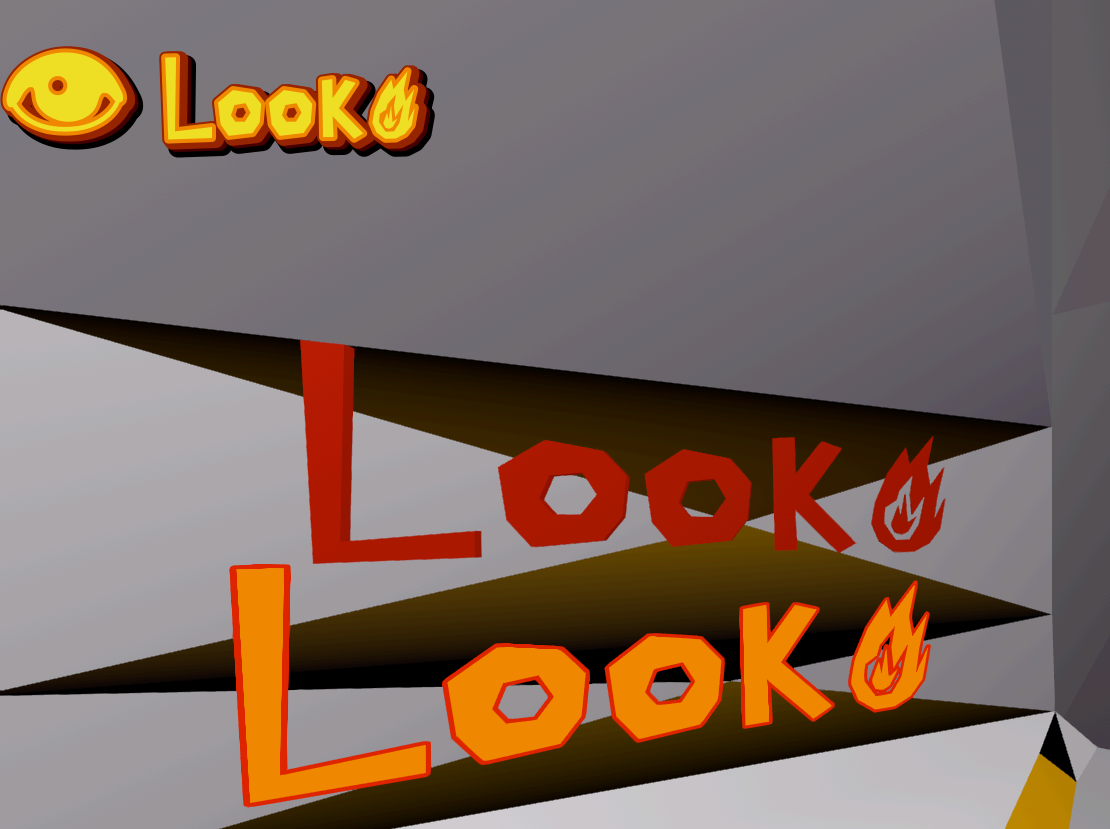
Color emojis still have broken outlines though. With label3D oversampling doesn't seem to work as well* (smaller pixel size+larger font for text clarity-->worse emoji outline alignment) but even for some characters alignment is even off in 2D (balloon, hammer&wrench are fine; eye, fire are not). Could be a font issue though, but the 2 I've tried are broken in slightly different ways.
* MSDF could work for single-color, but it messes up the fire icon I have (and makes straight lines a bit wobbly). Better for more standard fonts/designs, I guess.
So, just sort of a mess... simple text is fine, but even if color could be injected per-glyph (like if every vertex on the fire were set to yellow) that would add depth (I don't know if that'd be a script, add-on, or some context/function in low-level shader code but it's probably beyond me).
Unfortunately I have nothing useful to add to this, but I do think this is a very interesting topic.
Emulating many of the various ways that Source is clever, within Godot, is I think a very good idea.
EDIT:
Ok maybe I do have something useful to add:
If you're running into oddities between 2D and 3D text based nodes...
You could, for a HUD, just design an actual 2D node/scene as the HUD, that is then plastered over the 3D player's view port, scales with resolution sizing, etc.
You could also, for things like making names appear over interactable items in 3D worlds... don't draw the text in 3D, with 3D text nodes.
Have your 2D HUD scene simply 'see' that 3D object, that 3D object is a class that has a property that defines its 'DisplayText', and then the player has a sphere check around them, or a 'center of player vision' check, maybe a cone... that builds up a buffer of 'things close enough we should be drawing text for' and 'things too far away for that', as the player's view moves around.
The 3D position data, and the display text data is then sent to the 2D HUD scene/node, translated from 3D position into 2D screen position, and then the actual text is rendered purely in 2D.
I was wondering whether it was german too. I just liked how deep it was tho actually.
You seem biased by what sounds like a German accent 😅
Cool to here about youtube alternatives, and yeah, bitbrain has some great stuff!
Thanks, ill check it out!
They're very much focused on gaming, which makes sense it's Valve, but essentially it's just a PC so it can run anything that you would be able to run on Windows or normal Linux, also apparently it can also run Android apps.
I really like the style of his videos and he has a nice voice too :)
Fuck yeah, media.ccc delivers again!
I've been waiting for it.
They did the same with DXVK and FEX. I think it is just their company culture to do the open-source work discretely.