Image Transcription
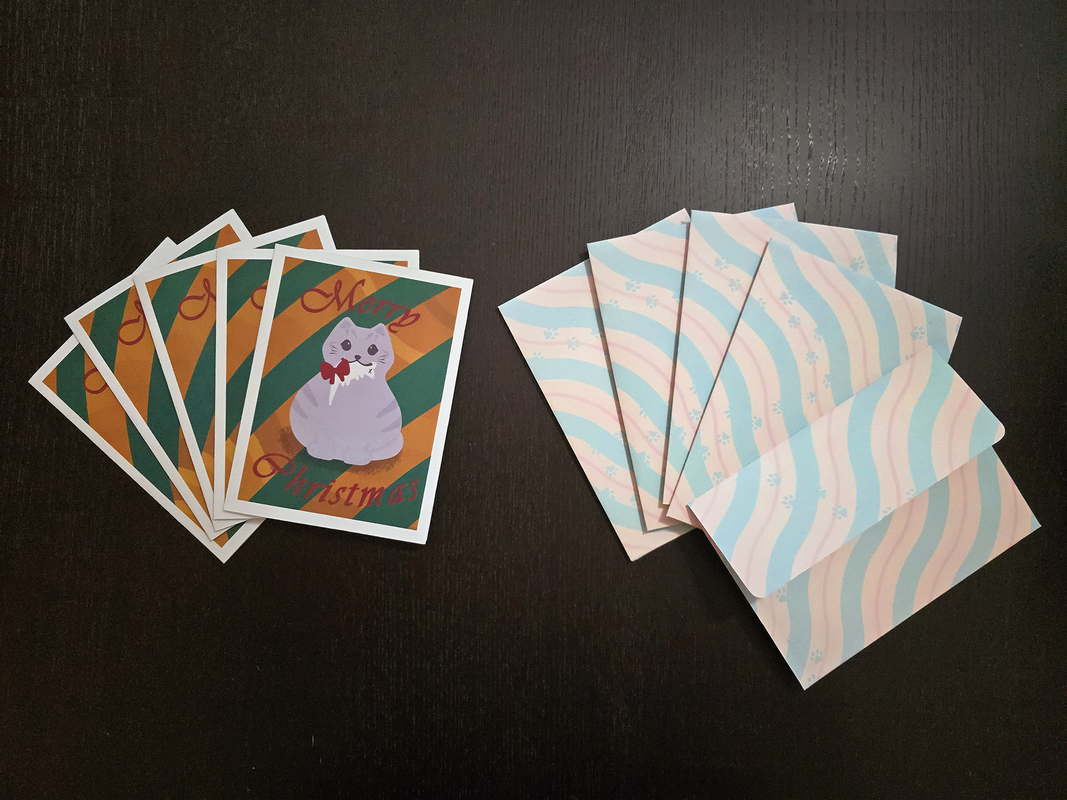
A small stack of Christmas cards, a small stack of envelopes with the back facing the camera, and a single envelope with the flap facing the camera.
The cards have a round grey cat holding a dead mouse with a red bow on the mouse in the cat's mouth. The cat is standing in front of a gold and dark green striped background. The words "Merry Christmas" are printed on the card in maroon cursive. There is a white border around the edge of the card.
The envelopes have parallel squiggly stripes diagonally covering the envelopes. The stripes are a repeating pattern of thick light green, medium thickness light yellow, thin light red, and medium thickness light yellow again. There is a path of paw-prints walking across the envelope in the same light green as the diagonal stripes.
The envelope with the flap facing the camera is printed with the same pattern and reveals the flap to be a flat-edge flap with rounded corners
I have wanted to send out Christmas cards to my friends for some time, but was never able to get a festive photo to use for such purpose; so this year instead of trying to convince my partner to take the appropriate pictures, I decided to illustrate the card instead.
As for the envelopes, I realized I did not have access to any A6 envelopes and it looked like it would take a long time for them to ship to me. Originally I was going to cut the envelopes out of standard construction paper, but I realized if I made flat-flap envelopes instead of triangular-flap envelopes, I would be able to cut the card out of a single 8.5"x11" sized sheet. With this in mind, I decided to design the envelope myself as well since I could print across the entire envelope area.
The pattern for the card was illustrated in Procreate (but the text was added via Illustrator). The envelope pattern was designed entirely in Illustrator (including the cutting template). The cards and envelopes were printed on card-stock and cut out using my vinyl cutter.