[–] 1 point 1 month ago (13 children)

Seems comfy but why don't put the left click on the left side and the scroll on top? I know this is a standard design but vertical mouses feels wrong to me (never tried one)

  • source
  •  

    This guide allows you to softmod your PS2 fat model in easy steps without an existing FMCB card or any rom manager. Thanks to the Reddit user u/quisys for the original guide. Disclaimer: make sure you know what disk you're writing to when using dd command, I am not responsible for any data loss.

    Required Hardware

    • Fat PS2
    • Memory Card
    • PS2 Network Adapter
    • Controller
    • HDD
    • USB key
    • SATA to USB cable

    Required Software

    Install FreeMCBoot

    • Connect your HDD to your computer, then write "__mbr.raw" (wLaunchELF KHN HDD image) to the HDD: sudo dd if=__mbr.raw of=/dev/sdX [Determine the path of your HDD using lsblk. It should be /dev/sdX, with X being the letter of your disk. ENSURE YOU USE THE PATH OF YOUR DISK! IT SHOULD NEVER BE /dev/sda]
    • Unmount and remove the HDD
    • Extract FreeMCBoot Installer then copy BOOT.ELF, OPNPS2LD.ELF and FMCBinst folder to your USB key
    • Plug HDD and USB key into your PS2, then turn on the PS2
    • Enter file browser, go to mass: and launch BOOT.ELF
    • Enter file browser, go to mass: > FreeMCBinst folder and open FMCBInstaller.elf (not the exfat one), then select Install FreeMCBoot following the on-screen instructions. Restart your console
    • Open wLaunchELF and go to file browser, go to mass: and hover over OPNPS2LD.ELF and press R1, select Copy. Go to mc0: or mc1: (depending on which slot your memory card is in), go to OPL and press R1, select Paste to overwrite OPNPS2LD.ELF
    • Restart your PS2, open OpenPS2Loader, go to About and make sure the version is not 1.0.0, then turn off your PS2 and remove the HDD

    HDD Management

    • Connect your HDD to PC and format it in ExFAT (I suggest you a partition manager, or you can use mkfs.exfat /dev/sdX)
    • Make a folder called DVD and a folder called CD in the root of your HDD
    • Copy your videogames .iso to the DVD folder or your .cue/.bin to the CD folder

    OPL Setup

    • Plug in your HDD to the PS2, turn on your PS2
    • Go to OpenPS2Loader > Settings and turn on cache game list (HDD), set BDM start mode to Auto
    • Go to BDM Devices, disable USB, enable HDD
    • Press OK, hit Save Changes
     

    A singer from English band Massive Attack, Robert Del Naja, was arrested in Liverpool while protesting genocide in Gaza and denouncing the UK’s ban on Palestine Action. Demonstrators had gathered to demand the UK stops arming Israel ahead of the first Labour Party conference under new Prime Minister Andy Burnham.


    I've this Blueretro adapter for my PS2 fat, looks like it need to be additional powered by the USB port thru cable, I've read some models may need this so I suppose it is a common issue? Also, do you know if ulaunchelf need a wired controller? Because isn't working with this adapter.

    (Edit) Hmm...I'm starting to think that my ps2 has problems in working

    [Solved] It was the broken ribbon cable from the controller/memcard ports


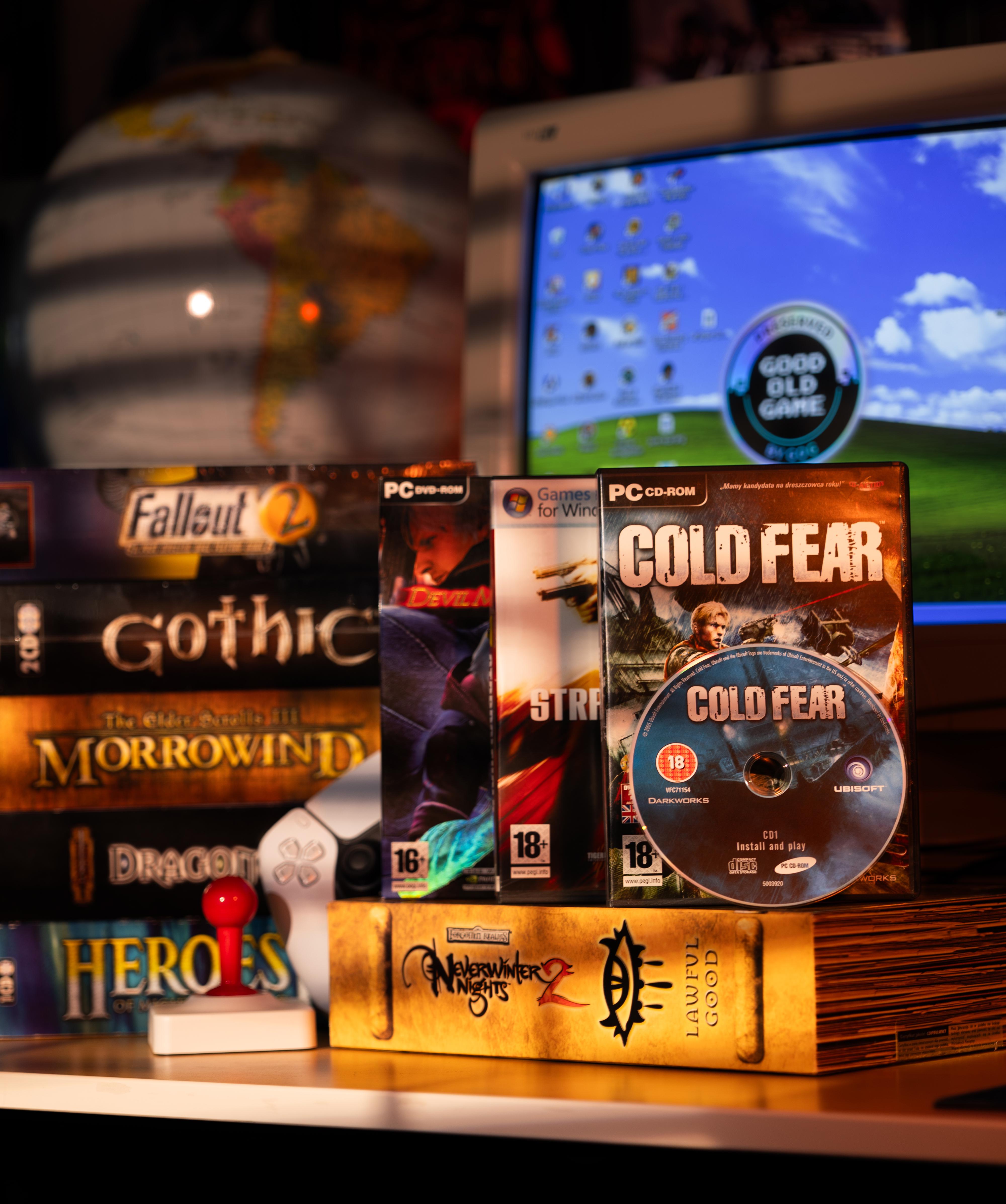
    "GOG seemingly shares that they are considering physical PC 'big box' games. Maybe?This could be the case, or could not be. They shared a post on Reddit 19 hours ago from their official account, and I thought it might be nice to share that here, at least to spark some discussion.They simply shared a post titled:Shall we? 📦💿With the following image:Link to the Reddit post is here if you want to see what others are saying about it!"
    view more: next ›