[–] 2 points 1 day ago

Yes you do.

First of all, there are services that will refuse to work properly on http only. Specially if you want an SSO like authelia, will not work over http

Second, modern browsers will complain when using plain http if the website has forms to fill or passwords to write .. very annoying, but it's the way it is.

Third, having the "this site is not secure" broken lock is not very nice for users. At best they might complain, at worse they will get used to "unsecured" websites and .ight end up easier prey for fake sites in the future. Yes I mean wife or kids. These are things normal users should not see as normal....

Last, if you expose anything to the web, please never ever do that without proper https with certificates from let's encrypt.

  • source
  • [–] [S] 2 points 4 days ago

    True, but currently my prefill speed sucks: some 300-400 t/s. I guess going 8x 8x on the cpu lane will improve that, hopefully by quite some.... Losing it again in favor of 24gb extra vram?

    That's the question ....

    Guess need to wait for the raiser board and test actual speed improvement for prefill.

  • source
  • parent
  • context
  •  

    I am running two Nvidia RTX A4000, ampere cards with 16gb VRAM for inference. One as PCIe 4.0 16x in CPU lane and one on pcie 4.0 4x on chipset lane.

    I have the opportunity to install a PCI bifurcation 8x 8x to move both cards on CPU lane, at 4.0 8x each. Preload times should improve specially because I could use NCCL with P2P.

    But when I do this, I could install in the chipset 4x lane a third GPU, an Nvidia Quadro RTX 6000 (touring, pcie 3.0, 24gb VRAM).

    The PC is a Ryzen 9 5950x with 64gb ddr4 (4x16gb 2666) and a 850w PSu.

    Question is... Would it be a good idea? I mean I would have 56gb VRAM... But with a split on two 8x and one 4x pcie lanes.

    Currently I run qwen 3.8 27b Q5_K with 200k context for coding, agent work.

    The idea of having those extra 24gb means bigger context and maybe a Q8 version of Qwen...

    At the same time, I am afraid preload and inference speed would be even lower due to the touring card in the mix?

    (Power wise, I cap the two a4000 at 100w, and would also cap the 6000 probably at 200w, so I don't care too much about that)


    I wanted to share with you all my experience on coding with local AI, on a self-hosted oss.

    (the entire post has been fully written by me without any AI)

    Check the linked blog post.

    Also, to be clear, the post itself has no ads and no monetization whatsoever. This is not self promotion for any scope than to share my experience on a controversial topic.

    (this has been posted on a couple of self-host communities, but i thought it could be of interest here as well)

    Adding here for this community: my setup is a Ryzen 9 5950X with 64gb DDR4 and two NVIDIA RTX A4000 (32gb VRAM total), running Qwen 3.8 27b UD_Q5_K, with 200k context (q8) on llama.cpp.


    I wanted to share with you all my experience on coding with AI, on a self-hosted oss.

    This entire post has been fully written by me (arguably a human being) without any AI.

    To avoid posting a long text here, please read it on the linked blog post!

    Also, to be clear, the post itself has no ads and no monetization whatsoever. This is not self promotion for any scope than to share my experience on a controversial topic.

    (this has been posted also on !selfhosted@lemmy.world but given how world and ml don't go along well, i am posting also here)


    I wanted to share with you all my experience on coding with AI, on a self-hosted oss.

    This entire post has been fully written by me without any AI.

    Edit: I violated rule 4, so I cut the long text here, please read it on the linked blog post!

    Also, to be clear, the post itself has no ads and no monetization whatsoever. This is not self promotion for any scope than to share my experience on a controversial topic.


    I recently come across this project, which seems very interesting because it let you run literally huge models on consumer hardware.

    I am fancying yo try run Qwen3.8 flash next with this on my setup. I don't expect anything usable, but just for the fun of it. What stopping me is the download size of the model.

    Has anybody tried colibri? Just to have an idea of speed to expect. 1t/s? 0.1t/s?

    Suggest a model... (downonthestreet.eu)
     

    This is my upgraded rig:

    • Ryzen9 5950x with 64gb DDR4
    • Dual NVIDIA RTX A4000 (16+16GB VRAM)

    to whom read my previous posts, i jumped the gun and upgraded my server, it was worthwhile and somewhat cheap given i already had the two GPUs and the DDR4 RAM.

    Anyway, i am currently running Qwen3.6-35B-A3B-UD-Q5_K_XL all in VRAM with 65536 context and pretty happy with speed (80-90t/s) and overall responses (mostly chat).

    I would like to experiment with something beefier, with CPU offload, that i can run with my llama.cpp. Of course t/s is not a goal here, but precision and accuracy of responses is.

    I tried to find a good model with claude and gemini, but always got short. Once the model suggested fully crashed my server (guess fill up RAM and ended up in a swap loop), more then once i ended up chasing non existent models. Pretty annoying.

    Considering i would only use between 32 and 48GB or system RAM, can you suggest (preferably with links to HF) some models?

    I like qwen3.6, but open to anything.


    So, first of all i want to thank all the great people in this community that responded to my previous post (https://downonthestreet.eu/post/713603).

    Here is a follow up with what i understood and decided to do, both to see if i got it right from you people and maybe might be of interest for others.

    First of all, i will not be installing a second RTX A4000 on my server because i would need to upgrade the PSU but that being a proprietary HP it obviously has also a proprietary power connector on the mobo, thus i would need to figure out compatibility, plus i don't really need them if not for the fun of maximizing out my server capabilities (for no good use).

    I had to clear up in my mind what uses i needed out of the LLM capabilties, and that can be summarized down to: chat (general and coding support), AI support for my SubWave radio station, and the occasional usage of ComfyUI to mess around.

    For all that, the RTX A4000 i have is plentiful considering i can leverage CPU and RAM as well. The iGPU on board my I7-8700 is basically old thrash and pointless to even think about using it.

    So first a correction to what i wrote in the other post comments: no i found no usable way to boot my server using the iGPU as primary. Setting up the iGPU as primary video output in BIOS just caused the server to refuse boot (stuck at "hp safe boot" logo). I had to manually remove the NVIDIA, boot without, then plug it back in to be able to boot again. No way, and which video output i connected made no difference at all.

    Ok, long story to an end. This is i think i will proceed:

    1. Install llama.cpp by self compilation (it's a Gentoo box after all. that sound just right)
    2. Switch back to OpenWebUI for chat (i quite liked it, and it's just a matter of respinning up the container without ollama) using the llama.cpp above
    3. Keep ComfyUI the way it is
    4. Point my radio to the llama.cpp

    Now, on the llama.cpp i plan to run:

    1. A general chat model (currently qwen3.5-9b-glm5.1-distill-v1 with 4k context window, but probably something bigger) tuned to offload to CPU so that it uses up at most 6GB of VRAM, still retaining good overall performance (tests to be carried out, any suggestion appreciated)
    2. smaller models (like nomic-embed-text-v1.5, needed for the radio) or small TTS model (for the radio, probably not needed since already embedded) still on CPU only

    This should leave 10GB of VRAM free for ComfyUI, that should be plentyfil for my needs without resorting to shutdown llama.cpp.

    Is this a good plan?

    Now, i finally understand why ollama is really just a starting point, and how it kept me from understanding stuff. At the same time, LocalAI is nice and still a bit bloated for what i need at the end of the day, which is running a few models and that's it. I don't need model discovery or such, i can always experiment replacing llama.cpp main chat model if i want to. I don't really feel like experimenting in that direction tough, i want a tool to do stuff, not (yet another) opportunity to play with even more new techy nerdy stuff to fill up my free time :)

    One last thing: i came across to this page here which helped me clear up some doubts and understand a few things too, just wanted to share in case.
     

    Hi all!

    i have written a couple of posts in the past, i am an illiterate having fun with LLMs and AI in general, who is being pulled in in a deeper hole by the days...

    I have extensive experience with Linux (Gentoo lover since 20 years here) i am a sw dev now "promoted" to management, and avid tech user, so not really illiterate, but i know very little about all this LLM game.

    I started with OpenWebUI + Ollama and played as an idiot with random models. Then come across an NVIDIA RTX A4000 (16gb VDDR6) and plugged into my I7-8700 server with 64gb RAM. The server has a Intel Corporation CoffeeLake-S GT2 [UHD Graphics 630] too, unused at this time (server is 100% headless anyway).

    I am currently installing LocalAI to run llama.cpp and improve my models capability and speed, planning to ditch OpenWebUI and Ollama, if LocalAI + llama.cpp works fine.

    My first usage was chatting with random local models. Then i discovered Fooocus and quickly upgraded to ComfyUI. Last, i have set up my SubWave radio station and i am having so much fun...

    I have a few questions:

    1. Can i leverage both my NVIDIA and the iGPU at the same time?
    2. If i use the iGPU do i need to fixedly allocate RAM from the BIOS to it? Or will it use system RAM as needed?
    3. Using llama.cpp i want to leverage also CPU usage, since i have 64gb ram (also shared by many more self hosted stuff, tough) is there anything special i need to do to achieve that?
    4. What are a set of models that you guys recommend for my setup? I am currently using qwen2.5-coder:14b-instruct-q5_K_M with ollama, and i am pretty satisfied with it's coding capabilities, but i want something more general purpose for my SubWave (AI assisted web radio channel)
    5. I might have the opportunity to install a second RTX A4000, identical to the first, on my server (need to check pci-e slot availability and power supply specs), would that make any sense at all?
    6. Power consumption wise, do the NVIDIA cards suck power also when not in active use?
     

    As the title says, i started by selfhosting OpenWebUI including Ollama on my RIG. I have been pretty happy but the more i dig into this stuff, more i understand that i am doing it wrong and i definitely need to switch to llama.cpp / ik_llama.cpp.

    But i have a few questions...

    1. I want a web based LLM chat GUI, because that's my 80% usage for AI. If i go with llama.cpp, do i need to ditch OpenWebUI as well? Is there a better UI? Do i need an UI?

    2. i am currently hosting it all with a docker compose file. Is this still doable if i switch? I can go bare-metal (Gentoo server, good skills on my side) but it's the maintenance part, a "podman compose pull" is just easier... or i am lazy.

    3. the server is headless and always accessed remotely via web or ssh, just to be clear.

    My hardware is a NVIDIA RTX A4000 16GB VRAM on a I7-8700@3200Ghz with 64GB system RAM (shared with far too many services).


    Hi all! i finally come around publishing a small side project i am running at my home for the last few years. This past month i have revamped it by rewriting the C++ backend and improving the web UI (single page HTML+CSS+AlpineJS) for a broader public.

    LazyNVR is a different take on hosting webcams and centralizing access to them. Instead of working on the cameras feed, which is CPU/GPU heavy and doesn't scale much, it relies on cameras on-board capabilities to detect motion and upload recorded videos to your own server.

    If you own IP cameras from brands like Dahua, Reolink and many others, you can leverage their on board motion detection capabilities and off-load your server computational power using LazyNVR.

    I have some 15 cameras and tools like Frigate or MotionEye just kill my server CPU, but all my cameras can detect motions and automatically record a video and upload it to my server using different protocols (like FTP, sftp, and such). So LazyNVR was born.

    The server is written in C++ and basically detect incoming videos, recode (without re-encoding) them to an MP4 web streammable format, and store them well sorted. It will also keep your incoming folders clean and purge stored videos when they are too old. The server will also fetch and refresh still live images from the cameras.

    The client is a WEB GUI, actually a single HTML file with CSS and some AlpineJS, which will show the still live images and the list of all the recorded videos letting you download or view them directly.

    I am running over 15 cameras from my RaspPi with basically 0% CPU overhead.

    I have published LazyNVR on Codeberg (here https://codeberg.org/LazyNVR/lazynvr-sources) because well, i think it's better than GitHub. And there is also a pretty lazy web site on https://www.lazynvr.it/ (which mostly redirect to Codeberg).

    Currently there are docker images for AMD64 and ARM64, but it's pretty easy to compile directly, with the provided instructions in the Codeberg Wiki.

    Please, feel free to try it!

    Mandatory AI disclaimer: i don't use AI for coding. Zero code (C++ or Javscript) has been written by or with AI support in this project. I have used AI extensively for the CSS stuff that i hate, but reviewed and mostly edited it anyway. I have also used AI for research and to write the dockerfile faster, since i am no docker expert. I have personally written the dockerfile anyway, and personally tested as well. The logo has been created with AI, probably it shows.


    Hi all! i finally come around publishing a small side project i am running at my home for the last few years. This past month i have revamped it by rewriting the C++ backend and improving the web UI (single page HTML+CSS+AlpineJS) for a broader public.

    LazyNVR is a different take on hosting webcams and centralizing access to them. Instead of working on the cameras feed, which is CPU/GPU heavy and doesn't scale much, it relies on cameras on-board capabilities to detect motion and upload recorded videos to your own server.

    If you own IP cameras from brands like Dahua, Reolink and many others, you can leverage their on board motion detection capabilities and off-load your server computational power using LazyNVR.

    I have some 15 cameras and tools like Frigate or MotionEye just kill my server CPU, but all my cameras can detect motions and automatically record a video and upload it to my server using different protocols (like FTP, sftp, and such). So LazyNVR was born.

    The server is written in C++ and basically detect incoming videos, recode (without re-encoding) them to an MP4 web streammable format, and store them well sorted. It will also keep your incoming folders clean and purge stored videos when they are too old. The server will also fetch and refresh still live images from the cameras.

    The client is a WEB GUI, actually a single HTML file with CSS and some AlpineJS, which will show the still live images and the list of all the recorded videos letting you download or view them directly.

    I am running over 15 cameras from my RaspPi with basically 0% CPU overhead.

    I have published LazyNVR on Codeberg (here https://codeberg.org/LazyNVR/lazynvr-sources) because well, i think it's better than GitHub. And there is also a pretty lazy web site on https://www.lazynvr.it/ (which mostly redirect to Codeberg).

    Currently there are docker images for AMD64 and ARM64, but it's pretty easy to compile directly, with the provided instructions in the Codeberg Wiki.

    Please, feel free to try it!

    Mandatory AI disclaimer: i don't use AI for coding. Zero code (C++ or Javscript) has been written by or with AI support in this project. I have used AI extensively for the CSS stuff that i hate, but reviewed and mostly edited it anyway. I have also used AI for research and to write the dockerfile faster, since i am no docker expert. I have personally written the dockerfile anyway, and personally tested as well. The logo has been created with AI, probably it shows.


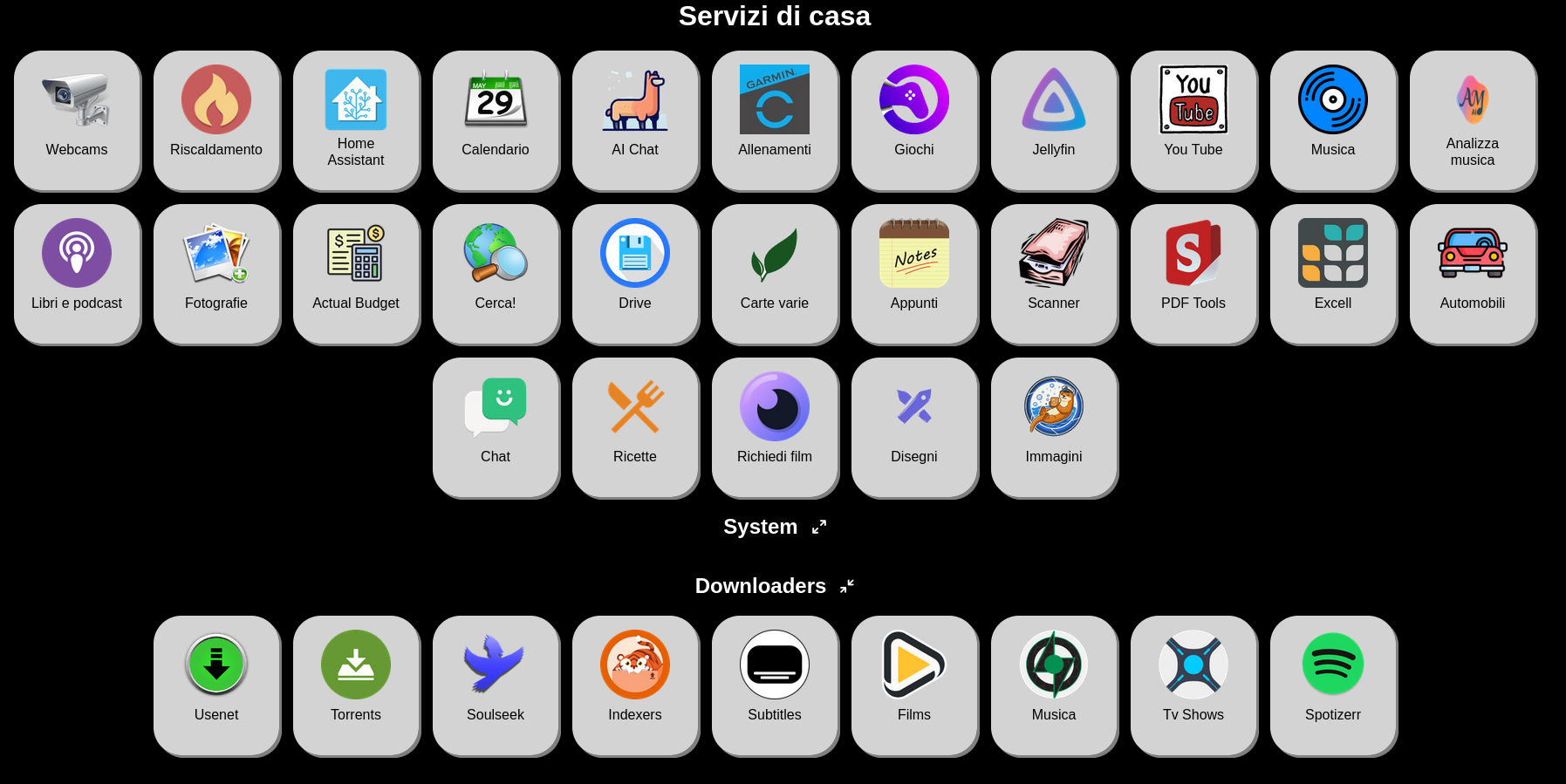
    Hi all, for my own selfhosting needs i looked into many different dashboards, but none really fit my bill.

    I want a dashboard that:

    • super lightweight
    • has no server-side requirements
    • can be edited with a single text file
    • simple CSS to adapt to your style

    and so, of course, i developed my own. After a few years of usage, i upgraded it to AlpineJS (previously uglier code on jQuery) and i am proudly making it public for anybody who might be interested.

    Here it is: https://github.com/gardiol/dashboard/

    (the project was released on github long ago, but i never wrote about it anywhere IIRC, also i might migrate to Codeberg in the future, so do not bash me for Github)

    There is a quite long readme, it's GPLv3, and aboslutely zero lines of AI / Vibe coding. I used AI for research and quick support specially on how to format CSS (which i kind of despise) but nothing else.

    As a bonus, there is also a CGI system made in bash (totally optional) that i use for local monitors, but it's kinda messy and really not ready for broader use, so you can ignore the "monitor" subfolder or delete it completely.

    Anyway, here it is, hope someone could make use of it.

    view more: next ›