@SatyrSack @curbstickle It should. If it doesn’t, it’s still a client issue.
@LifeInMultipleChoice I tested a couple different things:1) General responsiveness: Not snappy, but fine. I am guessing this server is run on HDDs rather than SSDs. I always assume media on HDDs, but the platform itself had some notable delays. 2) Transcoding: Failed. I tested the newest Avatar movie (16Mbps to 10Mbps) and the server was unable to maintain live streaming. The video would stop to buffer regularly. 3) HDR: Couldn’t find any HDR content to test. 4) Intro skip accuracy: Seemed fine for the shows tested. I didn’t see my stress tester, Grimm. 5) Library organization: I know you asked for testing not reviewing, but I noticed a lot of content out of place. Season folders in the TV root directory, Jujutsu Kaisen’s season 1 is off the rails, etc. Within reasonable circumstances and expectations, everything was working. Was there anything specific that you wanted to check?
@IAMgROOT @auzy1 Why would someone spend their resources trying to get money from a stranger’s home internet connection. Is OP a secret millionaire whose daughter is getting married in Hawaii and they’re watching the live stream and willing to pay a $10k ransom to watch it?
@kylian0087 @slazer2au “routing all traffic from the VPS back home” You’re back to square one as soon as you DDOSed yourself. Have you actually been DDOSed before? Are you somebody that attackers want to target? If you’ve never been the victim of an attack, and you’re neither large nor famous, it’s unlikely that you ever will. Your home internet connection can be DDOSed with or without services hosted on it, but it takes resources to attack something, so most attackers want a worthy target. That said, there are reasons to want a VPS. They are likely to have a higher uptime than your home services, so running something like email can ensure it stays up even if your internet/power go out. Similarly, it can be useful to have critical files stored there in case of a fire (as part of your 3-2-1 backup plan). For a game server, it can be useful for multiplayer because it may have lower latency to the other players. If you’re going to get a VPS, put your services on the VPS. If you’re going to rent a VPS to run a VPN, just save your money and use a VPN. If your internet connection isn’t constantly loaded, and you’ve never been attacked, and you’re not hosting a popular website, just save your money.
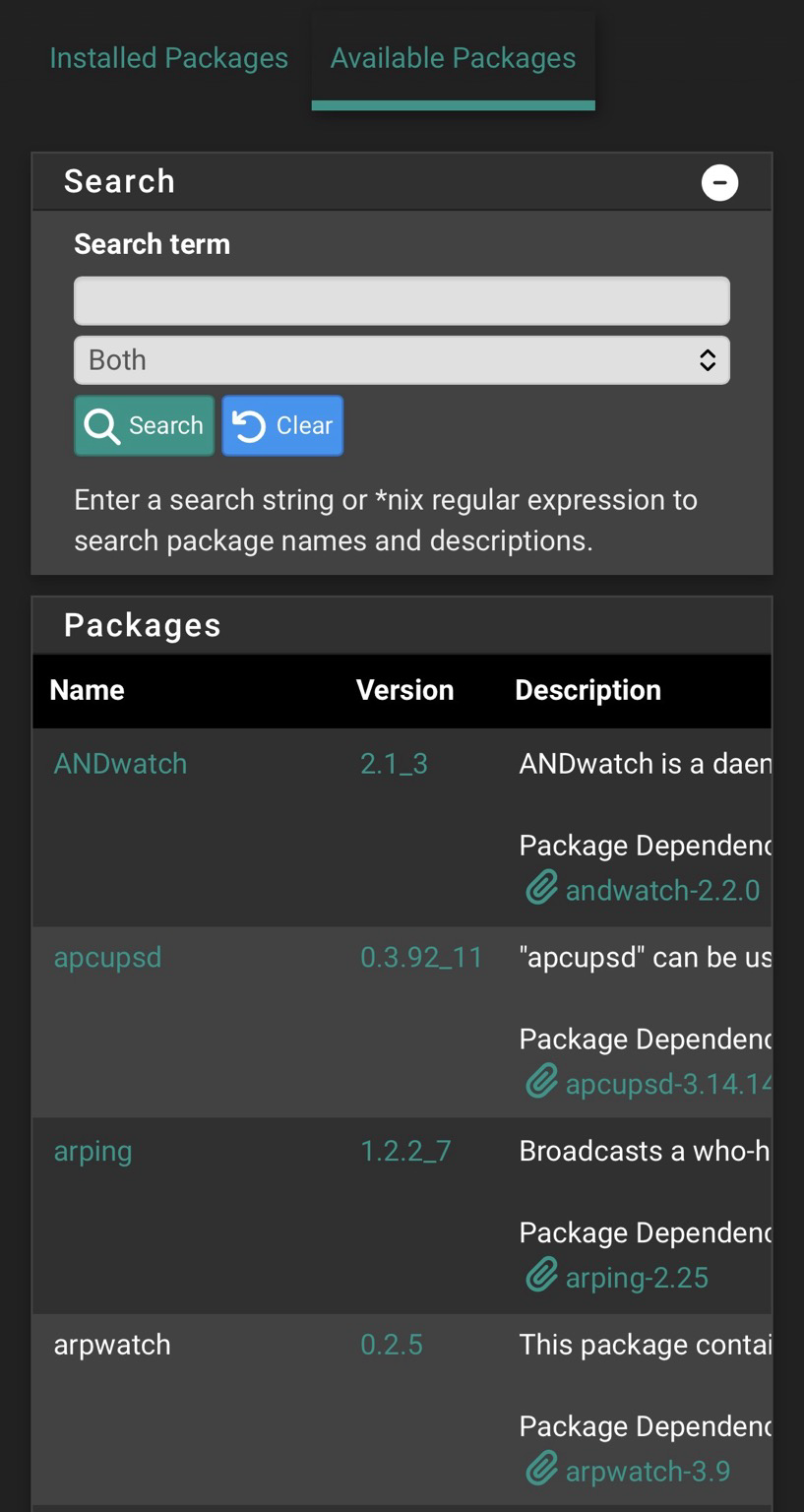
@GameGod @njordomir 🤨I have several networks which rely on traffic shaping on a daily basis. It’s not broken or else I’d be getting phone calls about network issues. Packages are right in the GUI on pfSense as well. It’s been there since I can remember. How long ago were you using it?
@Yucky_Dimension Unless there is a specific need for you to address, I’d say list everything for sale for a month (especially that memory), then send whatever is left to a recycling center as e-waste. The server is likely too much of a power hog to be useful for anything. The CPU is nearly twenty years old and has a whopping 65W TDP on its two cores. Anything you might do with it would be done better on a newer computer, and the new computer price will break even with the power bill savings after about a year or so. A $100 N100 miniPC running at 6.5W TDP is 3x faster. That server can go to the recycler today unless you want to save a trip next month. The RAM might sell. It’s worth trying.
@NekoKoneko A second system in a secure local with minimal redundancy that can PULL backup data from your production environment at a rate fast enough to keep up. In my case, production is a many node Ceph cluster with flash storage and my backup is a single server loaded with big hard drives in a locked room at work (with approval). Both my house and work have fiber. The backup server pulls data from my production cluster on a regular basis using rsnapshot. It does use RAIDZ1 so I can run my hard drives until they fail without losing backups, but especially because it would take a massive amount of time to rebuild the backup server should I need to do so from scratch. If you have a large catalog of Linux ISOs downloaded via torrent, I might recommend keeping a (backed up) folder containing the old torrent files, that way you can just download them from the source again should you lose everything. Let the community be your backup on those.
@WeAreAllOne @ccunning If it sways the decision any, Mikrotik has a Fediverse presence. They have both Mastodon and PeerTube and are active on both (aka not just spam posting duplicate posts from other platforms while ignoring replies like some others)What other company is going in on the Fediverse?
@ccunning Sorry, can’t talk you out of it. I can only talk you into lower tiered items that are significantly more cost effective. If you want gigabit speeds with a nice single pane of glass, UniFi is a great line which is best described as budget enterprise. If you need ten gigabit (or faster) and don’t have a need for the single pane, Mikrotik is a significantly better choice. I’d describe it as quirky but effective. If you share your cart you’ll get a better convincing.
@johnnychicago m.reolink.com/product/argus-pt/Works out of the box. Not sure what the need for Wireguard is here.
@Vanth @njordomir Does Roku support launching immediately into the app? I’m not OP, but that sounds like it would be a solid feature to set up for this person. Definitely worth printing out a copy of the login screens in case they ever get signed out. That way they can see the page and exactly what has to be typed in to log back in.
@TwoBeeSan Recycle it unless you have excess free electricity.
view more:
next ›