1


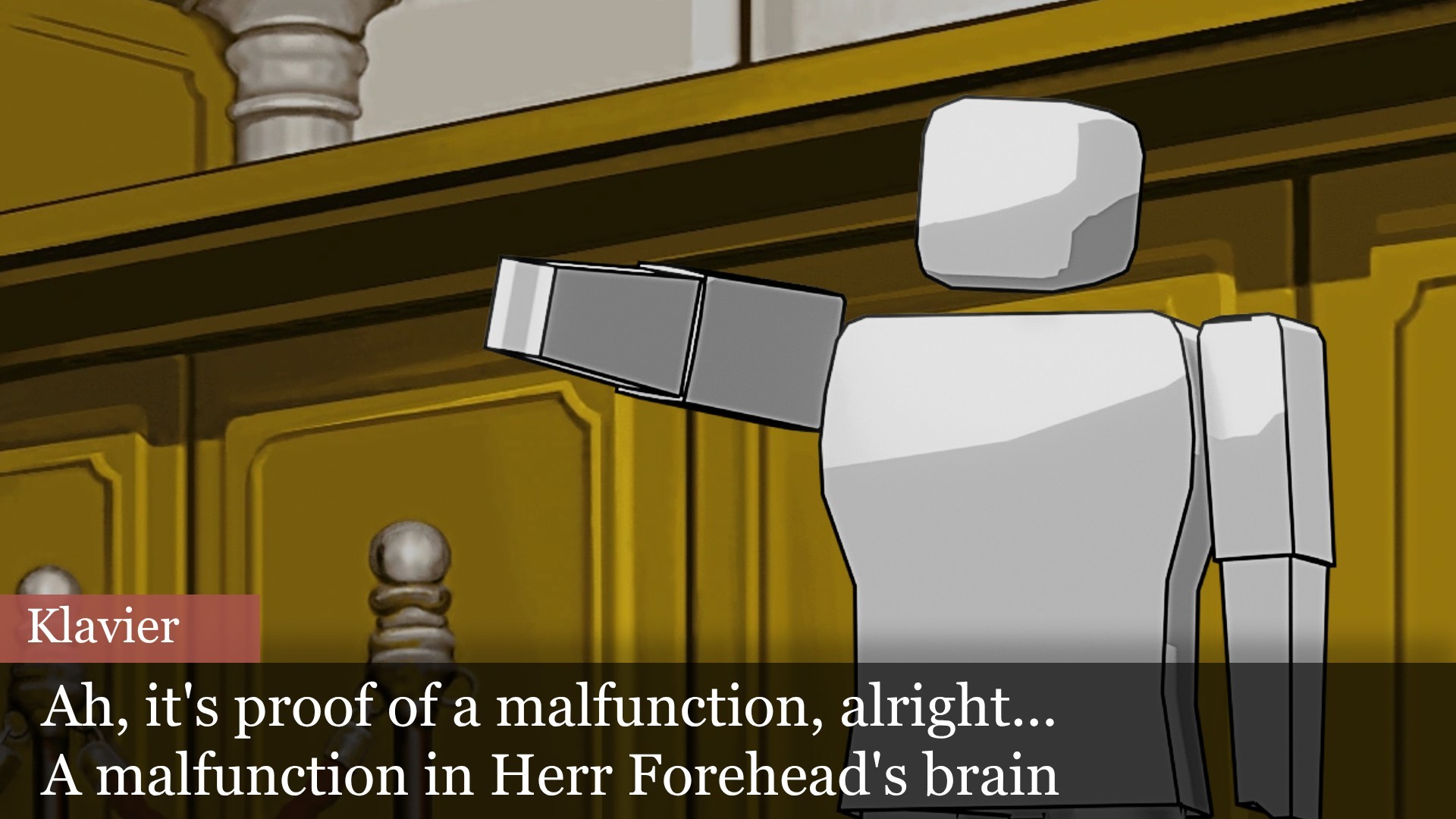
Trying to emulate the style of Phoenix Wright.
Of course I am super far from it. But I kinda like how it looks. 🙂

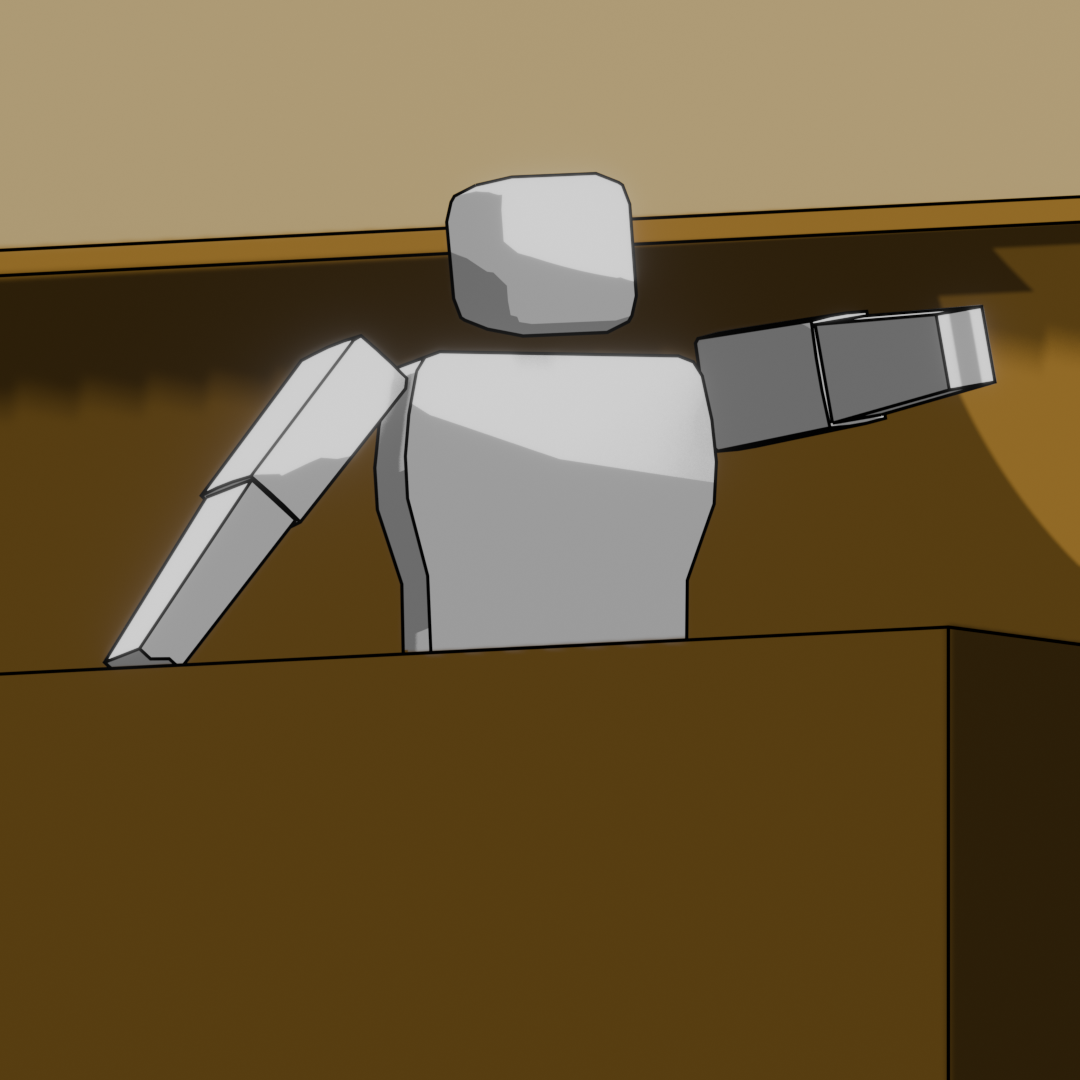
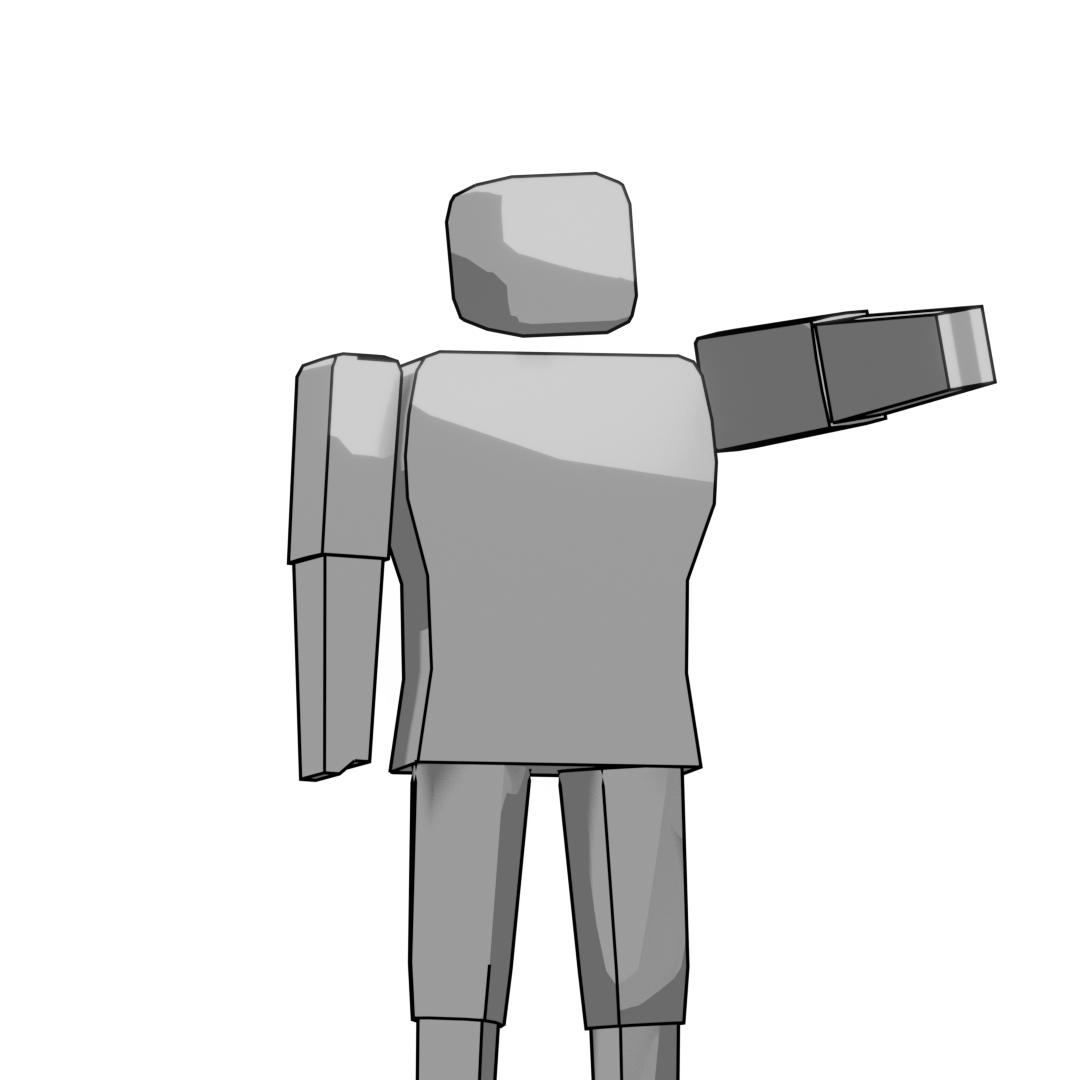
And here is the character with a different pose, without the background.

Image
x5ZlZbwouQpCMlh.png

Used pixlr to make this mock-up. excuse the sharpen filter, I have no idea how it got applied.

Image
FqNAzbM7v9qWAWW.jpg

A gray Lego-like humanoid standing beside a desk pointing on to the side. the background is the courtroom.
2
submitted 4 days ago by to c/blender@lemmy.world


Last year I created this image to fill a request for art for someone on Reddit. I thought I'd share it here to celebrate Halloween.

Zombie woman looking in the mirror.
3
Goblin Bust (lemmy.world)
submitted 5 days ago by to c/blender@lemmy.world


I sculpted this goblin bust to practice 3d sculpting, texturing, and lighting. I loosely based it off the goblins from Paizo's Pathfinder 2e.

Goblin bust.
4


I'm learning more about grease pencil and I created this dragon cat to practice.

dragon cat drawing
5


Blender doesn't provide a built-in simulation capabilities for 1D objects such as ropes. One could fake that with a narrow-mesh cloth simulation, but the result is not good enough. RopeGN implements the XPBD algorithm (also used in Blender's cloth simulation) with some tweaks and sauces specific to 1D manifolds which makes it more effective, accurate and much faster.

Here's the master repository from which you can download this node group, and where I'll be adding more stuff in the future: https://github.com/haykh/GeometryNodes

Post the cool stuff you've done with this in the comments : )

PS. Also, I'm not really distributing this through any other channels, since most markets request for payment info even for free assets. So if you like this and can -- please spread the word!

PPS. There are some example simulations which I couldn't attach to this post in the README of the subdirectory: https://github.com/haykh/GeometryNodes/tree/master/RopeGN

6
[Microblog] Hello! (media.kbin.earth)
submitted 3 weeks ago by to c/blender@lemmy.world


Hello! I'm offering live (remote) classes for beginners to learn the generalist (modelling, UVing, texturing, materials, rigging, animation, rendering..) pipeline in Blender with an intensive crash course for those interested :)

https://erikamoya.com/intro-to-blender-classes/

I have taught this course through the school VFS before but am just starting to self host it. Humble bragging but lots of students have told me they really like the way I teach and enjoyed the classes :p

7


Blender Foundation announces its annual user survey, which aims to better understand:

  • The user community demographics: age group, geography and professional background
  • Common use cases and workflows
  • Users’ top priorities for further improvements
  • How people connect with the Blender project and get involved as contributors
  • How the community spends money (Blender Development Fund donations, marketplaces, training, etc.)
  • The future direction of the Blender project

The anonymized results will be shared publicly, both as an illustrated report with commentary and as a raw dataset. Log in with your Blender ID below to take the survey:

8
 
 
9
submitted 1 month ago by to c/blender@lemmy.world


Why does extruding remove original faces? Settings like "dissolve orthogonal faces" and "auto merge vertices" have no effect.

10
11


I am dumdum. It was Open Doors Week

Subscription doubled from usual number. What did I miss?

12
13
14


Back again with a simple vehicle, using the reference as the texture

15


Blender Extensions Platform update: the system will soon be expanded to support asset libraries as well.

TLDR:

  • Public Domain (CC0) assets only
  • Assets will be hosted on Blender’s servers
  • To share your asset libraries with the whole world, you need to fill out a submission request

Asset Library Submission Request form link: https://devtalk.blender.org/t/asset-libraries-extensions-platform/45779

Original publication (Mastodon): https://mastodon.social/@Blender/117292574925804547

16


Gaussian splatting rendering technique landed in Blender main branch after many months of hard work as of 2026/09/17
It is not guaranteed to be in 5.3, since the code is still work in progress and things may change after public scrutiny and found bugs, but it looks promising and on track, if things go well to be in 5.3

This makes rendering spatial point cloud data better, since the splats make the points look more solid and continuous.

It currently works for PLY and SPZ file formats.

Work and discussion: https://projects.blender.org/blender/blender/issues/159470

17
submitted 1 month ago by to c/blender@lemmy.world


Where do we want Blender's development to focus over the next two years?

Read Small Teams, Ambitious Projects article by Dalai Felinto.

Summary of strategic targets:

  • Dynamic Overrides
  • Animation tools
  • A more complete rigging system and UI tools
  • VSE Story tools: Board to Previs
  • Collaborative asset creation in teams

Potential goals:

  • Blender adoption by game studios
  • Blender adoption in large scale animation and VFX
  • Blender in mechanical industry

Original post (Mastodon): https://mastodon.social/@Blender/117286789309168149

18


This tripped me up when I first started trying to figure out how rigging worked in Blender, so I put together a few quick demos of how it works under the hood. I hope other people find this useful.

The link to the Youtube video somehow got swallowed in the first version. Sorry!

19


This tripped me up when I first started trying to figure out how rigging worked in Blender, so I put together a few quick demos of how it works under the hood. I hope other people find this useful.

20


Hi y'all,

I just need someone to tell me what this process is called. Or direct me to some tutorials that would teach me. I'm not asking anyone to fully explain the process. I'm sure it's not simple.

I'm self taught. And mostly use blender for 3d modeling for 3d printing.

Im always trying to challenge myself to learn new techniques/processes in blender. I've been using blender about 2 years and still feel I barely know the tools or which would be useful to me.

I generally approach learning blender :

"I have an idea, how do I do it?"

So I'm learning blender in a haphazard way.

I found starting with beginner-tutorial series to not be very helpful (I started with the donut one) because they were aimed at making digital assets and scenes. Animations. Coloring.

I'm designing for 3d printing. And my art background has made me a decent sculptor so I use that tool the most. That and Boolean.

Although I appreciate starting with full tutorial series, please do not suggest this. I already went through many beginner videos and they really just aren't taylores for 3d printing applications.

I need my models to have high resolution (decently high) geometry for printing. Not just "looking like" they have texture but the mesh actually needs to have that texture topography.

Which brings me to my point. here is an example of what I'm trying to learn to do.

Let's say I sculpt an egg. But it's not perfect. So it's not symmetrical.

Just an egg-like shape. With a decent size amount of triangles.

So we have smooth tapered ends. And lots of curves. And It's a closed mesh shape. Solid.

Okay. Now let's say I want to cover it in scales.

These scales need to run in a specific direction. Let's say like a dragon egg. So vertical. But they need to wrap around the egg shape horizontally and I want them to condense near the top and bottom of the egg. Where it tapers.

Remember my example is not symmetrical. So maybe the egg top is off centered a little compared to the bottom. Or maybe it curves off to the side and droops a bit. (The point is it has uneven bulbus curves. And it's not symmetrical in any way).

Now if I make a disc shape for a single scale , I can manually place it and use shrink wrap but it only works on one axis so it looks weird. It doesn't curve around the egg shape like a real scale would. Even so that's one scale. If I were to cover the whole thing it would take forever. But this approach doesn't work anyway. But also. By using a scale I made, I can sculpt this scale to have a little flare and be more aesthetic than a basic circle disk. So it would be optimal to use a sculpted mesh I made rather than something else. Like a displacement filter image

So I could use a lattice tool. Apply a black and white displacement picture of a scale pattern over it. But we have the same problem. It won't wrap evenly. It only applies on one axis and where the scales should wrap around, they get distorted weird instead of continuing around the egg shape. Plus using a displacement photo isn't as aesthetic as using a scale I sculpted.

I can also use an array to make a ton of the scales in a band. Then I could copy these over and over and move each copy up to make a stack of scales. A hollow cylinder of the scale pattern. And trying to shrink wrap it or something doesn't work since it's just going to shrink on one axis. So making a round cylinder of the scale pattern is not useful. So that's not going to work either.

Now Ive looked into UV wraps. But that appears to be for "coloring" and "fake textures". By this I mean the topography is not changed. It only 'looks" like it has. Great for games or digital scenes. Not great for 3d printing.

Also I am confused by how uv wraps work as it doesn't seem like you can make them for sculpted objects. ?

And how do you get the pattern to match up anyway ?

And they use displacement filter instead. Which is not what I want. I want actual mesh changes. Wrap a mesh around another mesh.

So anyway. Ive seen plenty of 3d print models I'm certain have done what I've given an example of. And yet I can't figure out how this is done.

I've spent a lot of time trying multiple approaches with the ways I listed. And I've watched a ton of videos but none allow for this full texture application that isn't fixed on one axis.

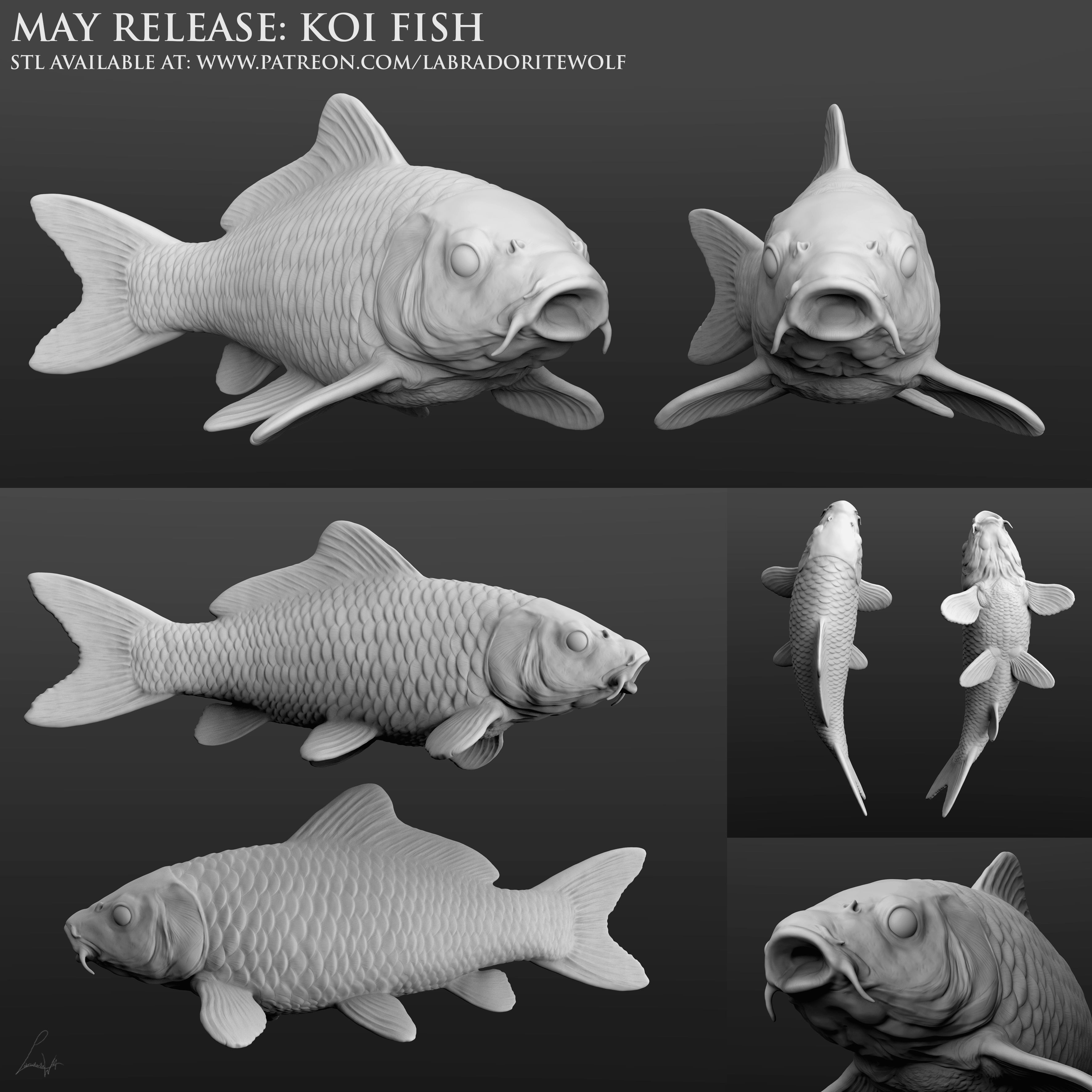
Here is an example of a fish model that illustrates what I'm talking about. Make uniform scales and apply them to a sculpted fish body.

https://img-new.cgtrader.com/items/4078195/88d9e6f6b7/koi-fish-3d-model-88d9e6f6b7.jpg

Being able to wrap models around models at all axis would be incredibly useful for me. I have a lot of design ideas that I can't make because they require this.

What's it called ? What tutorials do I need ?
21
submitted 2 months ago by to c/blender@lemmy.world


For one week, all things OVERGROWN, the new Blender full length open movie are free. The content gallery is now open to anyone curious about how this project is coming together.

Official post published on Aug 27th 2026.

22
submitted 2 months ago by to c/blender@lemmy.world


In this devtalk thread, Blender dev pragma37 requests feedback from NPR artists about a new lights and lighting experimental feature (targeting 5.3).

The way to help is to download the experimental build mentioned in the thread and play with it, if you have your own style or a style pipeline at work, test it and provide feedback in the thread. What's missing, what would be improved and what blocks you from achieving your desired result.

More info in the devtalk thread link provided and its associated example blend file.

23


As the title says. Anyone able to explain to me like a particularly slow child why all of a sudden my rendering view with lights, etc... come out as blue and pink, whereas the material preview mode is correct?

24


The patch was accepted and merged to main as of today 2026/08/18

25


In the official devtalk forum, core developer Jeoren Bakker asked Android users to support Blender's Android port with a playstore app (no Fdroid that I found) named 'Vulkan Caps Viewer'.

I believe Lemmy to be specially of interest due to the possibly higher percentage of more niche phones.

How to:

  1. Install the app
  2. Check the top to find a green text 'Device already present in database'
  3. If it says so, there's nothing to be done, you can uninstall the app. No need for you to do steps 4, 5 nor 6
  4. Otherwise, I believe it is needed for you to upload the GPU compatibility with the top leftmost button (I did not have the option so I'm not sure) (also I see people also sharing a link to their specs, so not sure)
  5. Then, after that sign up / log in to the devtalk forum and publish a comment stating your phone brand and model, and if given, the link with the info
  6. Then you can uninstall the app

More info in the official link provided.

If I got any of the steps wrong, please do correct me.

view more: next ›