You can remove the bar for Firefox: Right click on the toolbar -> "Customize Toolbar..." (or Burger menu -> "More Tools" -> "Customize Toolbar..."), then in the bottom left uncheck "Title Bar" (This works in KDE, at least)
post
- Strangely Firefox has a bigger top app bar, instead of all the icons and tabs being on a single row, there are 2 rows (one with the tab name, and another one with the actual tabs
That's probably the Title Bar.
Go to Firefox's Menu > More Tools > Customize Toolbar > Uncheck "Title Bar" at the bottom left corner.
e: oops, hard_zero1@discuss.tchncs.de beat me by hours
You can open "Keyboard Shortcuts" in the menu and change them to whatever you want.
Welcome!
Mint is an awesome choice to start. It’s got a nice balance between slim and enough features to get you going.
Keep in mind at all times: at some point you’re gonna need that one piece of external hardware to play nice with Linux or maybe that one piece of software ain’t doing it like you’re used to.=> there is a way or an alternative. Always keep calm, research the topic, and follow instructions carefully and thoughtfully when you find a tutorial.
That aside enjoy it, a little slice of freedom away from big tech awaits.
Does anyone know a way to get the clipboard history on Linux?
Depends on your Distribution (really your desktop environment). On KDE Plasma for example, there is a little tile for it on the taskbar.
I use a program called cliphist that stores it for you, but as you can see there are many options
my favorite is diodon. available at least in ubuntu / mint, couldn't find in fedora
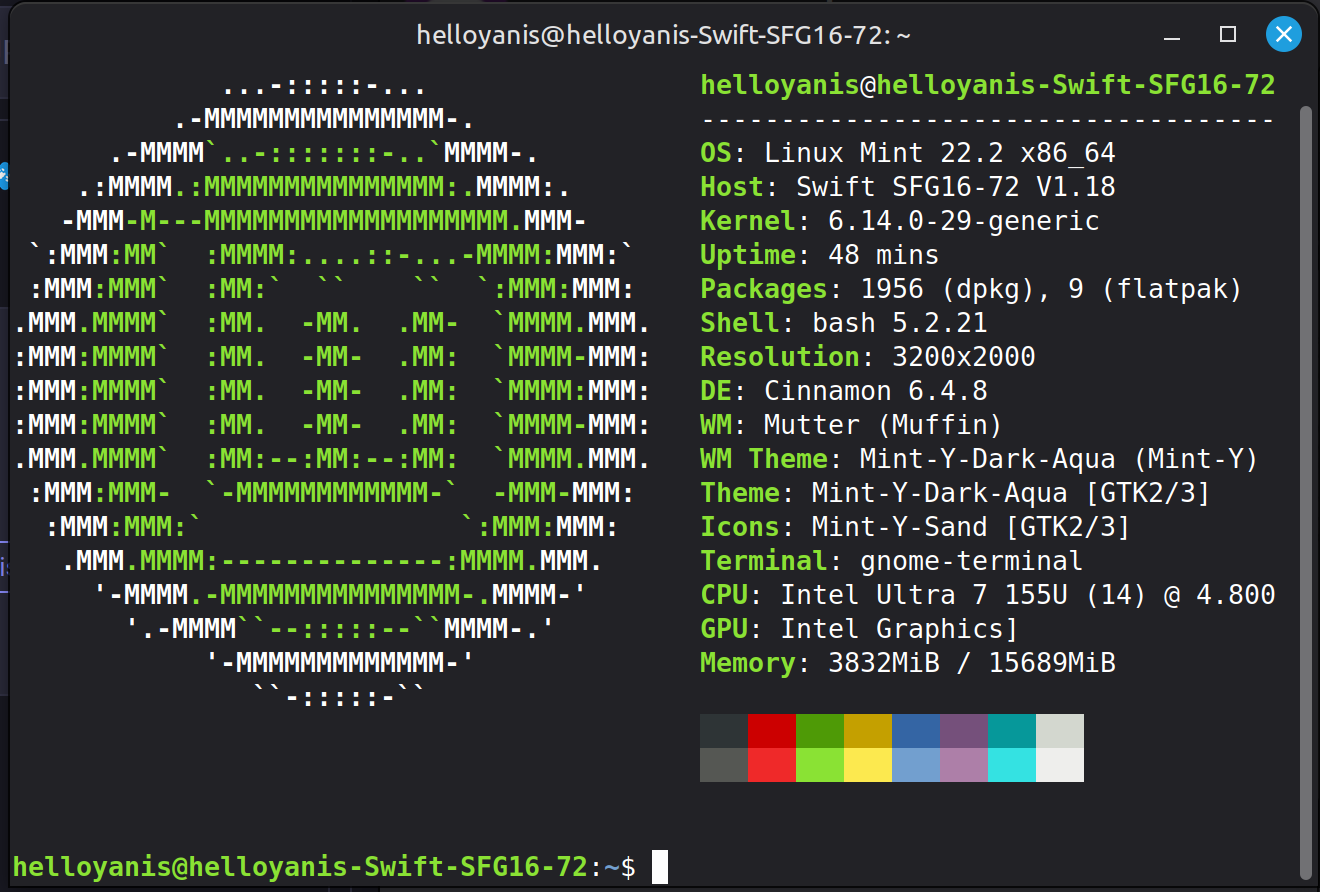
What is this terminal display of device information called? I've seen it for other distros too.
The key to mute my mic doesn’t work, and is not recognized as a key. The other keys like disabling the trackpad work fine.
some manufacturers use a driver to handle media keys (for telemetry, mostly)
showkey -s
Will print the scan codes in the terminal, press your media keys and see if they generate scan codes. showkey is part of the kbd package if it isn’t already installed.
Replying with this account because it won't seem to federate the post : The command sadly outputs nothing.
- The fingerprint reader could be set up, but when trying to log in it always says fingerprint not recognized
This post is a bit older and it's possible that Mint does this automatically. The post goes through the process of setting up a fingerprint reader from scratch. If your system is detecting the device and it's a supported device* then PAM is likely misconfigured.
https://forums.linuxmint.com/viewtopic.php?t=408129
It is possible that Mint now has a user friendly way of doing this... I don't really know Cinnamon (because I use Arch, btw) but whatever it is, it's configuring PAM underneath the GUI. You can configure PAM via the terminal, it even has a little TUI (spacebar to check and uncheck boxes).
*https://fprint.freedesktop.org/supported-devices.html
lsusb
Then check the table against the numbers after ID in the output of lsusb. This is the VID/PID, a term you'll probable run into again.
I was able to just set the keys how i need them, it is super easy to configure just from the menu.
The bigger top Firefox bar is due to the fact that it is using server side decorations instead of client side decorations (aka, Cinnamon, thr graphical environment is setting the top bars instead of letting apps do their thing)
out of curiousity what's the script in the post image? i always see it and i'm curious how to generate it. :3
i installed linux in march and havent regreted it <3
You're looking for fastfetch: https://github.com/fastfetch-cli/fastfetch
If you'd like the same functionality but using pride flags to color in the distro logo, check out hyfetch.
I am thinking I might try Linux Mint on the laptop but I'm kind of terrified of blowing it up or wiping data. My laptop is getting old and I will likely be building a replacement desktop soon.
But it is a gaming laptop and has strange interactions with heat and fan speed and glowy keyboard lights and I'm afraid I'll disable some safety feature or accidentally break wifi compatibility irreversibily if I tinker too much.
You don't have to install anything on your laptop if you just want to try Linux and see if it would work for you. You can just prepare a Linux Mint USB (or any other distribution really) plug it to your laptop and boot from it. This will boot into the live desktop from the USB and will not touch your drives. There you can try Linux and get a feel for it before you commit.
Check out the fish shell, it's imo a very user-friendly shell
all 33 comments