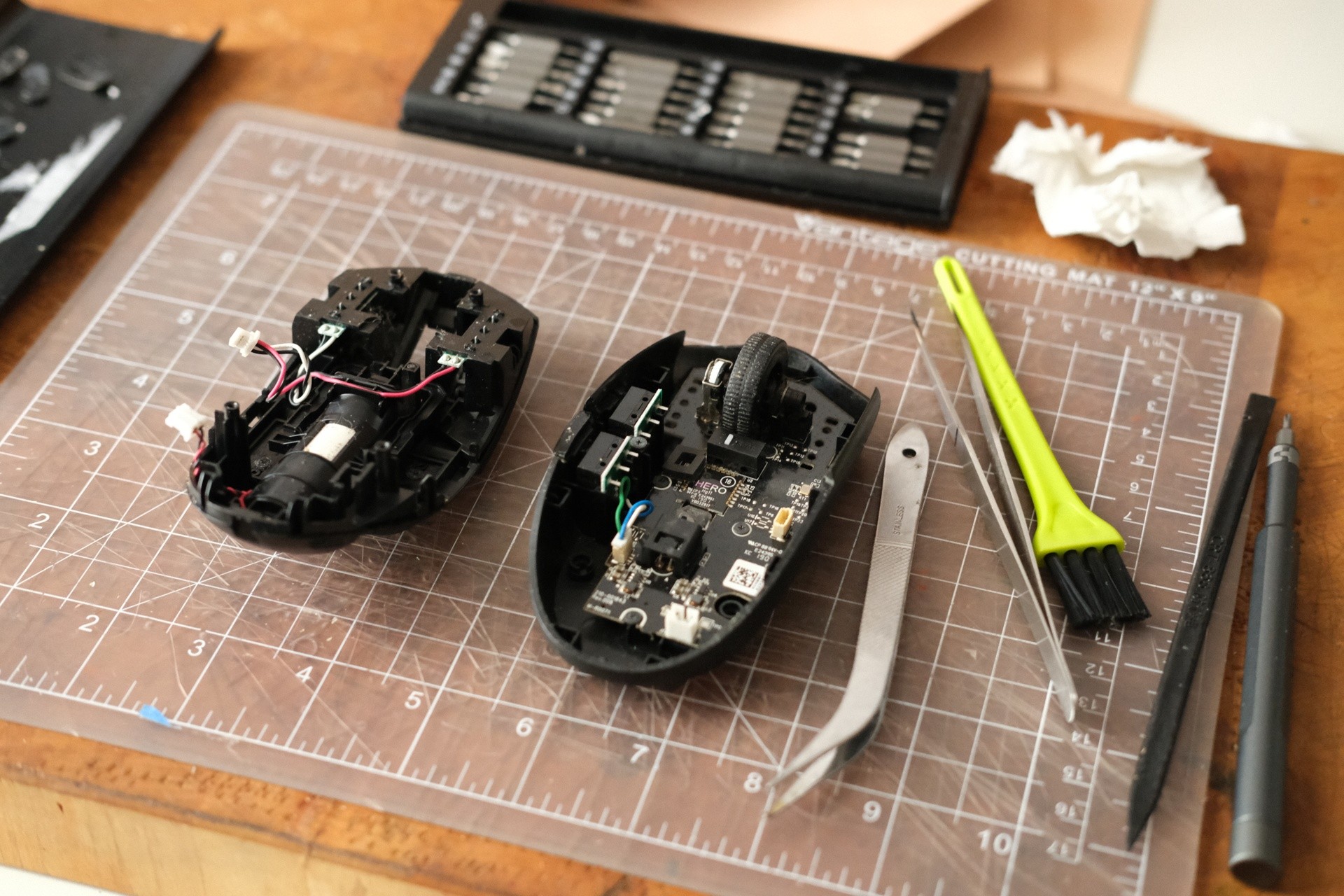
The mouse buttons have been double clicking for a while and the wheel started to becoming sticky.

I finally took it apart and cleaned it as best as I could. It was mostly dust and some cat hair that wrapped itself around the wheel.

I couldn't really get to the click mechanism but I got in between the button and the plastic. Not sure yet if it helped.

#dull #diy

Cleaned My Mouse

all 24 comments

sorted by: hot top controversial new old
[–] 16 points 2 months ago (3 children)

i open the click buttons using a fine tip of a pin/scalpel and there is a metal strip inside and contact points which usually gets covered in oxide leading to click issues, scrape it clean and the click will also start working.

image.png

  • source
  • hideshow 3 child comments
  • [–] [S] 3 points 2 months ago

    Thanks for the explanation.

    There's two screws that hold the plastic click body that then seems to slide out of the body. Underneath that is this type of button mechanism.

    I could only slide it 1/4" or so before something on the inside prevents it from coming off. If I find a tutorial for this specific model I'll try it again. Otherwise, I'd rather not break anything.

  • source
  • parent
  • [–] 4 points 2 months ago (1 child)

    That is an incredibly satisfying looking work area.

  • source
  • hideshow 1 child comment
  • [–] 3 points 2 months ago (3 children)

    Nice! FYI, Logitech mice have a known defect in the switches that results in double-registering clicks. It's super annoying, they know about it, they have said they don't plan to fix it.

    Hopefully, cleaning does the trick, but in case it doesn't it is not your fault.

  • source
  • hideshow 3 child comments
  • [–] [S] 2 points 2 months ago*

    Wow, that's interesting and also shitty. I might have to think twice about Logitech mice in the future.

    I think I've had this mouse for ~6 years so I'd say it's paid for itself but I don't like when companies do planned obsolescence.

    Thanks for letting me know!

  • source
  • parent
  • [–] 3 points 2 months ago (1 child)

    I did that last weekend, and I love the scroll wheel feeling now.

  • source
  • hideshow 1 child comment
  • [–] 2 points 2 months ago (1 child)

    You forgot to castrate the mouse and give your cat the mouse's ball.

    /s

  • source
  • hideshow 1 child comment
  • [–] 2 points 2 months ago (1 child)

    You can try a soray electronics cleaner (useful for things like old volume controls/potentiometers) - it may help with the button (or not, as someone else mentioned the contacts can corrode).

    But it's easy and always good to have the spray around for other stuff.

    Well done!

  • source
  • hideshow 1 child comment
  • [–] 2 points 2 months ago (1 child)

    Next is the keyboard. 😈

  • source
  • hideshow 1 child comment
  • [–] 2 points 2 months ago* (last edited 2 months ago) (3 children)

    My mouse's wheel stopped working, so I opened it up, cleaned it thoroughly, and it worked again!

    ...and then broke the same way like two weeks later.

    I've been making do without a mouse wheel. :\ Because I'm too cheap to get a new one. And I can't be arsed to clean it every two weeks.

  • source
  • hideshow 3 child comments
  • [–] [S] 2 points 2 months ago (2 children)

    How long have you had your mouse? I've had mine for about 6 years.

    I wonder if the rubber is also just beginning to degrade.

  • source
  • parent
  • hideshow 2 child comments
  • [–] 2 points 2 months ago (1 child)

    How long have you had your mouse?

    Oh, long time. Like, probably close to a decade. And it's about the cheapest mouse I could find. The mouse wheel first broke probably within 6 months after I got it.

    So if anything, the problem is probably just that it's a super-cheap mouse.

  • source
  • parent
  • hideshow 1 child comment
  • [–] 2 points 2 months ago (1 child)

    This is a really good idea it's constantly annoying but you never get round to it. Well done for breaking the cycle

  • source
  • hideshow 1 child comment