My router (TP Link) said it had a firmware update. I'm a responsible adult, so I update my firmware. When I log back in, I get this popup that they'd like to share my clients info.

cool...
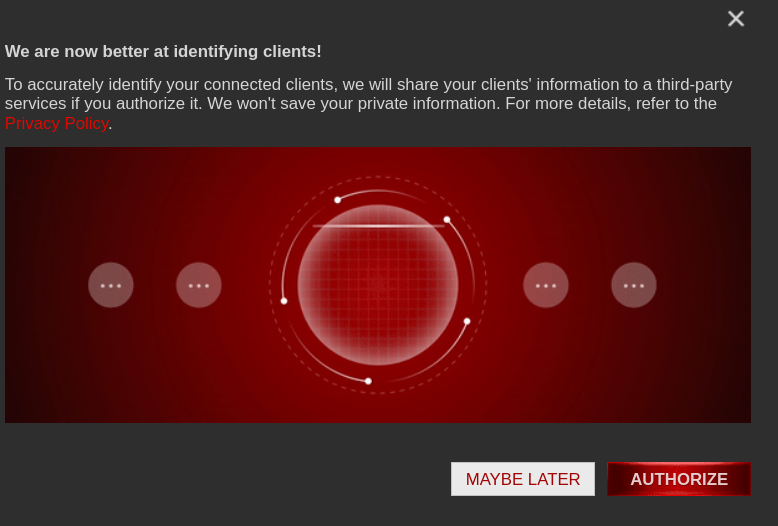
A screenshot with text on top, a generic red background image in the middle, and buttons on bottom saying "Maybe Later" and "Authorize". The text on top says "We are now better at identifying clients! To accurately identify your connected clients, we will share your clients' information to a third-party service if you authorize it. We won't save your private information. For more details, refer to the Privacy Policy [in red, presumambly a hyperlink]".
you are viewing a single comment's thread
view the rest of the comments
[–] 5 points 1 year ago* (6 children)

Well, TP Link have never been trustworthy. Cheap and trustworthy rarely exist together.

I have the best smart plugs I could acquire - Kasa brand. They're great adapters, but the moment their API call doesn't get a response from their servers, they restart themselves every ten minutes. We all have to make some sacrifices in the journey to net security and independence, and keeping their API unblocked is one of mine.

If anyone wants smart plugs for monitoring purposes the Kasa brand is operable without the TP-Link app. Tapo is far worse. Never go full Tapo.

  • source
  • hideshow 6 child comments
  • [–] 3 points 1 year ago (1 child)

    Yup, bought a bunch of TP-Link mesh towers. Turns out that they take down the whole WiFi when the main node looses internet connection. That's just not acceptable, I might have an unstable internet connection but still want access to my local devices, such as my streaming server or router.

    On that node, does anyone know of a brand of mesh towers that can survive unstable/no internet connections and don't use custom firmware? DD-WRT works just fine, but I'm not gonna flash custom firmware onto friends' devices.

  • source
  • parent
  • hideshow 1 child comment
  • [–] 2 points 1 year ago (2 children)

    I have kasa switches and everything is blocked on my firewall so they can't phone home.

    Overall they function fine. But I have 1 pesky switch that is constantly in a disconnected state (red light) no matter what I do. Every time I reconnect it it disconnects not too long later. It functions fine though, possibly because its a 3 way and the paired switch is fine.

    I have another set of 3 way switches that have disconnected a few times but reconnecting them works just fine for a long while (years).

    So my questions are, that pesky red light switch sounds kind of like your situation. When you say they reset themselves, do the lights go red?

    Secondly, yours reset every 10 minutes? Most of mine seem fine. I'm not sure what's different between our setups.

  • source
  • parent
  • hideshow 2 child comments
  • [–] 1 point 1 year ago* (1 child)

    I haven't seen the lights go red, only off, then orange, then green if they were already on.

    Of my KP105 and KP115 plugs, only one has misbehaved, only once when their server was unreachable. The main culprit is the Kasa 303 I think it's called? The 3-outlet adapter.

    They are great devices! But I'm waiting for a Zigbee or Matter alternative with energy monitoring so these can be swapped out

  • source
  • parent
  • hideshow 1 child comment
  • [–] 2 points 1 year ago

    Gotcha. So with a few exceptions they overall seem perform well across the board.

    Once upon a time I dreamed of switching them all out for something better, and was actually looking forward to Tapo with matter support.

    But for my uses I'm basically pulling the plug. My switches are smart enough. I can do schedules, profiles, and control with the app.

    I don't need more than that and there's not really a privacy focused option as far as I know. Blocking internet is my solution to keep things contained.

  • source
  • parent