It doesn't need the Dockerfile to run.
comments
A ir-gapped - Entirely self-contained. Runs without internet access, external services, or tracking
Yet, has a dockerfile.
Which is it? Iso27002 or no?
Awesome! I setup an instance from when you did the first release. I'm really enjoying it's simplicity and using it daily.
Indeed, but I love writing in Perl and it still works great. It's a shame it's not more widely used.
Built in Perl. Wow. Don't see that much anymore.
I have my node running now
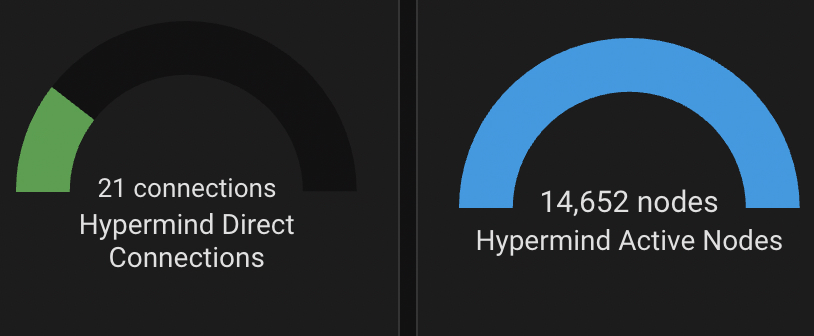
How can they claim this does nothing useful when it makes a number go up? Thats literally all that matters in life under capitalism.
I need this in my life, I want to know who else is holding on to me
I used this guide to use traefik with a wildcard certificate from let's encrypt that is internal only. So I have
Immich.domain.com
And also
Vault.local.domain.com
This allows something like vaultwarden to only be accessible on my internal LAN while something like immich is exposed so I can share albums with anyone I want.
If I want to connect to vaultwarden while away from home, I connect to wireguard first then access via the local URL.
In docker I don't even close the app's ports, so even locally everything has SSL everywhere.
comment on
Running docker compose the right way
Since when is docker compose unsupported?
Ah, that's fair. Their documentation is fully up to date now, but imo their example configs suck for beginners.
I will note that anything that can be done in the compose file can be done as a config file instead, with the exception of traefik.enabled=true if you are using a container whitelist instead of a blacklist.
It took me ages to set up, but i now have auto configuration of 95% of containers that need to be reverse proxied, without binding ports (just use the 'expose' option instead of 'ports' in docker compose).
But yes, all the guides and example configs insisting on using container labels instead of the dynamic config files make it feel way more bloated and confusing than needed.
[deleted]
I am curious, what are the advantages of caddy over traefik?
Why would it need experiments? Can you just run it and see if it works? Are you talking about testing it at scale?
comment on
Running docker compose the right way
I don't understand the question tbh. Make a docker-compose.yml in some folder, and then run your docker compose commands in that folder. Does that result in error and if so what errors?
[deleted]
Traefik is a very robust reverse proxy, but I think you have easier options. If you want to keep it all in the same stack, have a look at Caddy. The configuration is just a few lines. Another very good option since you’re already using pfSense would be to use the HAProxy plugin. You’ll get a UI to manage everything and Tom Lawrence has some very helpful videos about setting it up from start to finish.
comment on
Running docker compose the right way
Of course, i forgot to mention, that user is in the docker grp. I was just thinking that maybe, as the data folders/volumes for the containers were saved in the user home directory, there may be read/write issues foe the various containers.
Likewise, i was worried that if installing/running a sensitive service like Vaultwarden with sudo exposed me to risks.
comment on
Running docker compose the right way
Compose is just a single binary. There is no wrong way to install it really as long as it can find all the needed shared libraries and such.
If in doubt, look at the manual install instructions. Run through that, and see if it behaves any differently.
Some logs from the startup of a this container would help. Just run docker compose up (without the -d) and you'll get all the output up front.
comment on
Running docker compose the right way
Or you know, move on to newer better tools that even docker uses internally instead of this limpdick unsupported tool.
Use kind, and kubernetes resources. You can literally use ‘kompose’ to convert your compose config, and then apply it to a local kind cluster.
comment on
Running docker compose the right way
that is fine, the only requirement AFAIK is the user being in the docker group in case you're having permission issues running it as user
Replace the tailscale container with netbird container.
Also why does your tailscale container have a volume? It just needs envs to define connection information.
I'm still annoyed they dropped FreeBSD. It's s NAS, it doesn't have to be everything to everyone
Honestly it can be anything, it can be any other pc with docker on it. Your gaming pc, or an old laptop. It doesn't have to perform well, just be able to spin up a container, verify it works, then stop it.
Download whatever latest backup you have (all your docker mounts and configs) and manually spin up each container. You should quickly find out if you're missing anything.
@anders @selfhost sounds like a very good cheap choice for a lab box! I currently run 5 Minecraft servers, my NAS, media server, etc. off a similar box (HP Elite desk with a 4th gen i5) and mostly I'm limited by memory capacity more than anything