I own a Tesla and I like the car, but I am not buying another one while Musk is still at the company in any capacity, even if he had just a single share. That racist, hateful, evil cunt can get fucked!
Hi All,
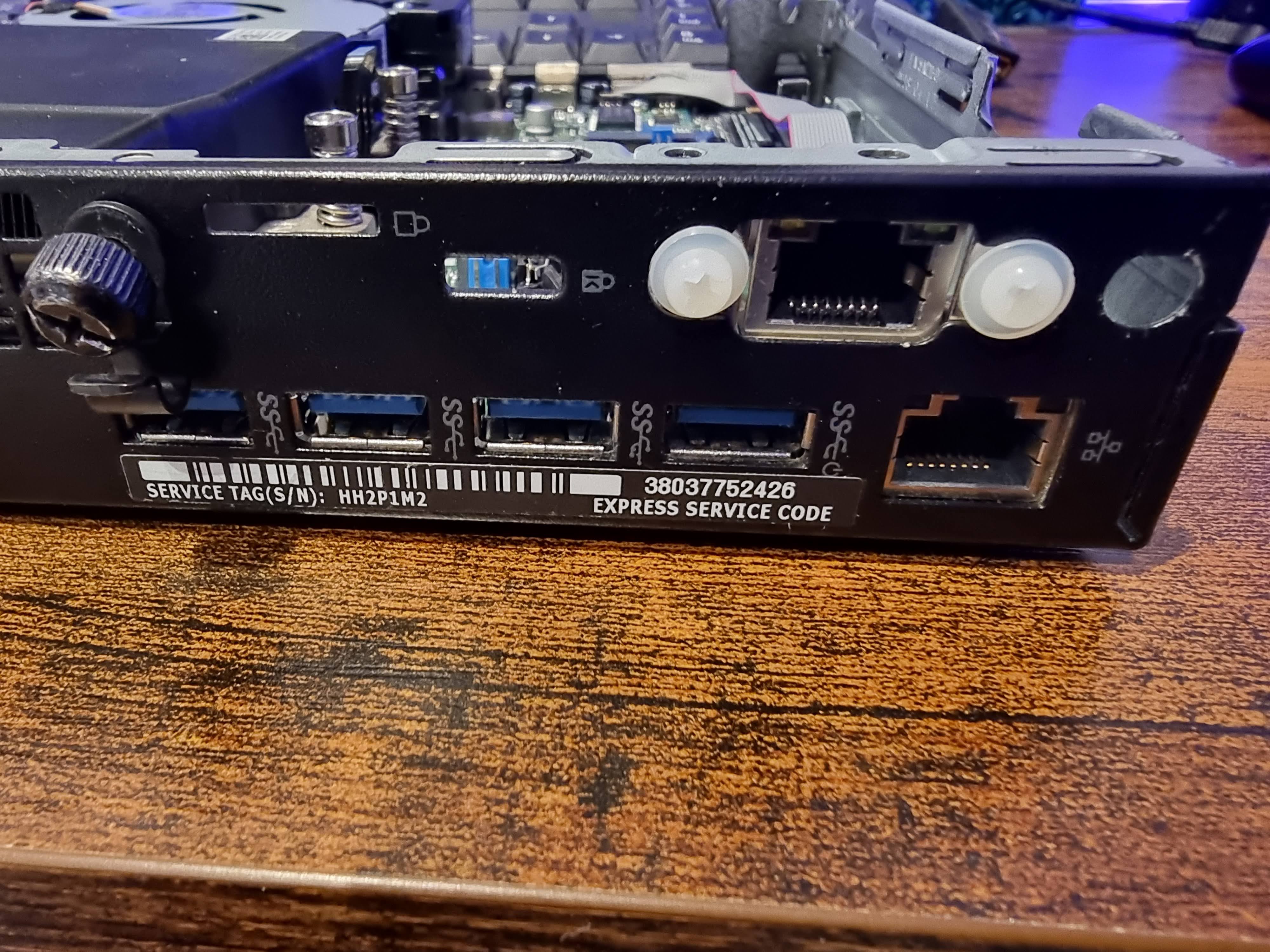
Thought I'd add a quick post on how simple it is to add a 2nd NIC to the Dell Optiplex MFF PC's.
The unit I bought came with a wireless M.2 card and antenna and also an extra Display Port in the accessory port. I didn't need either of these so I removed both.
I then purchased this M.2 wired NIC from Amazon, I was too impatient to wait to get a slightly cheaper one from Aliexpress!! LOL https://www.amazon.co.uk/dp/B0B6ZVRNQ1?psc=1&ref=ppx_yo2ov_dt_b_product_details
Installation was really simple, I just had to ensure that the ribbon cable was laid as flat as possible so that it wouldn't interfere with the SSD and caddy. https://i.imgur.com/lt5Zgs5.jpg

I used two plastic bolts and nuts to hold the NIC port in the accessory port hole, it's not a perfect fit but it is secure enough.
I'm going to use this server as a pfSense router running in a Proxmox VM so the 2nd NIC was important.
I had some fun getting Proxmox and pfSense to see the 2nd NIC, but that's for another post!!
Hi all,
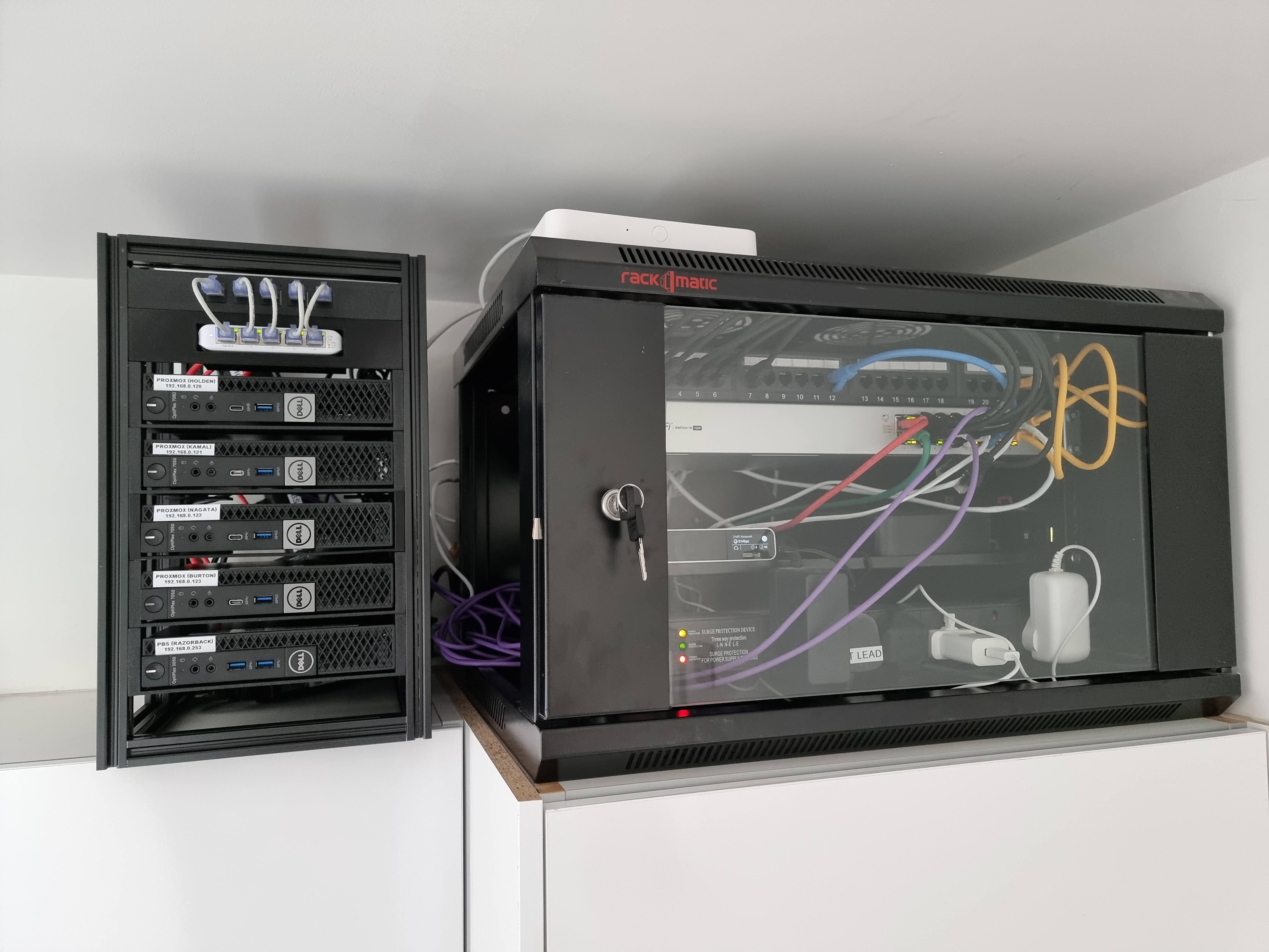
Seeing as I created this community it seems only fair that I kick it off with details of my Mini Lab!! LOL
Instead of them just sitting on top of each other I took inspiration from another user and built a custom rack using 2020 aluminium extrusion and 3D printed parts.
These are the specs of the servers
| Make | Model | CPU | RAM | HDD 1 (OS) | HDD 2 (Storage) | Installed OS |
|---|---|---|---|---|---|---|
| Dell | Optiplex 7060 | Intel i7-8700T | 24Gb | 240GB SSD | 500GB M.2 | Proxmox (Holden) |
| Dell | Optiplex 7050 | Intel i5-7500T | 16GB | 240GB SSD | 500GB M.2 | Proxmox (Nagata) |
| Dell | Optiplex 7050 | Intel i5-6600 | 8GB | 240GB SSD | 500GB M.2 | Proxmox (Kamal) |
| Dell | Optiplex 7050 | Intel i5-7500T | 16GB | 240GB SSD | 500GB M.2 | Proxmox (Burton) |
| Dell | Opitplex 3050 | Intel i5-7500T | 8GB | 500 HDD | 500GB M.2 | Proxmox Backup Server |
Pictures - https://imgur.com/a/d950ydM You can see most of the services I'm running in the Proxmox cluster screen shot, but I'm also running these in the CT called "docker-test"
- Docuwiki
- Heimdall
- Homeassistant (test env)
- Nextcloud (test env)
- Nginx Proxy Manager
- Portainer
- Overseer
- Pi-Alert
- Uptime Kuma
My "Holden" node currently has nothing running but I intend to use this node for Plex and the *arr's suite using my TrueNAS as storage for the movies & TV shows instead of the local storage.
I also have a a Dell Wyse 3040 that I've installed Proxmox on and this runs my instance of OpenVPN when I 'm away on holiday so that I can shutdown all the servers but still VPN home.
I've uploaded the print files to Printables - https://www.printables.com/model/499181-mini-lab-rack-for-dell-optiplex-mff-servers in case anyone wants to use them for something similar.
Also, it's quite heavy so I've had to relocate it from on top of a utility room wall cupboard as I wasn't convinced the cupboard brackets would support the cupboard, it's contents and the server rack!! LOL