Just use wood. One for meat, and one for everything else.
This issue has bitten me several times. It was a problem in 0.6.0 and maybe earlier, and it is present in 0.6.1.
I'll make an edit to fix a couple of typos that I saw immediately after posting, and then I'll see something else or want to add some more context. So I'll edit the post again, but this edits the contents of the original post, therefore I put back in all my typos! (And lose anything else I added in my first edit.)
When it first happened, I thought I was going crazy and ended up going back and forth, fixing the same few typos over and over while adding more content! 😂
For a test, I'm going to edit this post to add the text, "first edit". Then I'm going to edit it again after 10 seconds to add the words "second edit".
Second edit.
Third edit:
Now that I manually refreshed, I can see "second edit", and when I edit the post, those words are there, but "first edit" is gone.
Here's a screenshot of my post immediately after adding the first edit:

You can see that it does not contain the words "first edit" at the bottom.
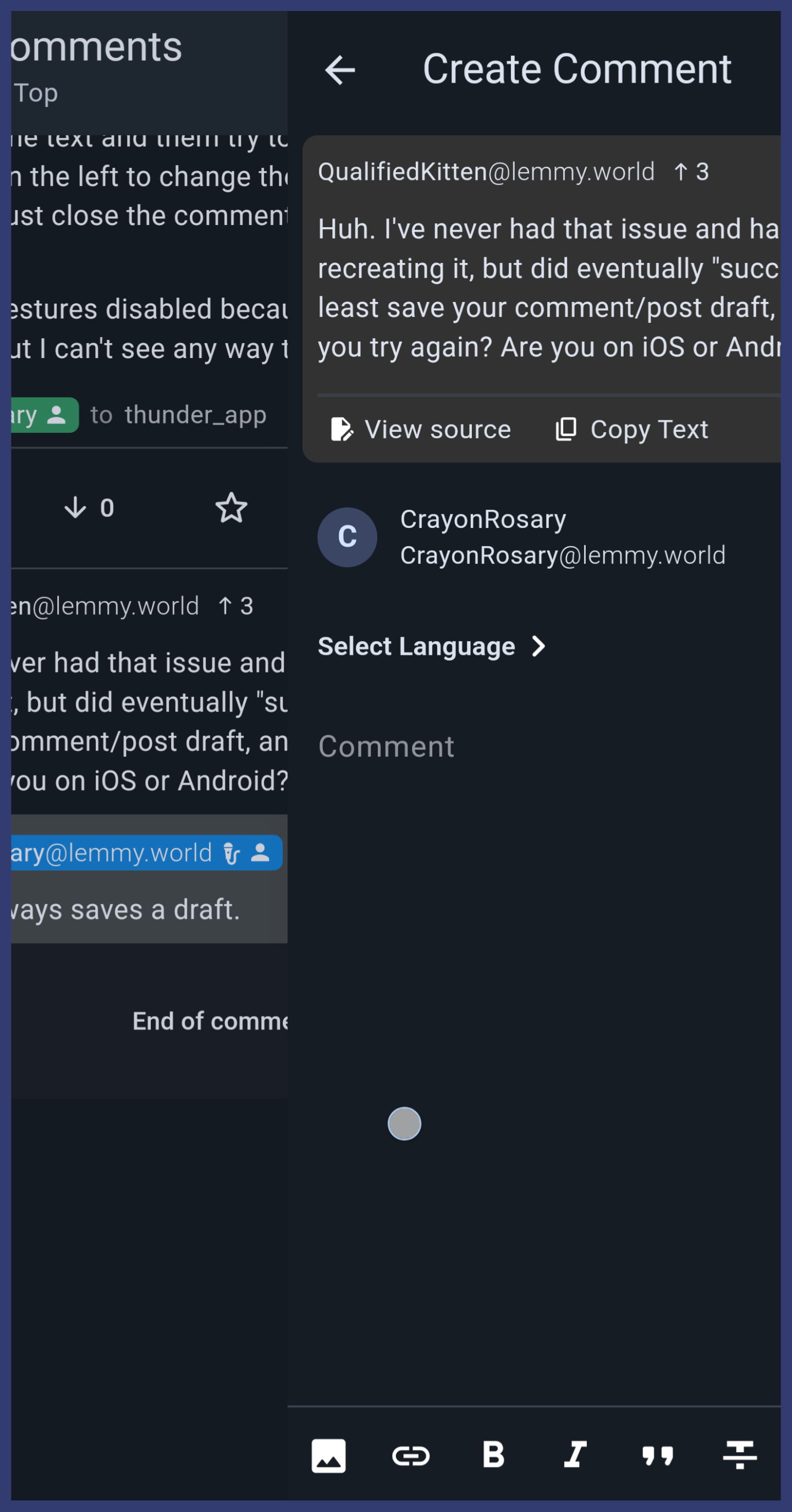
Is there a way to disable swiping from the left from causing me to cancel making a comment?
(lemmy.world)
Same with making a post. I accidentally cancel making a comment all the time while simply trying to select text.
Like this:
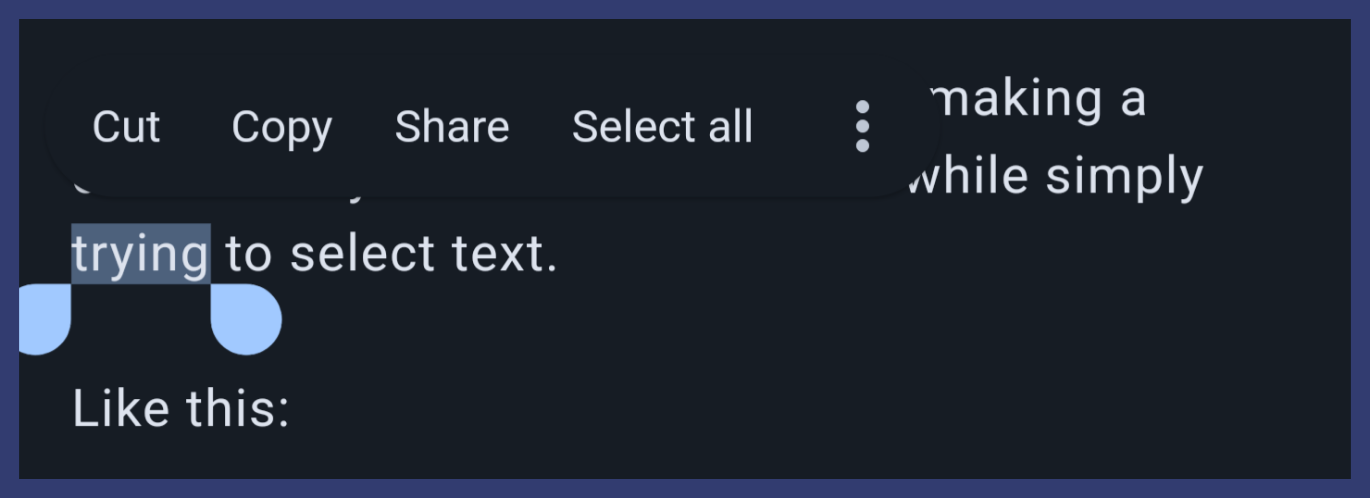
I select some text and them try to drag that little blue tear drop on the left to change the selection and invariably just close the comment editor. It's so frustrating.
I have all gestures disabled because all they do is fire by accident, but I can't see any way to disable this one.
Here is a screenshot of it in action. I turned on the developer option to show touches, and you can see how wide the activation area is for dragging from the left.
It's been happening for a while.
Here is the source of the above screenshot:
Wonder how much that stomach acid cares about the Alkaline^®^ topper.
