[–] [S] 1 point 2 months ago* (last edited 2 months ago) (2 children)

I did more testing. I tried a different adapter, the IDE -> SATA one. With this, it now doesn't work at all (yellow light with blinking red).

Furthemore, I went to try the USB IDE adapter with a different IDE drive (ASUS). It fucking died. It does not cause issues with Linux (it loaded a CD for the 30 last seconds of its life), but it's only spinning up in bursts. I also tried giving it a different power source, because that sounded like it was dying, but it made no difference (and the voltage was fine while running).

The more I touch, the more breaks. Perhaps not surprising that a drive made in 2003 stopped working in 2026, but god damn.

Edit: I could only think of 1 thing - look at the caps.
Well, there's one ribbon cable in the rear, going through a hole in the board that needs to be disconnected before I can access the top of the board. But even after removing all the screws, it wouldn't move.
It seems like their mounting method is taping it in (or did thermal pads turn into glue over time?).
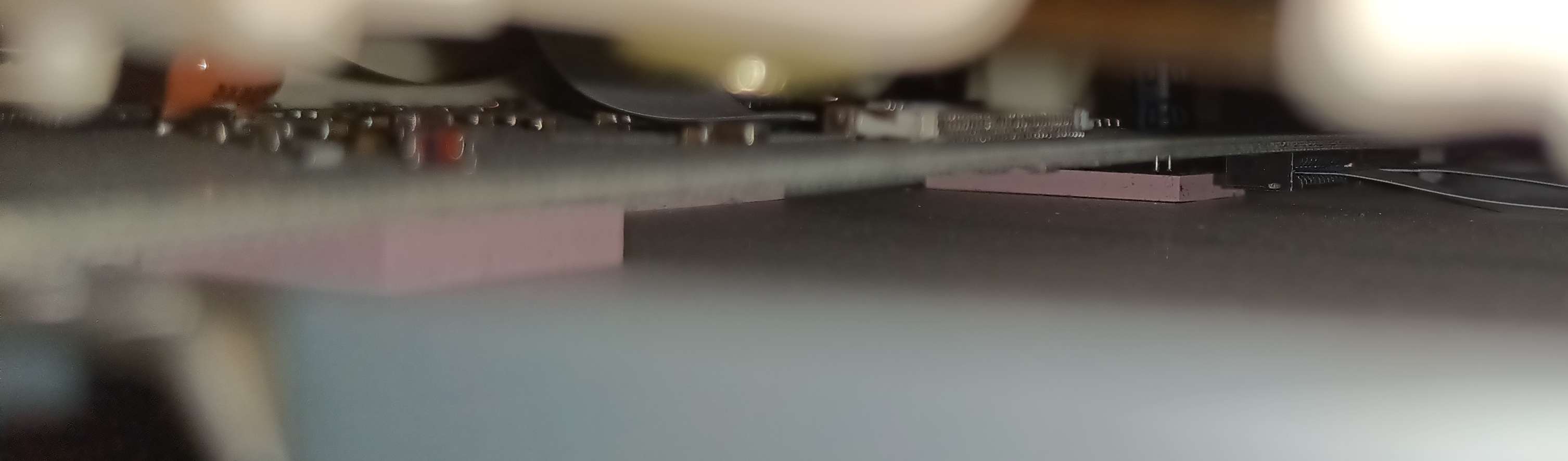
image
Anyway...
Good news: The capacitors look fine (I couldn't safely remove the board anyway).
Bad news: The capacitors look fine (the issue isn't obvious).

  • source
  • parent
  • context
  • [–] 3 points 2 months ago (3 children)

    Sorry, I missed that in your post.

    My quick research suggests that this is a 2002 internal IDE drive, not an external USB one and the information suggests that it's fully supported under Linux.

    I strongly suspect that the issue is caused by your USB adaptor, not the drive. I'd start there.

  • source
  • parent
  • context
  • [–] 1 point 2 months ago (5 children)

    Are you testing this on the exact same hardware and installing each OS from scratch, or are you doing something funky with virtualisation on a Windows computer?

  • source
  • [–] 2 points 2 months ago

    Something that really helps is after straightening out the twisted pair cables is to use scissors and cut them in unison at an angle to give a stepped guide where each wire goes in one at a time in short succession. Helps avoid crumpling of the cables too.

    This only works with passthrough connectors though

  • source
  • [–] [S] 1 point 2 months ago

    I’m not sure what this means. You mean that you have multiple devices, and you’ve set multiple of them up to use 192.168.1.1 as a DNS server, and some work and some don’t? Or you just mean that the other devices work in that they can access the Internet, and aren’t using 192.168.1.1 as a DNS server? The former. All my devices use my router at 192.168.1.1 as a DNS server and resolution works on them (smartphone, another PC, yet another smartphone...). For some reason, it's only my Artix system that won't successfully ping domain names. Meanwhile, the package manager (pacman) resolves repo domain fine, so, MYSTERY. xD

    Thank for all the advice! I haven't had the time to try any of them yet - having started on another (Commodore 64) project and whatnot - but I'll check them out when I can. :)

  • source
  • parent
  • context
  • [–] 4 points 2 months ago (2 children)

    So the very basic is that 1080p is a great resolution no matter how much they want to force everyone in thinking 4k should be the minimum to sell more hardware.

  • source
  • [–] 6 points 3 months ago

    Also 1080p 10-bit probably has good encoding. DVD content probably not-so-much, particularly in the era when it was expected to be viewed on CRT screens where some softness was intended (in other words, the same thing that happened with pre-HDMI consoles and flat panel displays).

  • source
  • parent
  • context
  • [–] 2 points 3 months ago

    The other person told you the same thing, but basically for every one pixel, it will generate four pixels that are exactly the same as that one pixel would be.

    It turns a one by one array into a two by two array.

    There's probably also some tech wizardry going on on the processor in the TV itself that is built in by the manufacturer.

  • source
  • parent
  • context
  • [–] 12 points 3 months ago (3 children)

    3840x2160 isn't almost four times the pixels of 1920x1080. It is exactly four times the pixels. So every full HD content will be upscaled without any loss. One pixel will just take up four pixels in the higher resolution.

    On top of that full HD already gives a very sharp image. And when you are far away enough and/or the screen is small enough and/or your eyesight is bad enough there is no visual difference between the two.

  • source
  • view more: ‹ prev next ›