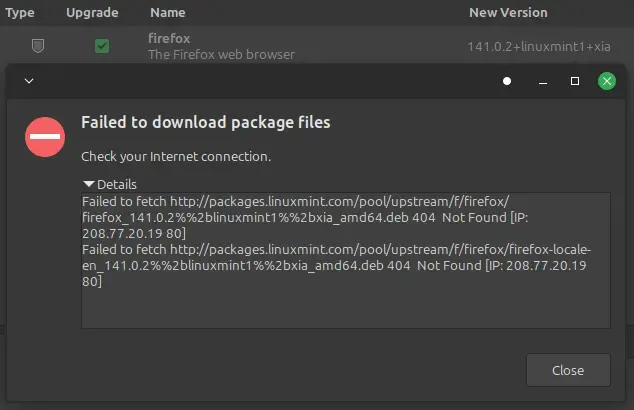
▲ 5 ▼ [SOLVED] Firefox won't update, error "failed to download package" (lemmy.ca) submitted 1 year ago by klu9@lemmy.ca to c/linuxmint@programming.dev 2 comments fedilink hide all child comments cross-posted from: https://piefed.social/post/1127010 Everything else involving the internet, including updating other packages, works fine. But updating Firefox always fails, with the following error: Failed to fetch http://packages.linuxmint.com/pool/upstream/f/firefox/firefox_141.0.2%%2blinuxmint1%%2bxia_amd64.deb 404 Not Found [IP: 208.77.20.19 80] Failed to fetch http://packages.linuxmint.com/pool/upstream/f/firefox/firefox-locale-en_141.0.2%%2blinuxmint1%%2bxia_amd64.deb 404 Not Found [IP: 208.77.20.19 80] Any ideas how to fix this? Turns out it was as simple as sudo apt update and then runnning Mint Update again. Now Firefox and whole system up to date.
[–] cupcakezealot@piefed.blahaj.zone 2 points 1 year ago (1 child) have you tried using mozilla's apt repository? https://support.mozilla.org/en-US/kb/install-firefox-linux#w_install-firefox-deb-package-for-debian-based-distributions-recommended permalink fedilink source hideshow 1 child comment replies: [–] klu9@lemmy.ca [S] 2 points 1 year ago Thanks, fixed it by just doing sudo apt update and trying again. permalink fedilink source parent
[–] klu9@lemmy.ca [S] 2 points 1 year ago Thanks, fixed it by just doing sudo apt update and trying again. permalink fedilink source parent
all 2 comments