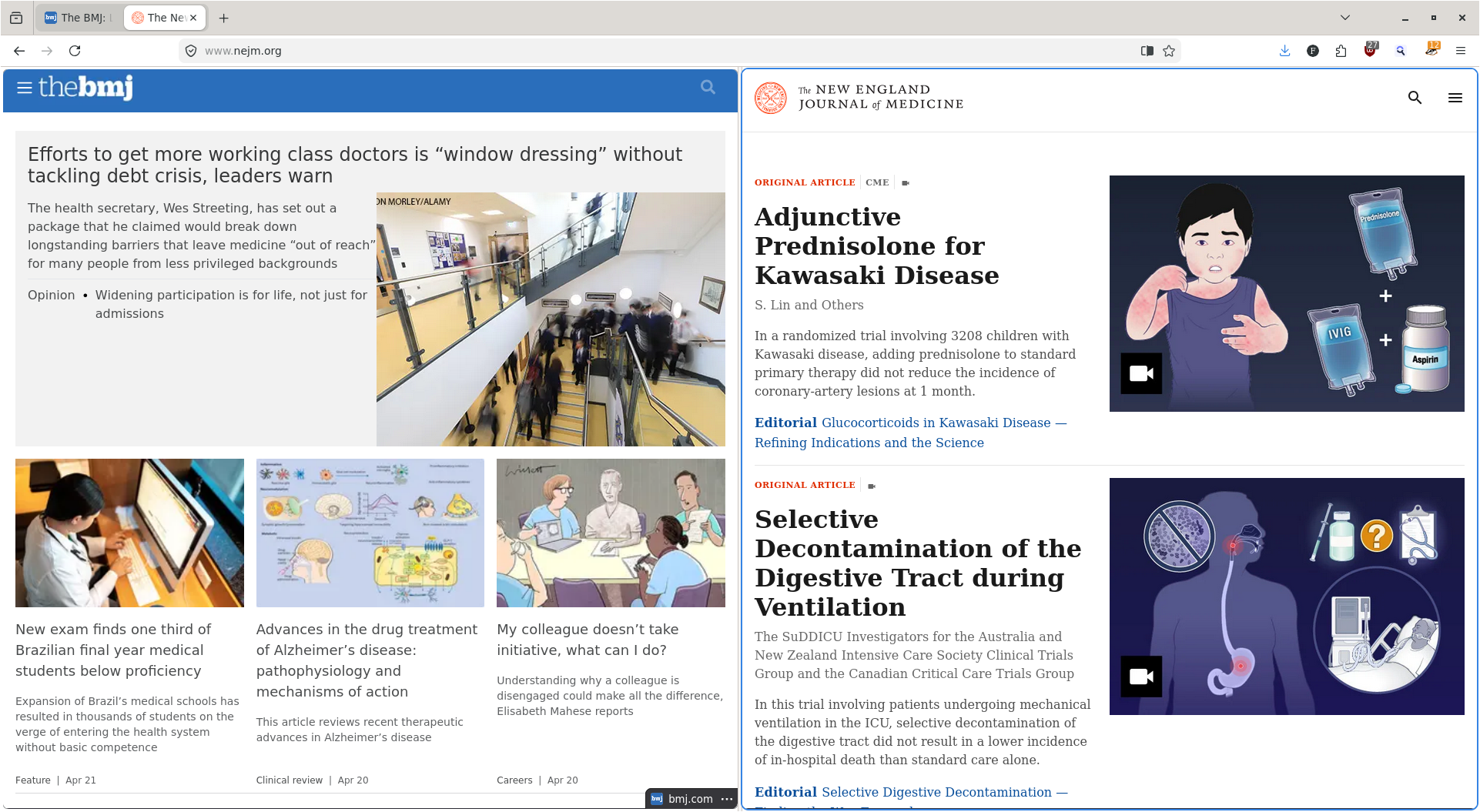
โฒ 61 โผ The "split view" functionality in @ firefox is really nice! (todon.eu) submitted 6 months ago by meanmicio@todon.eu to c/firefox@lemmy.world 14 comments fedilink hide all child comments The "split view" functionality in @firefox is really nice! Read headlines from a single tab. After all the #AI rubbish, finally something good comes from #firefox development ๐ค
[โ] lime@feddit.nu 15 points 6 months ago (4 children) what's the advantage over just using two windows? permalink fedilink source hideshow 4 child comments replies: [โ] ToaofTime@lemmy.dbzer0.com 12 points 6 months ago* (2 children) More horizontal space while using vertical tab bar, only a single window when cycling through alt-tab, saves both tabs if you use saved sessions (vs two windows you would lose one of the tabs when closing both) Also not having to adjust the borders manually. permalink fedilink source parent hideshow 2 child comments replies: [โ] Flagstaff@programming.dev 1 point 6 months ago (1 child) Those are actually downsides to me; I want to see the name per window and have full control. Unless I'm constantly using the same specific pair frequently, this would only mess up my workflow more. not having to adjust the borders manually. Surely you know about Win+/Super+Arrow, right? permalink fedilink source parent hideshow 1 child comment replies: [โ] ToaofTime@lemmy.dbzer0.com 1 point 6 months ago A hotkey is still additional manual alignment. I'm glad you have a flow that works, just as this feature improves mine. permalink fedilink source parent [โ] jello@programming.dev 11 points 6 months ago I thought the same thing until I used it, but now I get it. It's just nicer and more fluid to use permalink fedilink source parent
[โ] ToaofTime@lemmy.dbzer0.com 12 points 6 months ago* (2 children) More horizontal space while using vertical tab bar, only a single window when cycling through alt-tab, saves both tabs if you use saved sessions (vs two windows you would lose one of the tabs when closing both) Also not having to adjust the borders manually. permalink fedilink source parent hideshow 2 child comments replies: [โ] Flagstaff@programming.dev 1 point 6 months ago (1 child) Those are actually downsides to me; I want to see the name per window and have full control. Unless I'm constantly using the same specific pair frequently, this would only mess up my workflow more. not having to adjust the borders manually. Surely you know about Win+/Super+Arrow, right? permalink fedilink source parent hideshow 1 child comment replies: [โ] ToaofTime@lemmy.dbzer0.com 1 point 6 months ago A hotkey is still additional manual alignment. I'm glad you have a flow that works, just as this feature improves mine. permalink fedilink source parent
[โ] Flagstaff@programming.dev 1 point 6 months ago (1 child) Those are actually downsides to me; I want to see the name per window and have full control. Unless I'm constantly using the same specific pair frequently, this would only mess up my workflow more. not having to adjust the borders manually. Surely you know about Win+/Super+Arrow, right? permalink fedilink source parent hideshow 1 child comment replies: [โ] ToaofTime@lemmy.dbzer0.com 1 point 6 months ago A hotkey is still additional manual alignment. I'm glad you have a flow that works, just as this feature improves mine. permalink fedilink source parent
[โ] ToaofTime@lemmy.dbzer0.com 1 point 6 months ago A hotkey is still additional manual alignment. I'm glad you have a flow that works, just as this feature improves mine. permalink fedilink source parent
[โ] jello@programming.dev 11 points 6 months ago I thought the same thing until I used it, but now I get it. It's just nicer and more fluid to use permalink fedilink source parent