nah, looks far from enjoyable
comments
comment on
Reindeer Revolt - A little Christmas game
Fixed
comment on
Reindeer Revolt - A little Christmas game
Link is broken...
comment on
HELP! i cannot manage to install pico 8
Pico should be usable by default on onionos just needs to be enabled.what version of onionOS are you running?
If you navigate to Apps>Package Manager>Expert there should be something in there to enable pico8
Does package manager even show?
Edit: here's the steps for onionOS provided you have the most up-to-date firmware
Turn on your Miyoo OnionOS device and navigate to Apps>Package Manager>Expert.
Scroll down in the system options until you see Pico-8 Standalone. Enable it.
Take the pico8_dyn and pico8.dat files from the licensed download package and place them into the /Rapp/PICO-8/bin directory on your OnionOS SD card.
Reinsert the SD card into the device and select Run Pico-8 w/ Splore under the apps settings section.
comment on
HELP! i cannot manage to install pico 8
thanks for the reply! no...what would i need to set to binary?
comment on
HELP! i cannot manage to install pico 8
i've posted a comment with a few screenshots. it has onion os by default. putting in the sd card gives you retroarch. basically: in the app foleder i' ve put pico / bin / pico8.dat and , pico8_dyn in the emu folder there 's no pico 8 in the roms folder there's a pico folder with .p8 files in it (it was already in the sd card, i didnt download them) in the imgs there's a pico folder with .png files in it (this also was already in the sd card, i just tried to rename breakout_hero.png to breakout_hero.p8 b)
when i try to execute it says exec format error
comment on
HELP! i cannot manage to install pico 8
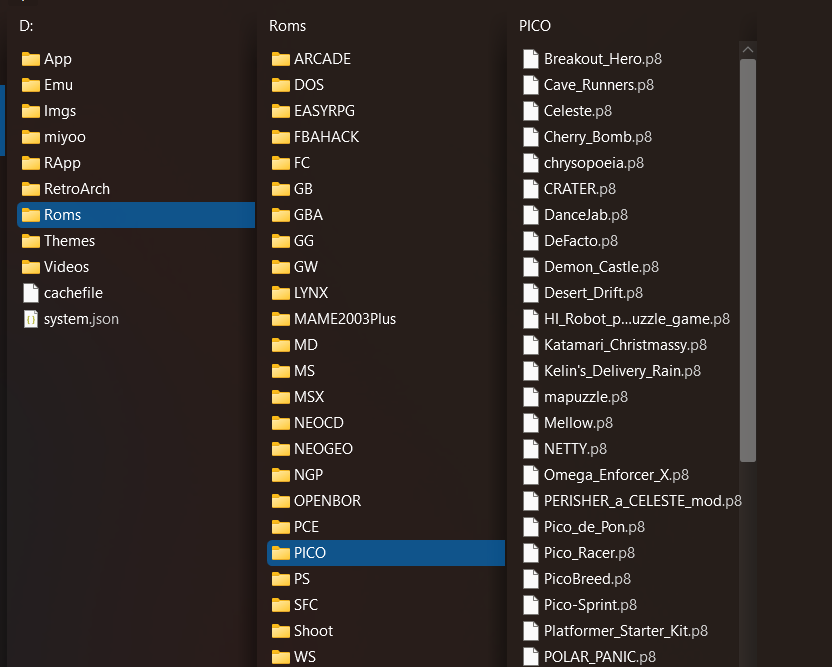
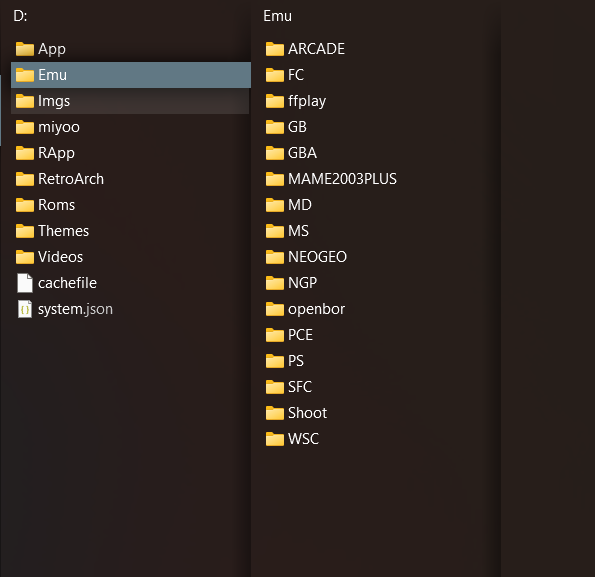


comment on
HELP! i cannot manage to install pico 8
did you set it to binary before or after the transfer?
comment on
HELP! i cannot manage to install pico 8
Got any screenshots of the file tree on the SD card you can upload too?
Also, what OS is preinstalled on that.
comment on
HELP! i cannot manage to install pico 8
since i'm not sure if i can see if you reply from another instance of lemmy. you can also send me a message. much appriciated!